HT2800T_en_c.doc Page 78 of 275
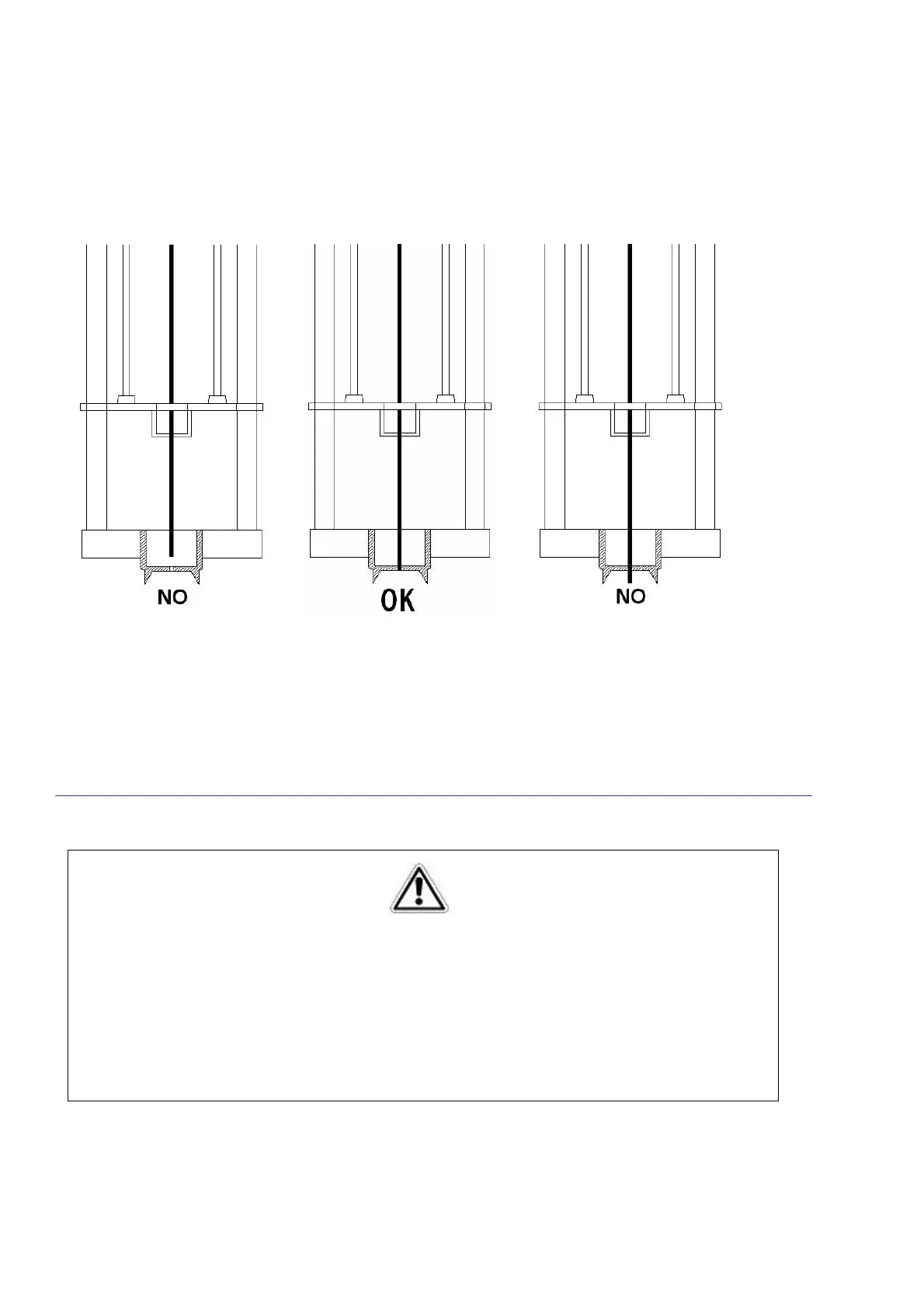
12) Check that the vial locator was correctly aligned with needle tip as shown in the picture below.
If the alignment is not correct contact the Technical Assistance Service.
Figure 92: Needle tip-vial locator alignment
Exit from the Manual Operations menu and perform the Touch Plunger Zero procedure (see paragraph
0 “4.2.1 “Setup: Alignment”).
Alignment: Touch Plunger Zero (Headspace and Liquid mode)/ Touch Fiber Zero (SPME mode)”.
3.7 Preparing sample vial
•
Follow the instruction for sample loading 7.7 “Load and Unload Sample Vial”;
Warning
These operations must be completed by competent personnel, properly trained regarding the
procedures described in this manual: any missing or different execution of the described
procedures can cause damage to the autosampler or to the person working on the equipment.



 To Next Page