HT2800T_en_c.doc Page 234 of 275
• Enter “manual operations” and close the oven cover (see paragraph 4.2.5 “Setup: Manual
operations”).
9.1.4 Touch screen display cleaning
Wet a soft, lint-free or microFiber cloth with distilled water. Wring out as much water as you can.
Make sure the cloth is damp but not wet. Wipe the screen in a gentle motion to remove dust, oil,
or fingerprint smudges.
Another option is to use a screen cleaner kit that includes antistatic wipes.
Finish cleaning the touch screen with a dry lint-free cloth to wipe away any excess moisture,
then turn it back on.
9.1.5 Syringe replacement in the syringe warmer
assembly (Headspace mode)
9.1.5.1 2.5ml to 2.5ml syringe replacement
Syringes should be replaced according to sample throughput and sample dirtiness/matrix.
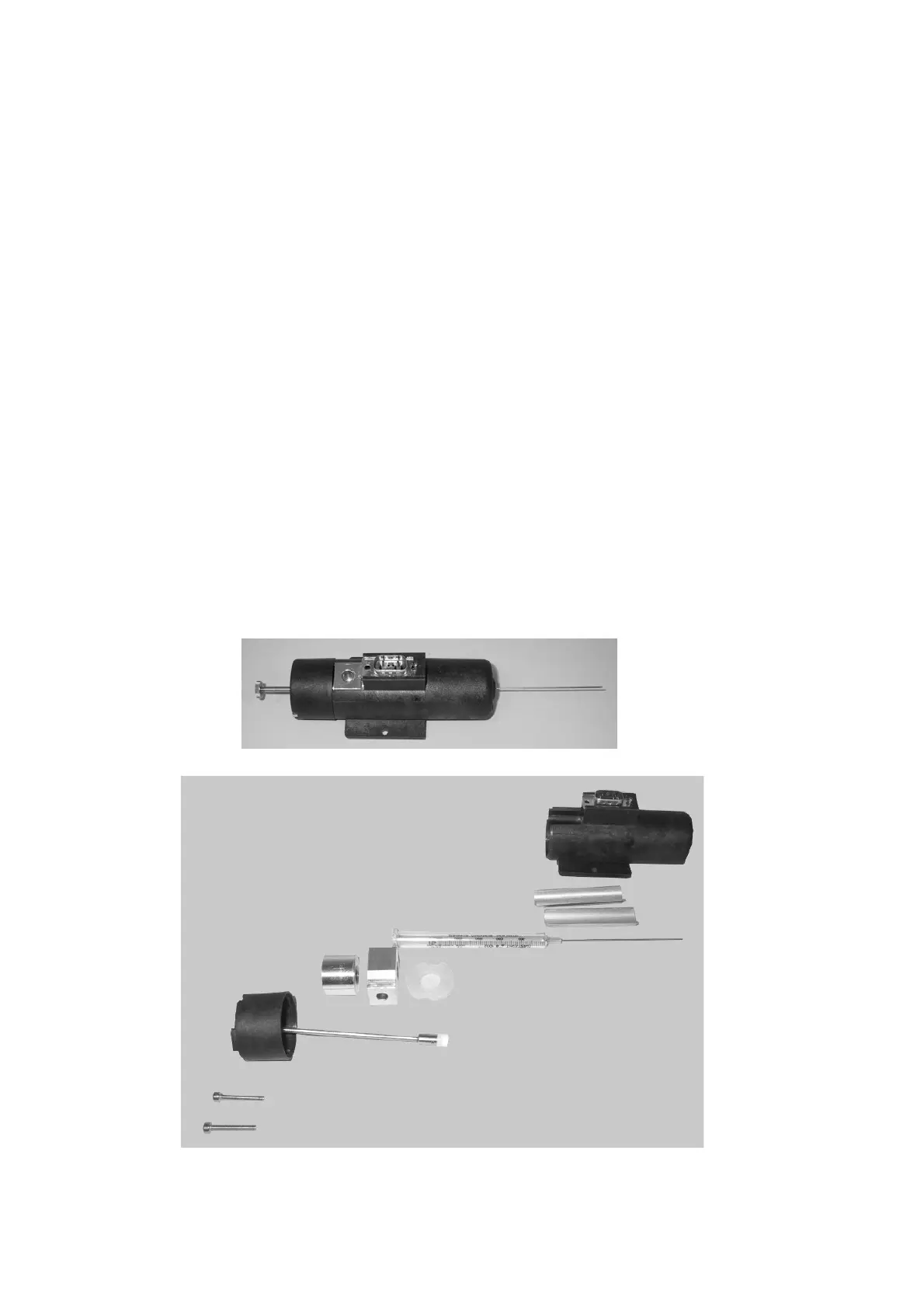
To replace the syringe, disassemble and reassemble the syringe warmer assembly that contains
the syringe. In the following picture, the syringe warmer assembly is shown.



 To Next Page