HT2800T_en_c.doc Page 68 of 275
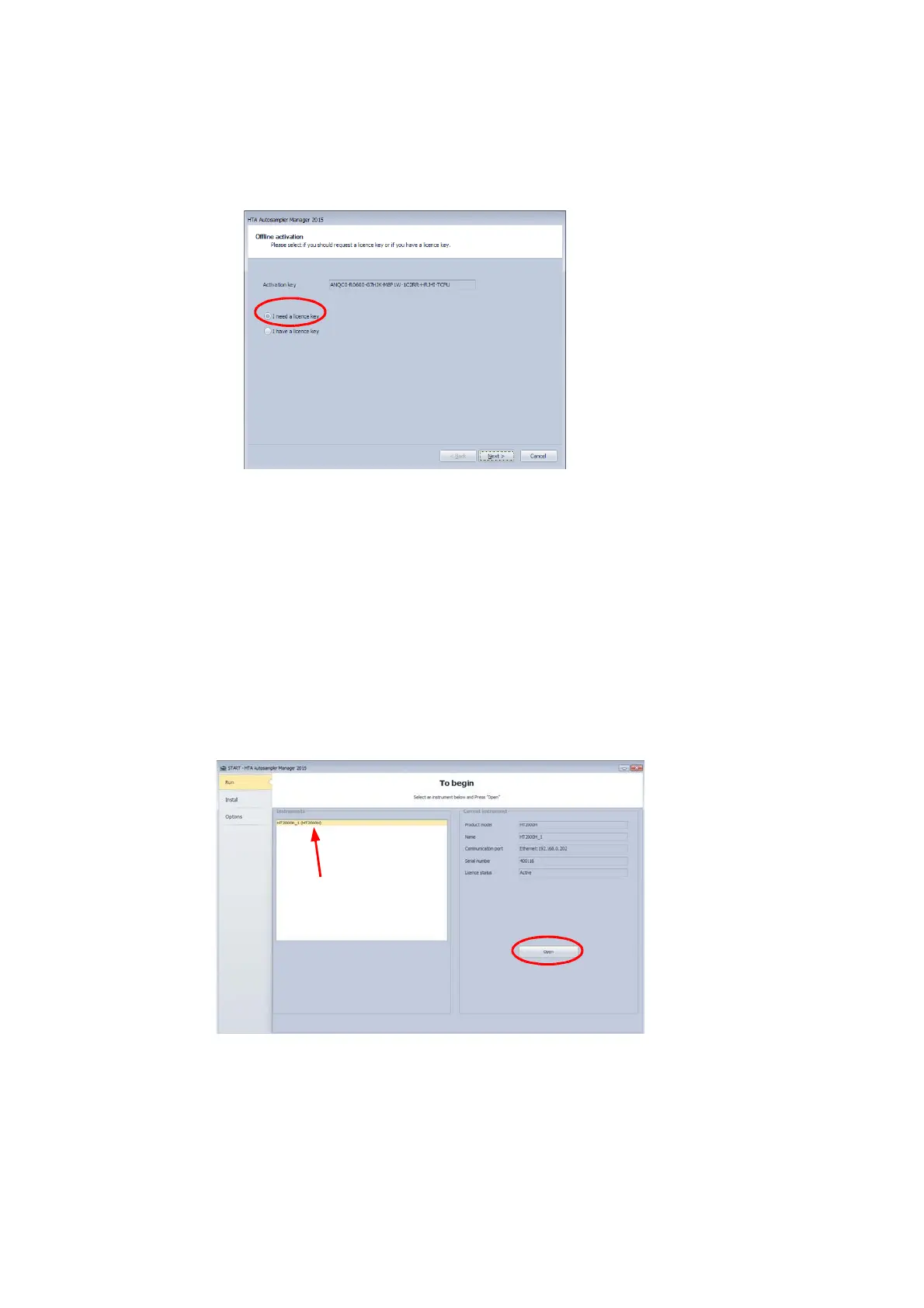
c) The following window appears:
Figure 74: HTA Autosampler Manager screenshot 12
-If you already have a “licence key”: select “I have a licence key” and then insert it
in the dedicated field.
-If you do not have a “licence key” select “I need a licence key” and then
“Request licence key”. You will then obtain all the data required to apply for the
“Licence key” from another PC via e-mail.
15) In any case, end the activation procedure by clicking on “Finish”:
16) Finally, click on “Run” button, select the instrument name on the left part of the window and
then click on “Open”:
Figure 75: HTA Autosampler Manager screenshot 17
17) The following screen appears. The “Help online” section can help you with the
autosampler handling by the software.



 To Next Page