105
DTS DECODER SETTINGS
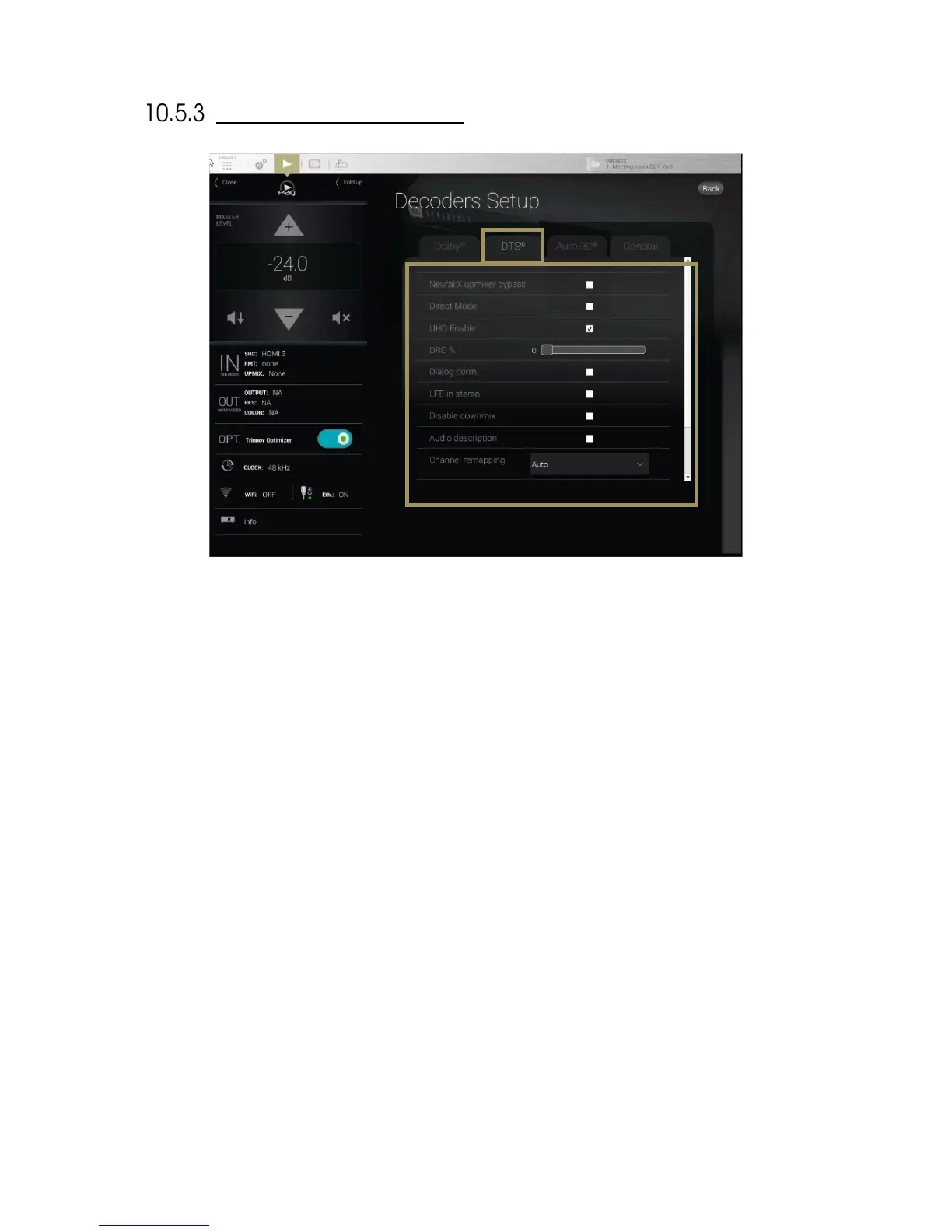
Figure'71':'DTS:X'Deco d er 'Se tt in gs '
• Neural:X Up-mixer Bypass: Disables the Neural:X Up-mixer;
• Direct Mode: In “Direct Mode,” the audio is extracted and reproduced as closely as possible to what the
content creator intended. At a high-level, direct mode attempts to most closely preserve the original speaker
layout with no additional processing to take advantage of additional speakers;
• UHD Enable: Allows rendering the 3D object. If this function is disabled, the decoder will play only on legacy
(5.1/7.1) speakers;
• DRC%: sets a percentage of Dynamic Range Control ;
• Dialog norm: use the incoming metadata to adjust the level of the center channel;
• LFE in stereo: send the LFE to a pair of subwoofers ;
• Disable down-mix: Do not down-mix surround formats into stereo;
• Audio description: switch on the visual description track intended for the blind and visually impaired ;
• Channel remapping: This setting is only applicable for surround formats
o None : No channel remapping is applied
o Auto: apply automatic channel remapping that matches the incoming channels to the speaker
system;
o Auto on DTS configs: apply automatic channel remapping accordingly to some specifics speakers
configurations determined by DTS
o 2.0 – 7.1 settings: force playback on a specific speaker configuration such as 7.1 independently
from the incoming channels;
• Solo stream: enable the Primary or Secondary solo stream.
• Interactive Object: If interactive objects are available on the content in use, a slider will provide a volume
control on these interactive objects. The slider is disabled if no interactive objects are available. The
interactive objects are usually dialog objects, therefore you are able to adjust the dialog level.



 To Next Page