23
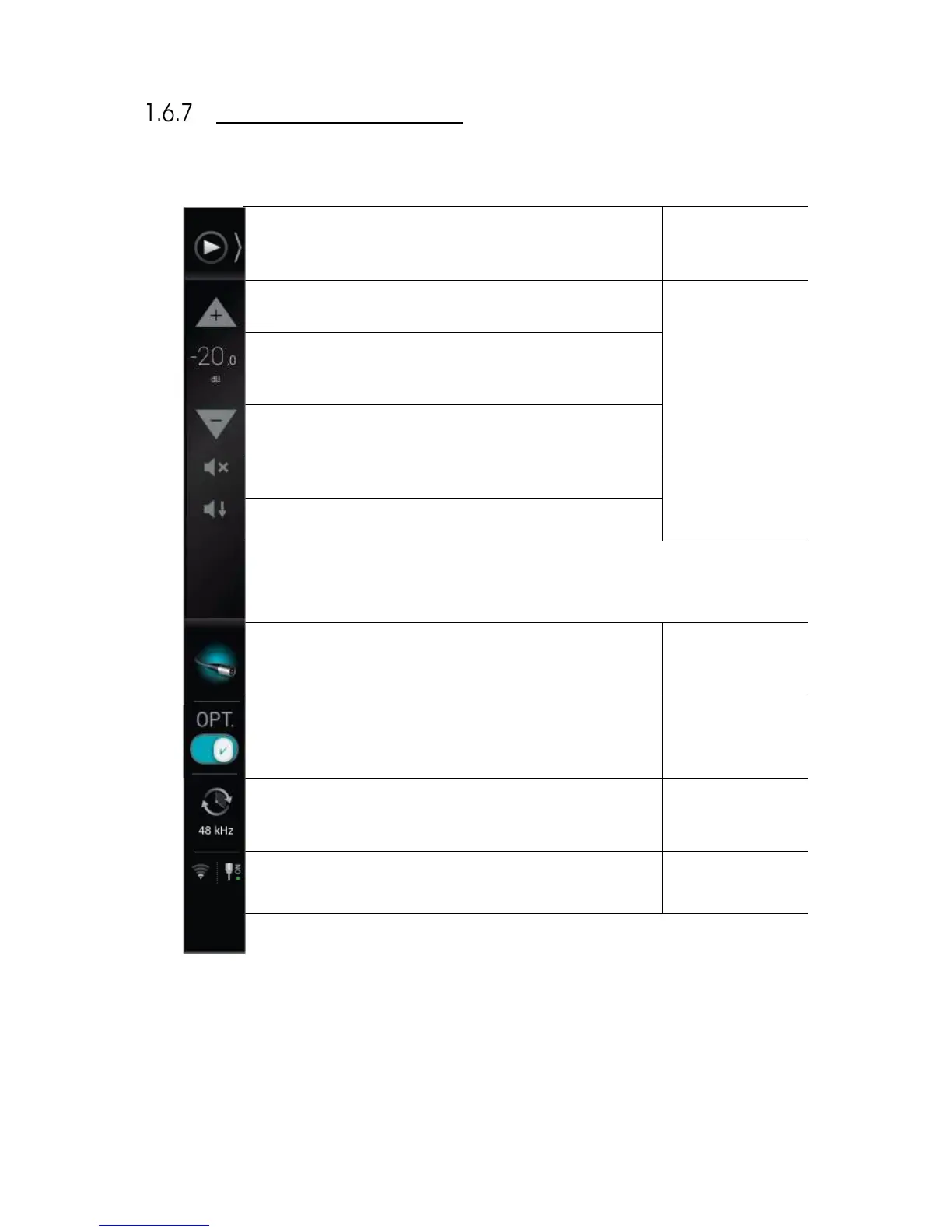
FOLDED LATERAL MENU
When folded, the lateral menu provides the following features:
Click to unfold the lateral menu.
Click to increase output level added in 1dB steps.
Displays the current output level.
Click to decrease output level added in 1dB steps.
Dim: attenuates the output level by 20dB.
Displays which audio source is currently selected as you move the
cursor over the icon.
Displays the current status of the Optimizer.
Click to enable/disable the Optimizer.
Displays the current clock sampling rate.
Displays the current status of the Wi-Fi and Ethernet network
interfaces of the SDP-75.



 To Next Page