132
14.5 BASS MANAGEMENT SETTINGS FOR
INDIVIDUAL SPEAKERS
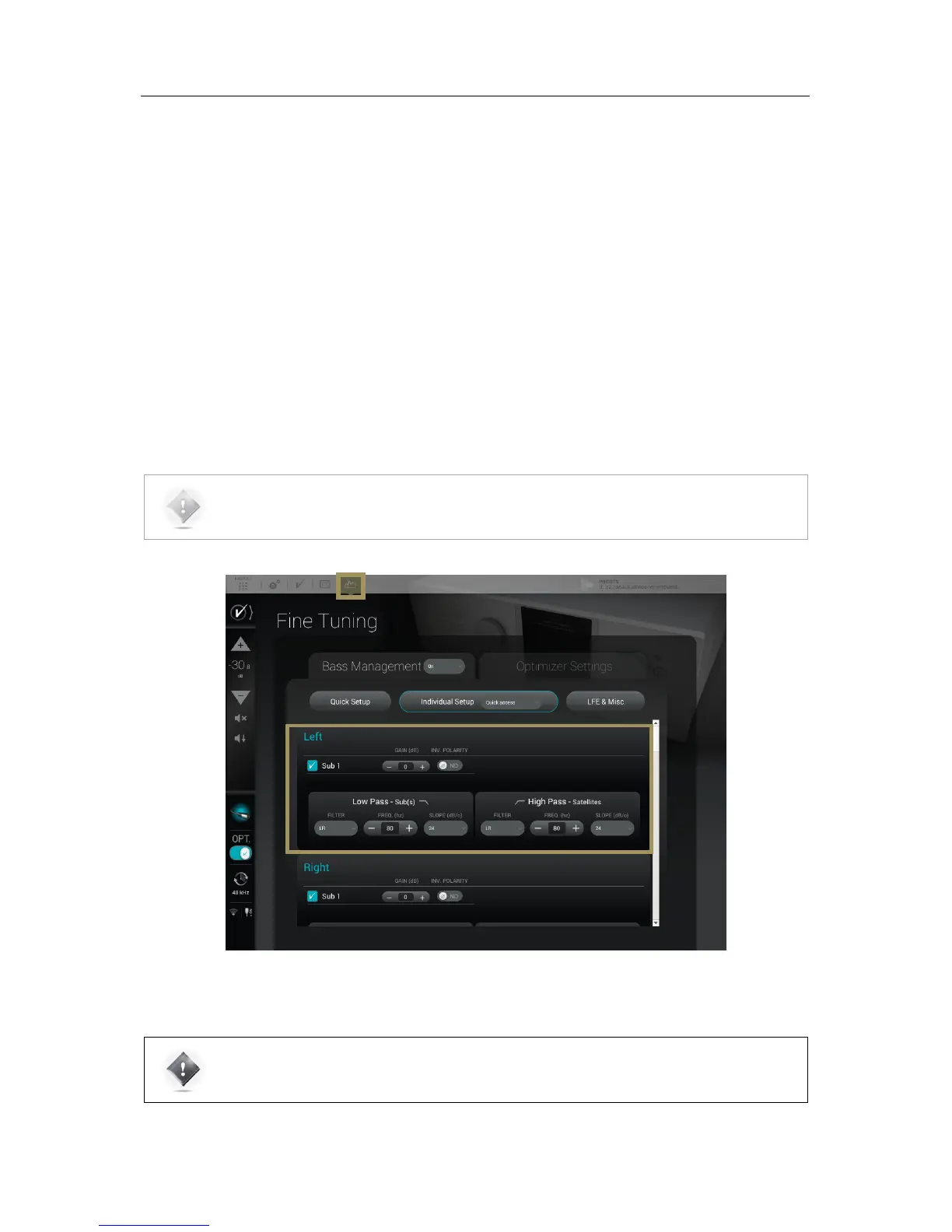
The settings provided are similar to the Quick Setup menu but are adjustable on each speaker individually. Each speaker
has the following parameters:
• The activation of each sub by checking the Active box (which recalculates the attenuation accordingly): The bass-
managed signal will be redirected to the selected subwoofer(s);
• Gain and Polarity These additionnal settings provide the option to invert the polarity and adjust the gain of the
signal redirected to the subwoofer(s). These settings are only applied to the signal redirected to the subwoofer(s),
the signal going to the speaker remains unchanged;
• Low Pass – Sub(s) : These settings will define the cutoff frequency below which the signal from the channel will
be redirected and played by the subwoofer(s). You can select the type of filter (Linkwitz-Riley, Bessel or
Butterworth), the cutoff frequency and the slope used by this filter. These settings are only apply to the signal
redirected to the subwoofer(s);
• High Pass – Satellites: This section will define the low-end cutoff frequency of the signal sent to the satellites. You
can select the type of filter (Linkwitz-Riley, Bessel or Butterworth), the cutoff frequency and the slope use by this
filter. These settings are only apply to the signal redirected to the Satellites.
IMPORTANT NOTE: If there is no active sub for one or more satellite, the high-pass frequency is still
active. If a full-range speaker is needed, set the High-Pass filter type to None and it will disable the
filter.



 To Next Page