111
12.2 CONFIGURE THE ADVANCED SETTINGS
(OPTIONAL)
The SDP-75 includes the following advanced crossover settings:
• Types of filters: 2
nd
, 3
rd
, and 4
th
-order Bessel, 2
nd
and 4
th
-order Linkwitz-Riley,
and 2
nd
, 3
rd
, and 4
th
-order Butterworth;
• Specific crossover frequency for each driver;
• Level, Polarity and Delay adjustment on each way (driver);
IMPORTANT NOTE: Setup of the crossover filters can be done simultaneously for multiple speakers
thanks to their respective Link button. Linking has to be done before changing parameters.
Please refer to the speaker manufacturer’s specifications to determine the type of filters and crossover
frequency.
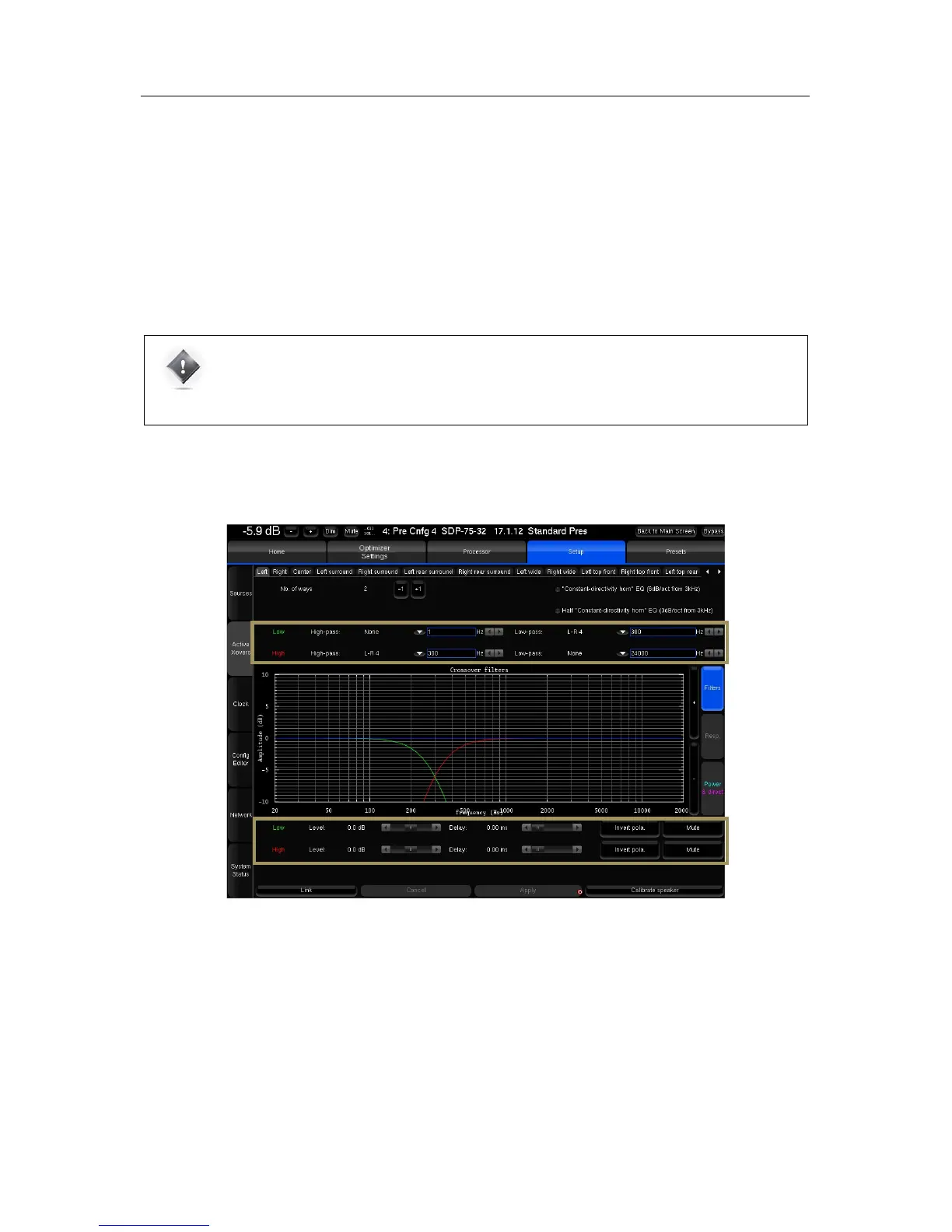
The Setup/Active Xovers page displays one tab for each loudspeaker. The number of loudspeakers displayed depends
on the number of loudspeakers specified in the Speaker/Room Setup tool.
Figure'75:'advanced'cro s so v er 'se ttin g s'
The following settings are available for each loudspeaker:
• The type of high-pass or/and low-pass filters is chosen in the dropdown menu using !
• The cut-off frequency of each filter is set by using the | arrows } or by manually entering the frequency
• Level and delay can be adjusted on each way (driver),
• Mute and Invert Polarity buttons are also available.
• Two additional IIR filters are available under the name of “Constant-directivity horn” EQ and Half “Constant-
directivity horn” EQ . The purpose of such filters is to boost the high frequencies for speakers that use constant-
directivity horns. These speakers tend to have too little energy at the highest frequencies in the sweet spot.
Depending on the horn you are using, you may want to boost the high frequencies by 3 or 6 dB/oct, from about 3kHz.



 To Next Page