133
14.6 LFE & MISC
The LFE & Misc Setup page is active even if the Bass Management is Off. These parameters only impact the
subwoofer(s).
LFE stands for “Low Frequency Effects,” and is an optional channel that may or may not be present in source material,
and which is the “x.1” channel. LFE signals should always be reproduced by subwoofer(s).
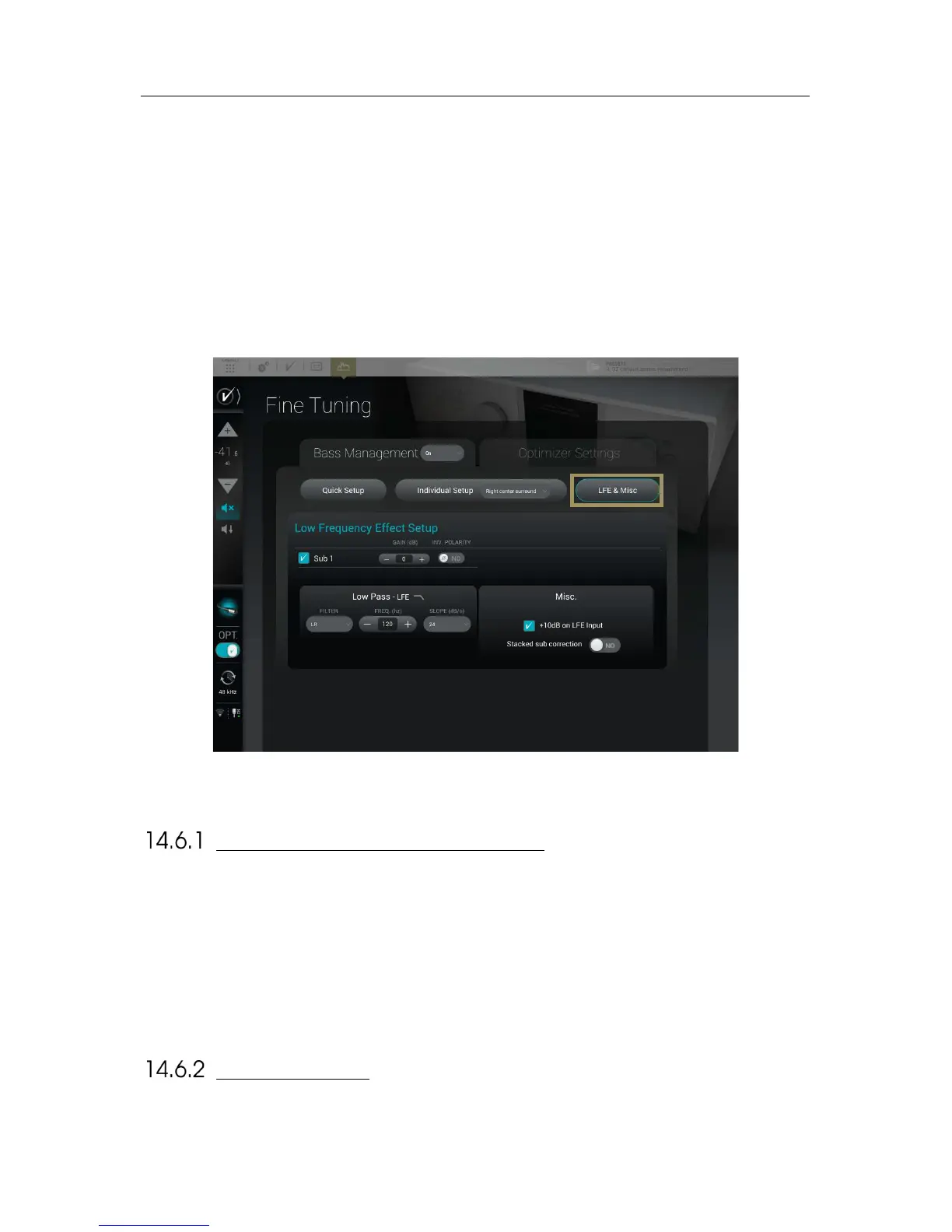
The page is divided as followed:
• A table allowing the assignment of the LFE channel of the content, if present, to one or more subwoofer(s)
• A Low Pass – LFE section to set a filter on the LFE channel
• A Misc. section with various options
Figure'98:'LFE'&'Misc'pa g e'
LOW FREQUENCY EFFECT SETUP
This first section is here to choose which subwoofer is assigned to the LFE channel. A subwoofer assigned to the LFE
will play the .1 of the content.
To assign the LFE channel to a subwoofer, please tick the box of the desired subwoofer.
The LFE signal can be filtered. A Low Pass filter is available and only apply on the LFE channel (not on the subwoofer(s)
assigned).
Low Pass – LFE: This setting will define the cutoff frequency of the LFE channel. You can select the type of filter (Linkwitz-
Riley, Bessel or Butterworth), the cutoff frequency and the slope used by this filter.
+10 DB ON LFE
Unless the encoded bitstream signal is decoded upstream by another device, the +10dB on LFE input option should be
enabled (default). It applies a gain of 10dB on the incoming LFE signal. The default is almost always the correct setting.



 To Next Page