94
9.2 EXAMPLE OF AN ARRAY OF SPEAKERS
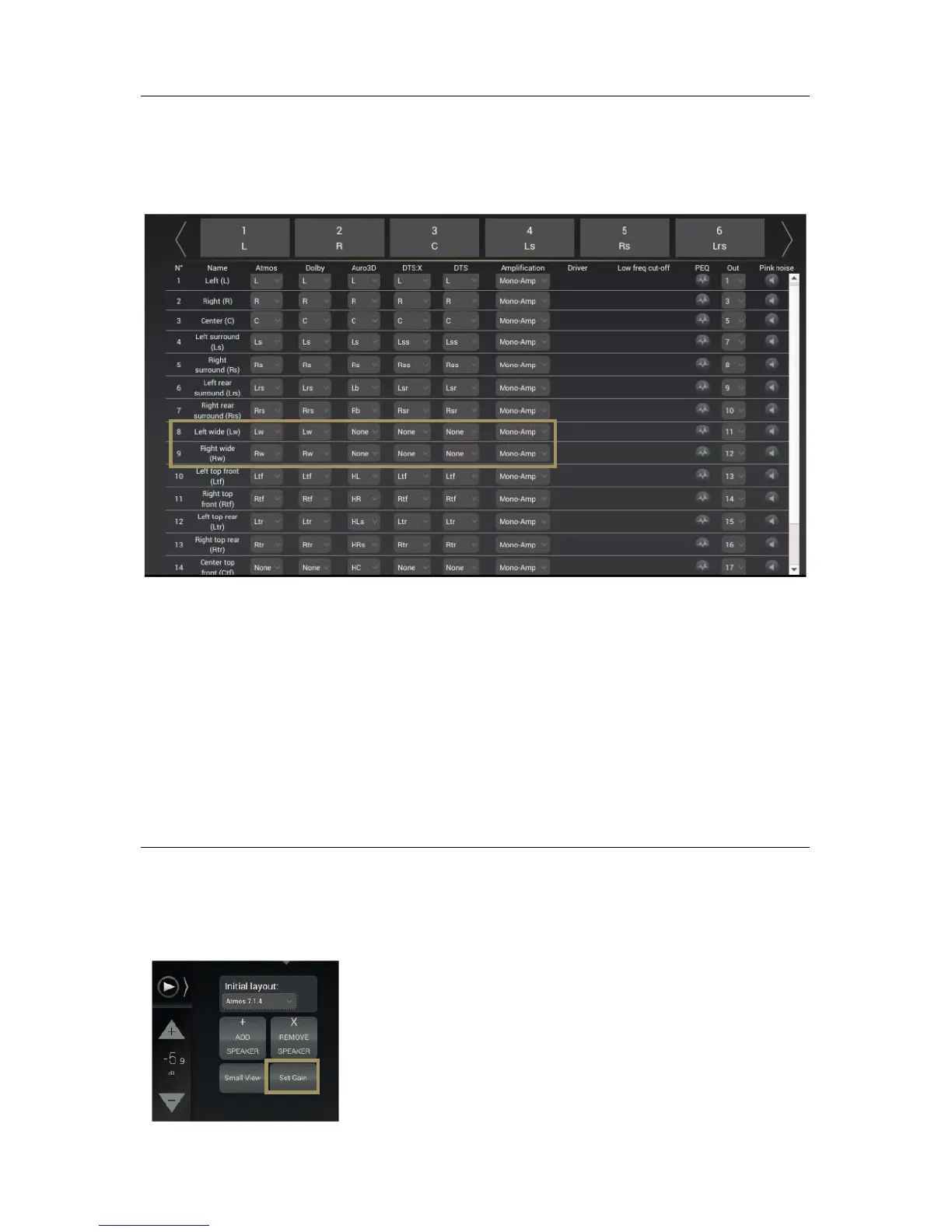
Below is an example of a specific speaker layout designed to array some channels:
In the example above, please pay attention to Left Wide and Right Wide speakers:
• For Dolby Atmos content, Left and Right Wide speakers will play natively as they natively existing in the
CODEC;
• For Dolby Legacy content, Left and Right Wide speakers will play Ls and Rs channel, simultaneously with Left
and Right surround speakers;
• For Auro 3D content, Lw and Rw does not exist natively. In this configuration Left and Right Wide speakers will
play Ls and Rs channels simultaneously with Left and Right Surround speakers;
• For DTS:X content, Left and Right Wide speakers will play Lss and Rss channel simultaneously with Left and
Right surround speakers;
• For DTS Legacy content, they will play Lss and Rss channel simultaneously with Left and Right surround
speakers;
9.3 ADJUST THE GAIN
When you decide to make an array, you may need to adjust the gain of each speakers accordingly to each decoder. It is
possible to do it speaker by speaker, or to select a group of speakers to apply the same gain adjustment.
The screen below displays the Set Gain control panel. Each channel assigned from each speakers has a value (default:
0) surrounded by – and + buttons. Use those buttons to adjust the gain in 1dB increments.
To access the speaker’s gain control panel, click on the Set Gain button in
the Speaker/Room setup tool. Instead of the channel assignation, the gain
control will be displayed.



 To Next Page