22
THE MAIN USER INTERFACE
The main page of the SDP-75
is used for daily operation:
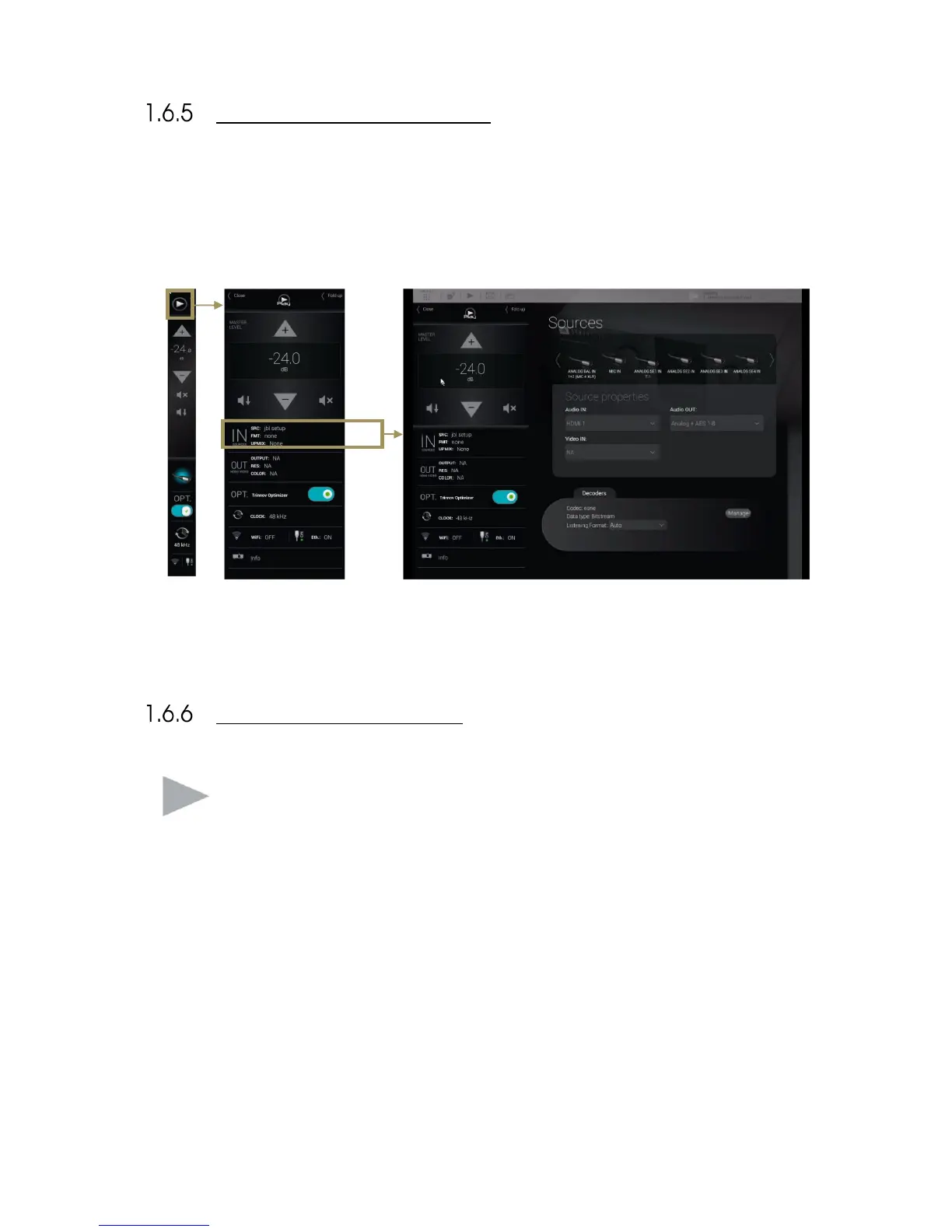
1. Click on the Play button on the top left corner of the interface: the lateral menu unfolds,
2. Select one of the tabs to open the corresponding panel. For example, the Input Sources tab opens the Sources
panel,
3. Perform a daily operation, such as selecting a different source.
You can access the Play menu, located on the left-hand side of the user interface, at any time by clicking
on the “Play” button on the Top menu.
This menu constantly provides information about the current status of the SDP-75. It can be folded or
unfolded depending on the task you wish to perform.



 To Next Page