137
16 VERIFY THE SOUND OF YOUR
OPTIMIZED SPEAKER SYSTEM
Once you have completed all the steps of the system setup procedure, it is critically important to verify the sound of the
entire system. This should help you to identify any possible issues:
• Look at the acoustical graphs of all the speakers;
• Listen to the system.
After all possible issues have been corrected, you will be confident that the system is ready to deliver the best home
theatre experience available today.
16.1 VISUALIZE THE ACOUSTICAL GRAPHS FOR
ALL SPEAKERS
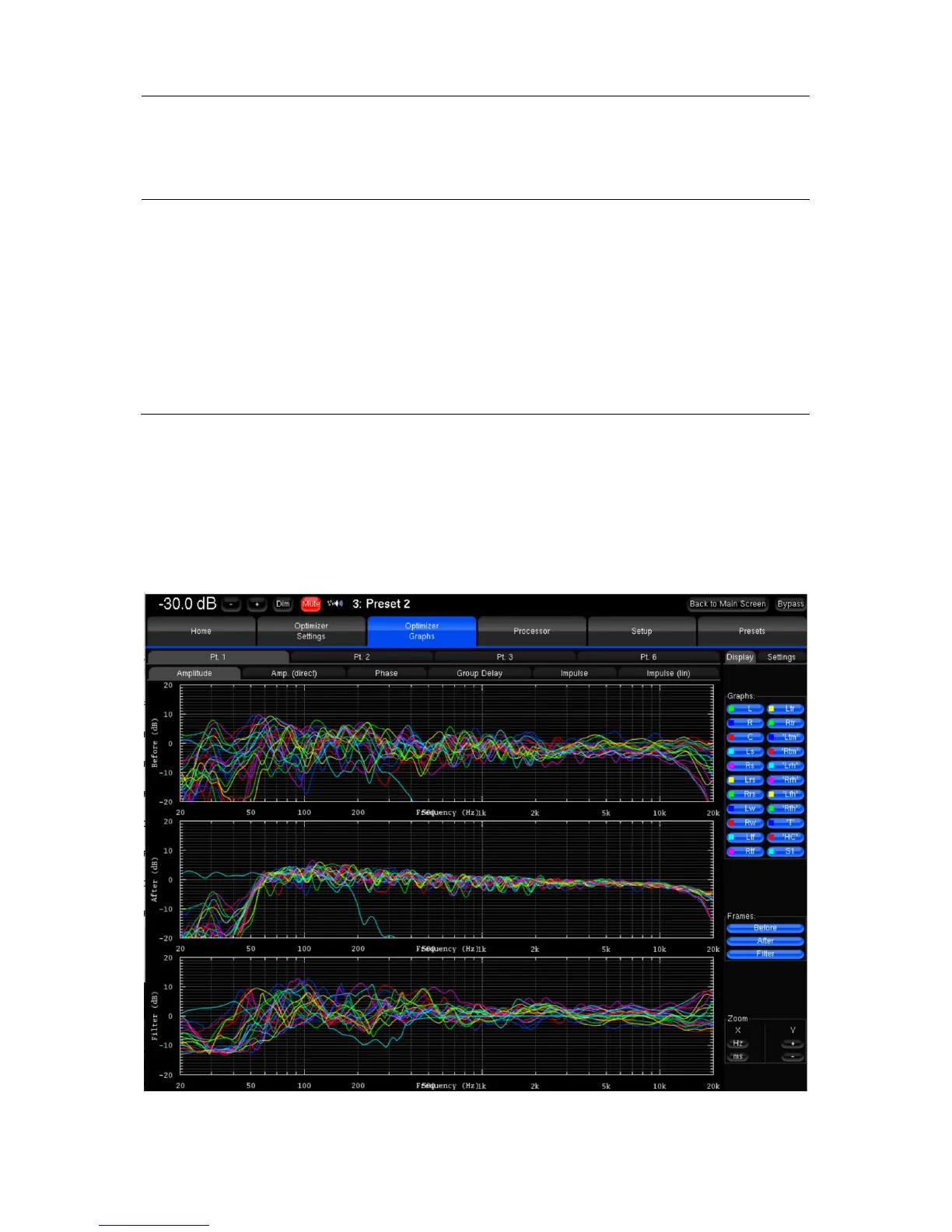
Go to the Optimizer Graphs page and visualize the acoustical graphs of one or more speakers.
Depending on your observations, you may decide to change the target curves, the bass management settings, or some
of the more advanced optimization settings. See the next chapter for a detailed explanation of the comprehensive fine
tuning options offered by the SDP-75.
Figure'101:'Visualizing'the'ac o u stical'graphs'for'the'whole'system '



 To Next Page