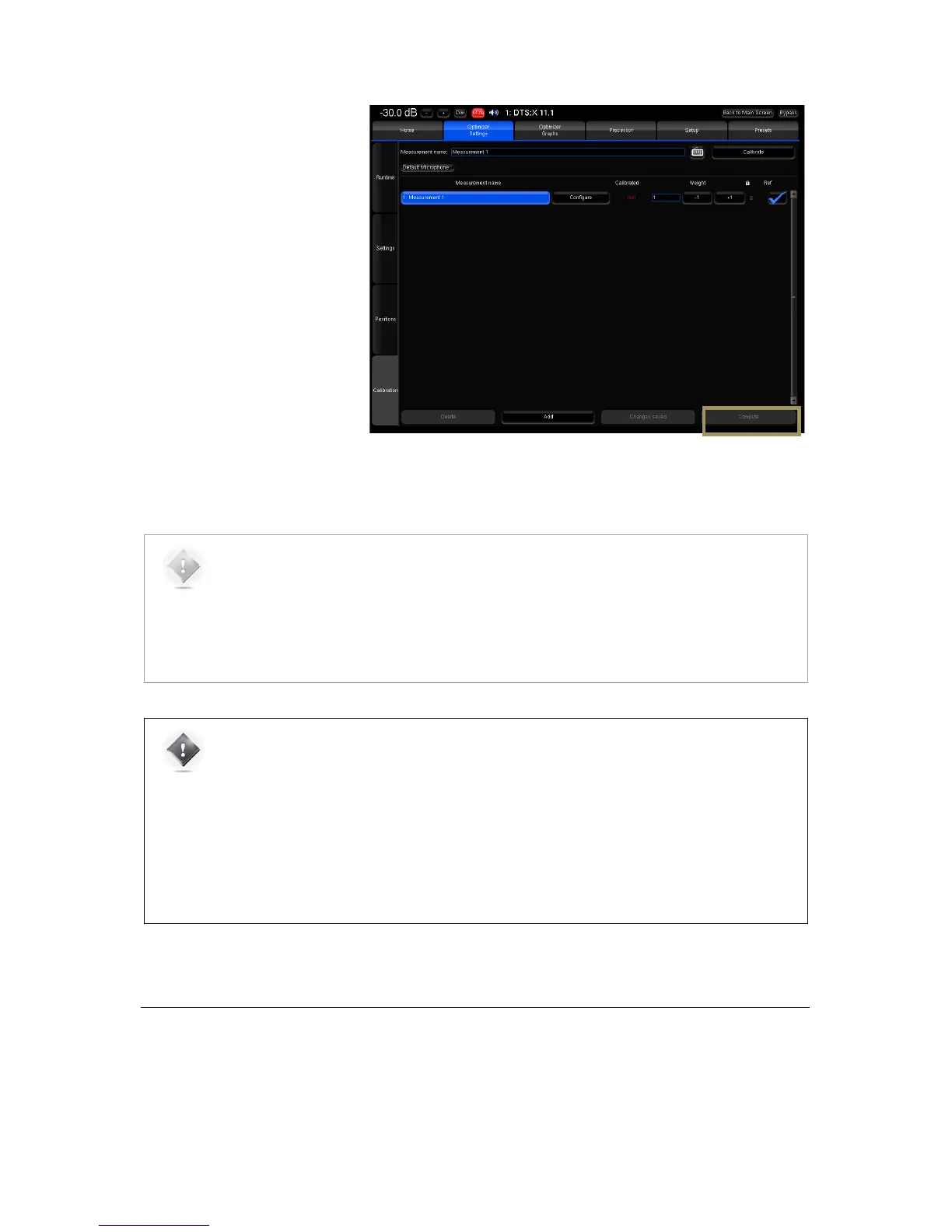
To compute the optimization filters
for your speaker measurements:
• Go to the Optimizer
Settings/Calibration page;
• Press the Compute button to
start the calculation of the
compensation filters. This will
also create the Optimizer
graphs.
Figure'92:'Computing'the'optimization'filters'after'calibration!
NOTE:
• The top bar will display a gear wheel icon and a graph icon during computation.
• An onscreen message notifies the end of the computation.
• The speaker icon indicates that the Optimizer is ready.
• Computation time varies depending on the number of speakers in the system and on the
Optimizer parameters.
IMPORTANT NOTE:
• Once the speaker system has been calibrated, all changes will be applied by recalculating the
filters by pressing the Compute button.
• Performing new measurements is not required unless:
• Speakers/Furniture/listening positions change in the room;
• the active crossover filters are modified;
• The number of speakers is modified;
• The channel order is modified.
13.9 SAVE THE PRESET
Last but not least, be sure to save the preset to make sure all your preferred measurements and computed filters are not
lost.



 To Next Page