65
5.5 NAMING, SAVING AND LOADING PRESETS
The SDP-75 can store up to 29 memory presets.
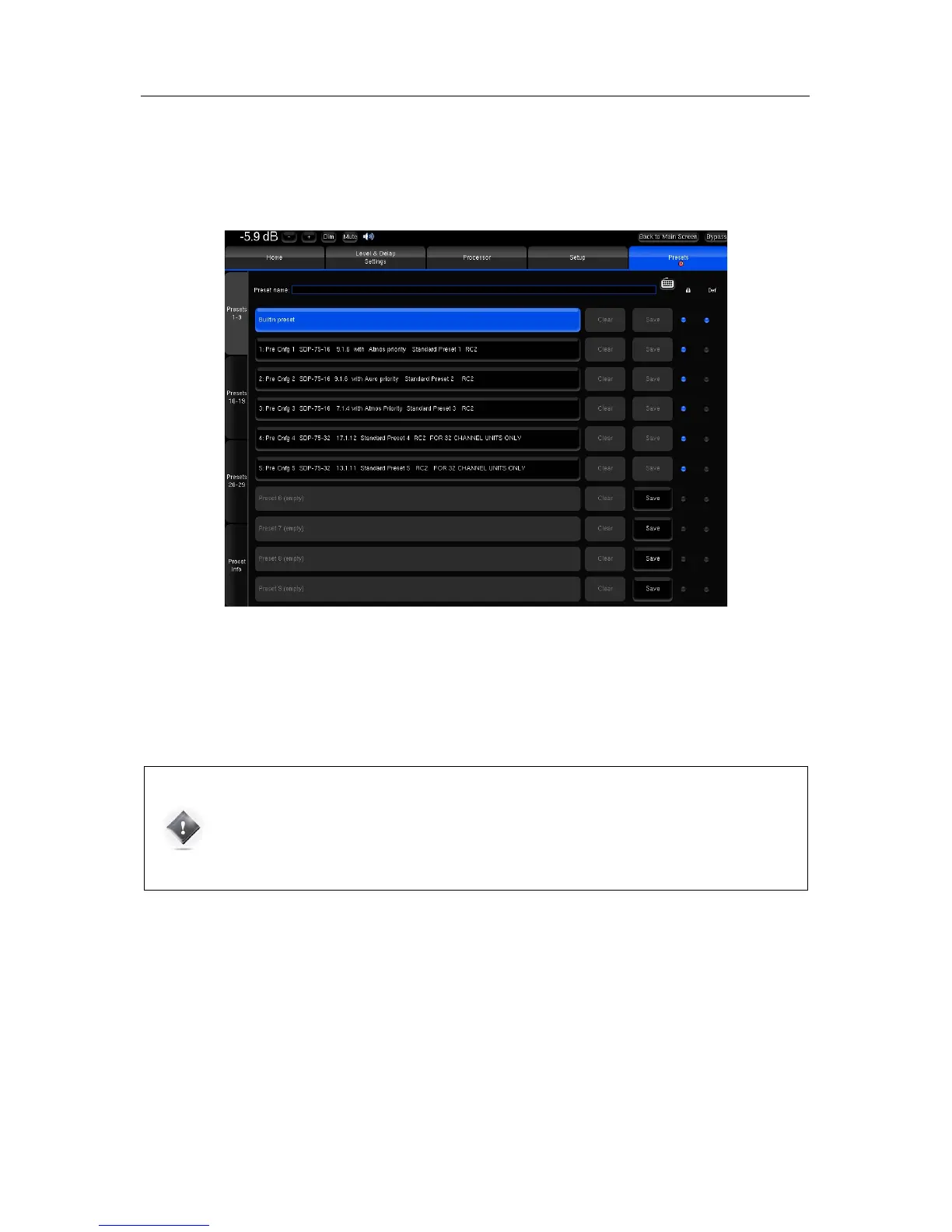
Presets can be managed in the Presets menu of the Advanced Settings Interface
Figure#44:#Presets#1-9#page#
The most important parameters included in a preset are:
• The Optimizer adjustments, including
acoustic correction, level and delay
• The settings of the manual filters
• The output configuration and routing
IMPORTANT NOTES:
• Except for sources settings, consider that everything is saved in a preset.
• Any parameter change will be lost if not saved in a preset.
• Please manipulate presets with care since overwriting a preset does not require confirmation.
The Presets page consists of four vertical tabs:
• Presets 1-9: includes the Built-in preset and presets 1 to 9
• Presets 10-19: includes presets 10 to 19
• Presets 20-29: includes presets 20 to 29
• Preset Info: shows the current preset information
Each Preset tab consist of the following items:
• The Preset name field: used to enter or modify a preset's name.
• 10 memory slots including from left to right:
o The Preset name/number, greyed out when the slot is empty, highlighted in blue when the preset is
selected.
o A Clear button to clear the memory slot. This function irreversibly deletes the preset's parameters.



 To Next Page