45
CHANGING THE WI-FI STATUS MODE OF THE SDP-75
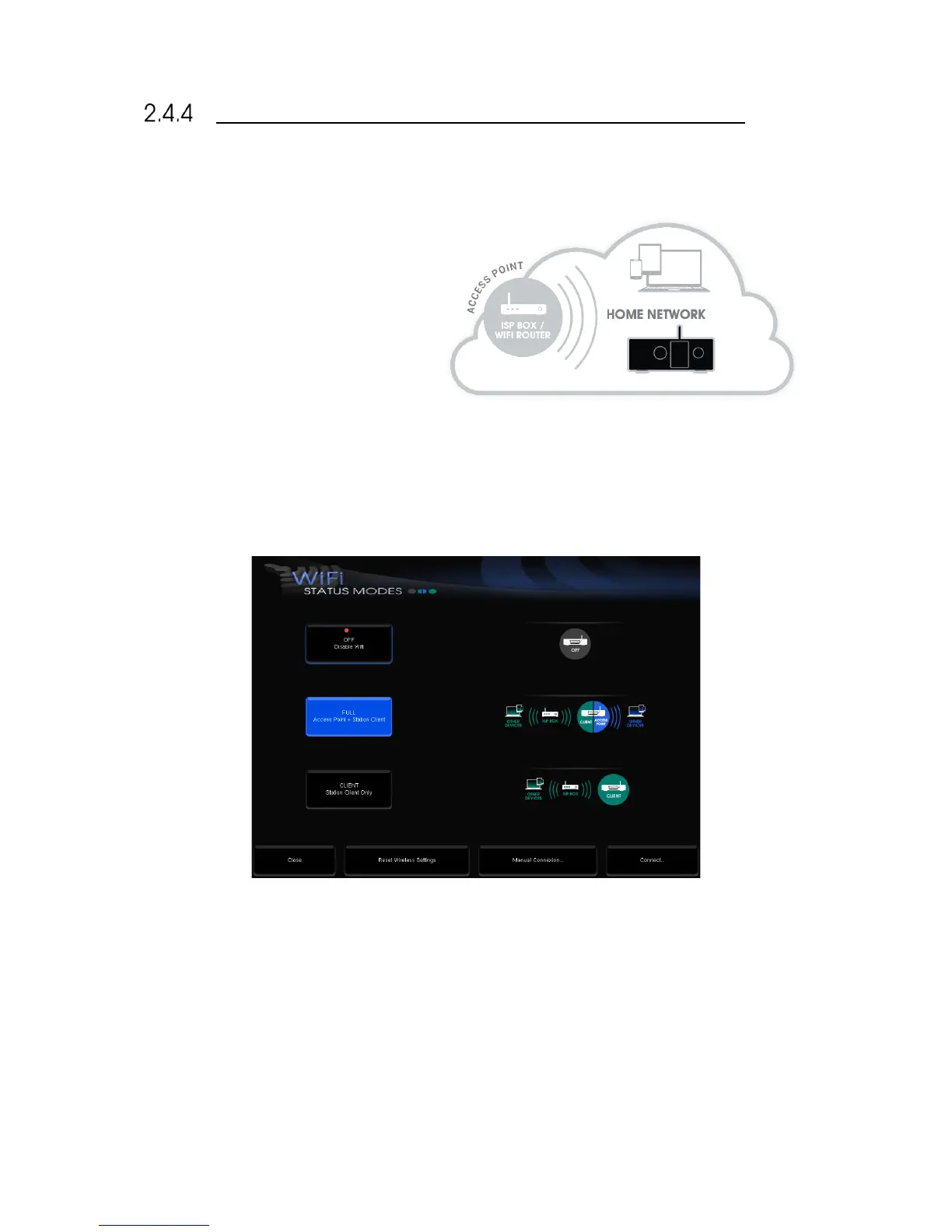
The SDP-75‘s built-in Wi-Fi and Ethernet modules allow it to simultaneously be part of a network as:
• An Ethernet client connected to an
existing Ethernet network through an
ISP Box (Internet Service Provider) or a
router.
• A Wi-Fi Access Point (AP) to create its
own Wi-Fi network.
• A Wi-Fi client to join an existing
network wirelessly.
To change the Wi-Fi settings of your SDP-75 via the graphical user interface:
1. Open the Advanced Settings interface;
2. Go to the Setup/Network page:
3. Press the Setup… button to display the Wi-Fi Status Modes page:
Figure#32:#Wi-Fi#Status#modes#
You can choose one of the following Wi-Fi modes:
• OFF: the Wi-Fi module of the SDP-75 is disabled.
• FULL (default): the SDP-75 is used both as an Access Point and as a Client.
• CLIENT: the Access Point is disabled but the SDP-75 still operates as a Wi-Fi client as long as the configuration
is valid.



 To Next Page