37
USING A MAC OS X COMPUTER WITH CHICKEN OF THE
VNC
To connect to the SDP-75’s VNC Server with the Chicken of the VNC client from a Mac OS X computer:
1. Open the Chicken of the VNC software in your Mac OS X computer.
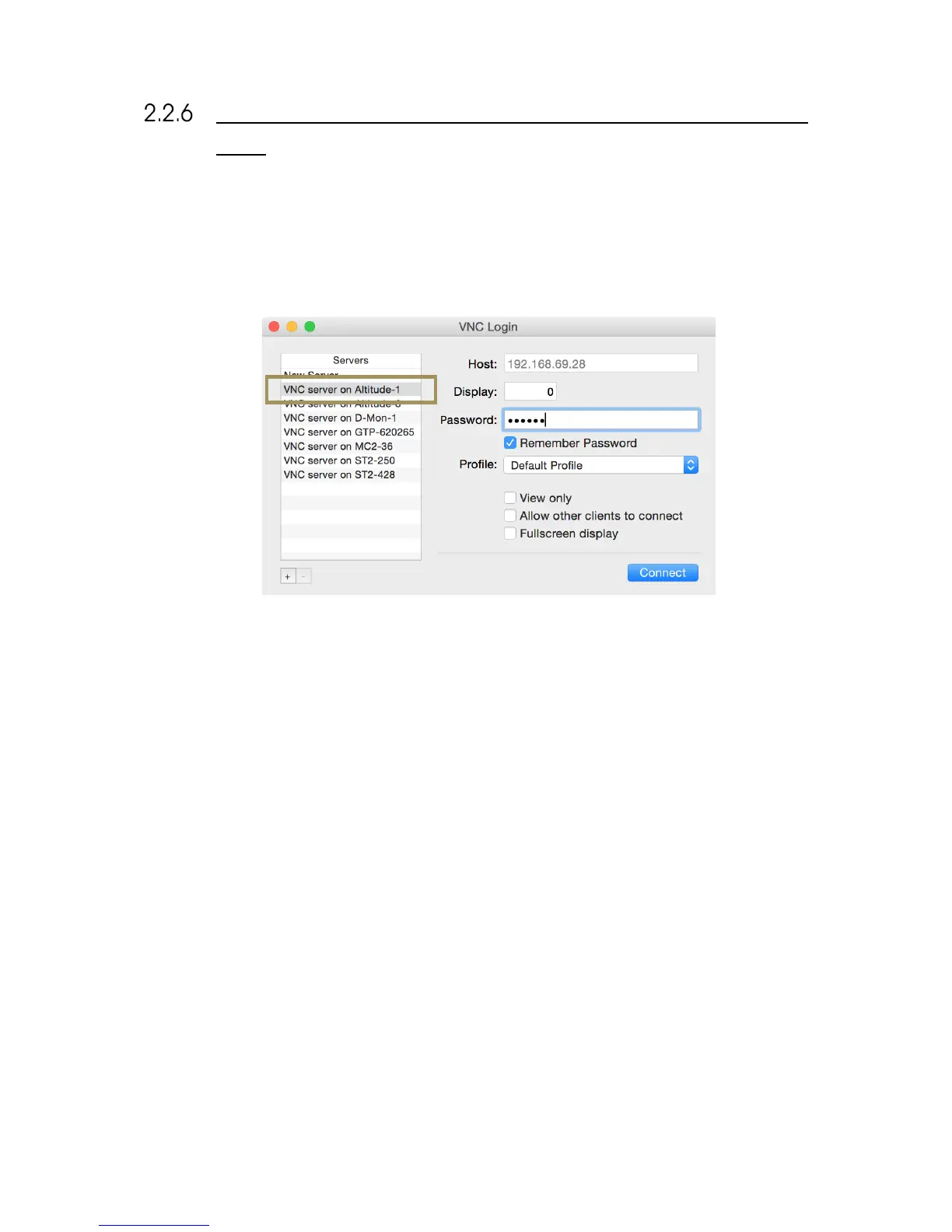
2. The VNC Login window shows a list of available VNC servers. Select the server “VNC server on SDP-75-XX”,
where XX is the number of your SDP-75.
Figure#22:#Chicken#of#the #V N C #L o g in #w in d o w #
3. The Host’s IP address is automatically filled. You only need to enter the password, which is the six-digit serial
number of your SDP-75:
• the password is 00000X, if the number of your SDP-75’s VNC Server has a single digit;
• the password is 0000XX if the number of your SDP-75’s VNC Server has 2 digits;
• the password is 000XXX if the number of your SDP-75’s VNC Server has 3 digits;
• etc…
4. Click on the Connect button located in the lower left corner of the window.
5. The graphical user interface of your SDP-75 should now be visible on the screen of your Mac.



 To Next Page