90
8.9 CONFIGURE THE CROSSOVER SETTINGS
(OPTIONAL)
If you want to use the active crossovers of the SDP-75, you must use the speaker configuration table to:
• Specify the type of amplification: bi-amp, tri-amp or quad-amp;
• Specify the crossover frequency
The parameters related to crossover settings are the following:
• Amplification: sets the number of channels of the speaker in case of multi-amplification
• Low freq cut-off: sets the crossover frequencies
• for bi-amp, it is set at 2kHz by default;
• for tri-amp, they are set at 200Hz and 2kHz by default;
• for quad-amp, they are set at 200Hz, 2kHz and 20kHz by default.
NOTES:
• The SDP-75 handles up to 4-way active crossovers.
• The default crossover filters are Linkwitz Riley 4
th
-order (24dB/Oct).
• Advanced crossover settings are available in the Setup/ActiveXovers page of the Advanced
Settings user interface. Further information about the active-crossovers can be found in the
Calibrate the Active Crossovers chapter.
8.10 MAPPING THE CHANNELS OF DIFFERENT
FORMATS
The new Immersive Audio Formats (Auro-3D, Dolby Atmos and DTS:X) come with different channel labels and different
speaker placement recommendations. This causes incompatibility issues that could make it difficult to play the required
content correctly.
In the SDP-75, each speaker can be assigned to a specific channel for each format in such a way that it will play the
required content regardless of the format being decoded.
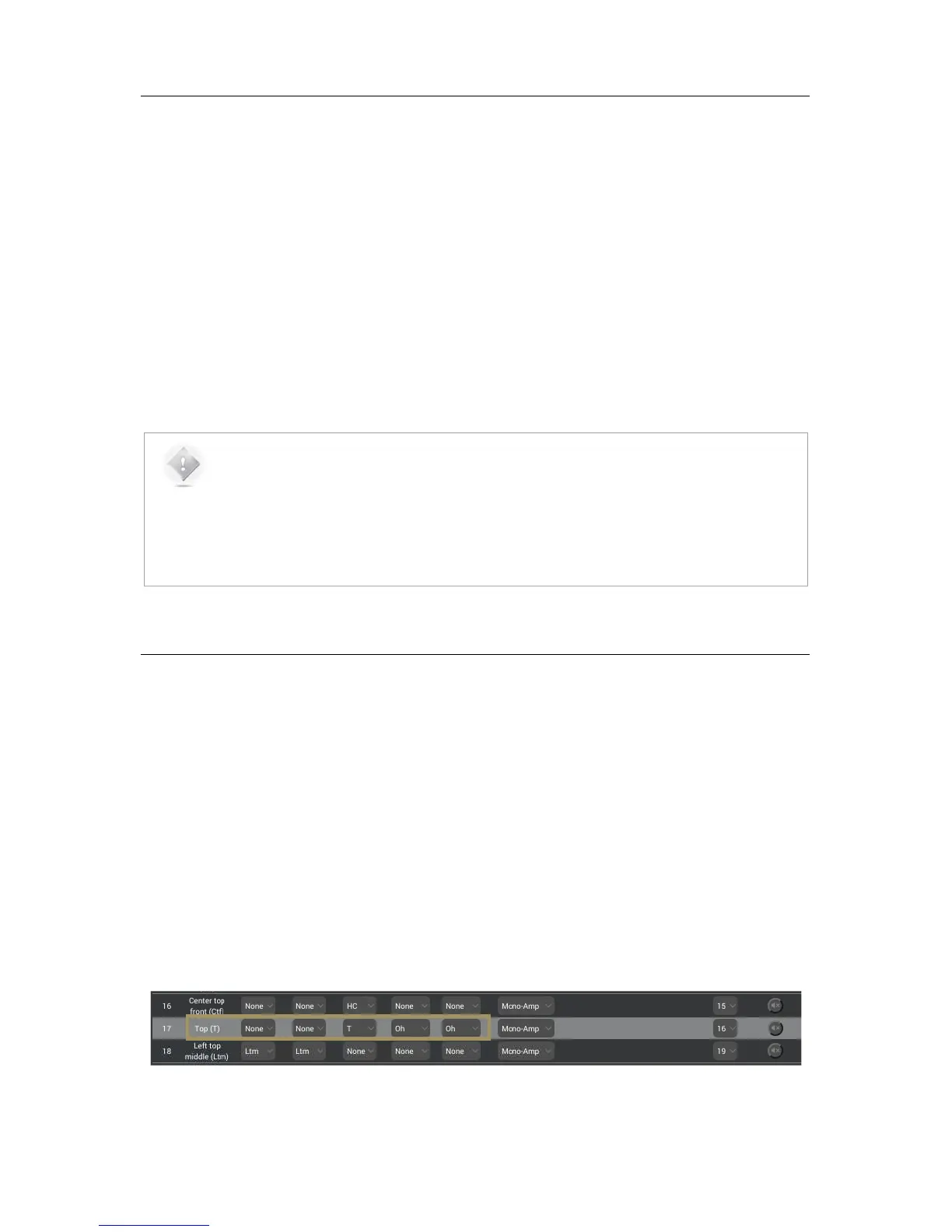
In the example below, one speaker was set as the “Top” speaker recommendation of Auro Technologies to reproduce
the content of the Auro-3D Top channel (“voice of god”). This channel also exists in DTS:X as the “Oh” channel but does
not exist in the Dolby Atmos format. Therefore, this speaker will not be used during playback of native Dolby Atmos
formats.
Figure#63:##
Channel#mapping#example#for#the#Top#channel#



 To Next Page