89
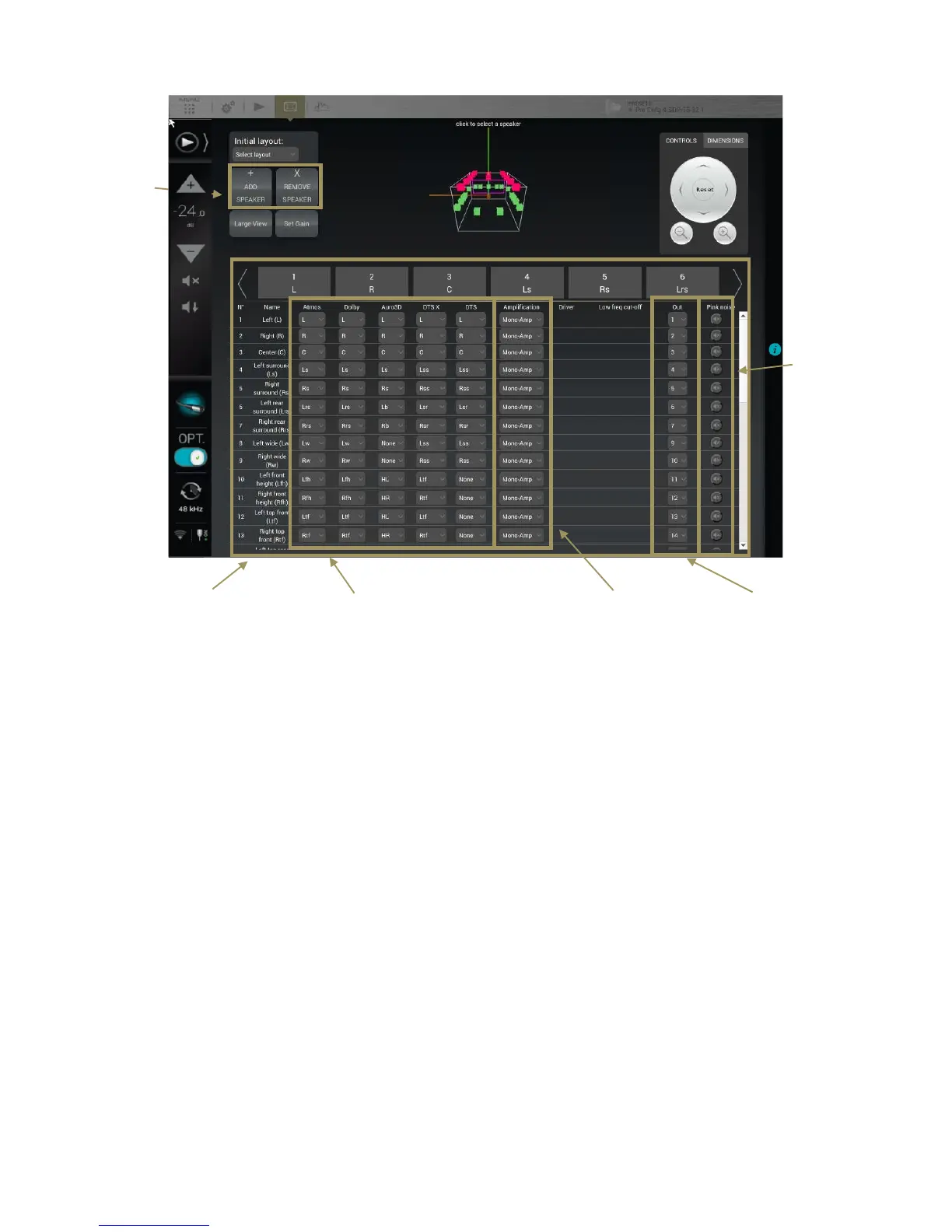
Figure#62:#The#speaker#configuration#table#
You can select speakers:
• by clicking on the speaker in the 3D view,
• by clicking on the corresponding channel number/name in the table’s header
• by clicking on one of the lines of the table
The currently selected speaker is displayed in yellow in the 3D view.
The available settings for each speaker are the following:
• Dolby, Dolby Atmos, Auro3D, DTS and DTS:X
channel mapping: see below.
• Amplification: see below.
• Output Channel: specifies the physical output to be
used for the speaker/driver.
• Pink noise: plays a -20dBFS pink noise on the
specified output.
Channel mapping
Speakers name
Multi amplification
Output channel
THX
Pink



 To Next Page