148
19 APPENDIX
19.1 INSERT AN EXTERNAL STEREO DAC
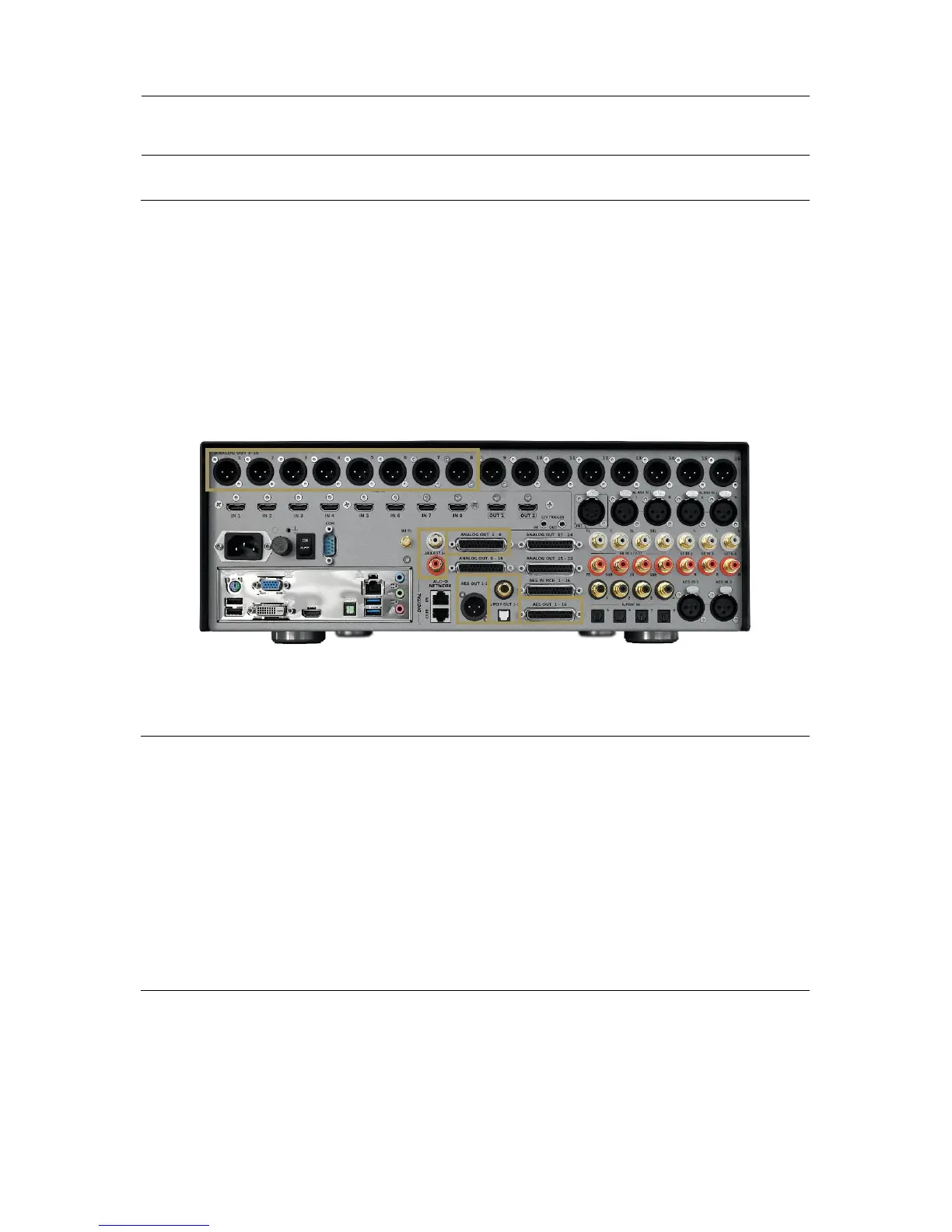
As the SDP-75 has a flexible and complete range of output types, allowing the use of other DACs when desired.
The analog outputs 1-8 are duplicated on the AES outputs 1-8.
The analog outputs 1-2 are duplicated on the stereo analog SE outputs, AES outputs 1-2, as well as the SPDIF RCA and
optical stereo outputs.
Make sure that the routing is correct.
It’s up to you to choose the best way to feed you external DAC.
Figure'109:'Duplicated'O u tp u ts '
19.2 REMOTE START AND STOP
The SDP-75 can be remotely switched on via a Wake-on-LAN network message. Please ask a certified installer or an
experienced IT technician for technical support.
It can also be switched off remotely over the network using the command provided within our automation protocol for
that purpose, available for download on http://www.jblsynthesis.com.
The trigger input can also be used to switch the SDP-75 on and off from another device.
More information can be provided upon request.
19.3 AUTOMATION
The SDP-75 can be remotely controlled from an automation system through RS232 or Ethernet. As an example, it is
possible to create a Crestron® module to remotely control the SDP-75 via RS232.
The specifications of the protocol are publicly available and can be downloaded from the Products / Electronics /
Surround Sound Preamplifiers / SDP-75 / Downloads / Software section of the JBL Synthesis website:
http://www.jblsynthesis.com



 To Next Page