110
12 CALIBRATE THE ACTIVE
CROSSOVERS (OPTIONAL)
This chapter explains how to calibrate the active crossovers included in the SDP-75. It assumes that
you are familiar with active crossovers and multi-amplified speakers, and is not intended as a
course. If you are not using the active crossover functionality of the SDP-75, please skip to
the next chapter.
IMPORTANT NOTE: Carefully read carefully the entire chapter about the SDP-75 Essential Tools and
Settings that you will be using throughout the calibration process.
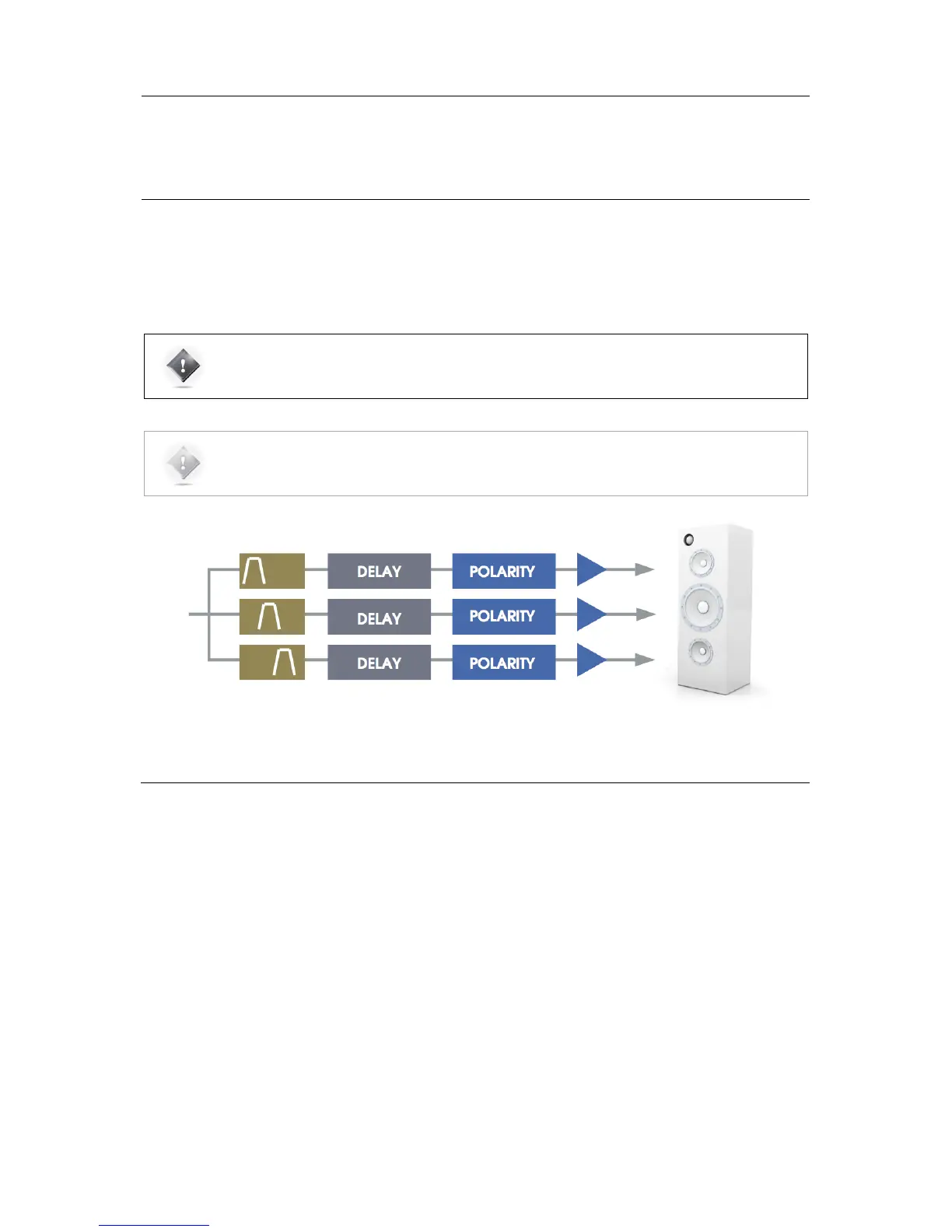
Figure'74:'Overview'of'the'active'crossovers'signal'flow'
12.1 OVERVIEW OF THE CROSSOVER SETUP
PROCEDURE
The overall setup and calibration process of the SDP-75 active crossovers is performed through two different tools:
• Use the Speaker/Room Setup Tool to:
• Configure the number of ways and the crossover frequencies;
• Verify the routing of the SDP-75 outputs to the correct drivers.
• Use the Setup/Active Xovers page of the Advanced Settings interface to:
• Configure the advanced crossover settings such as specific frequencies for each driver and the type of filters
(optional);
• Use the Processor/Meters page to adjust the master output level;
• Perform the automated calibration of the active crossover: this will automatically determine the level, delay and
polarity of each driver;
• Manually adjust levels, delays and polarities of each driver.
The first 2 steps of this process were explained in the previous chapter. This chapter explains the next steps.



 To Next Page