64
5.4 LEVEL AND DELAY ALIGNMENT OPTIONS
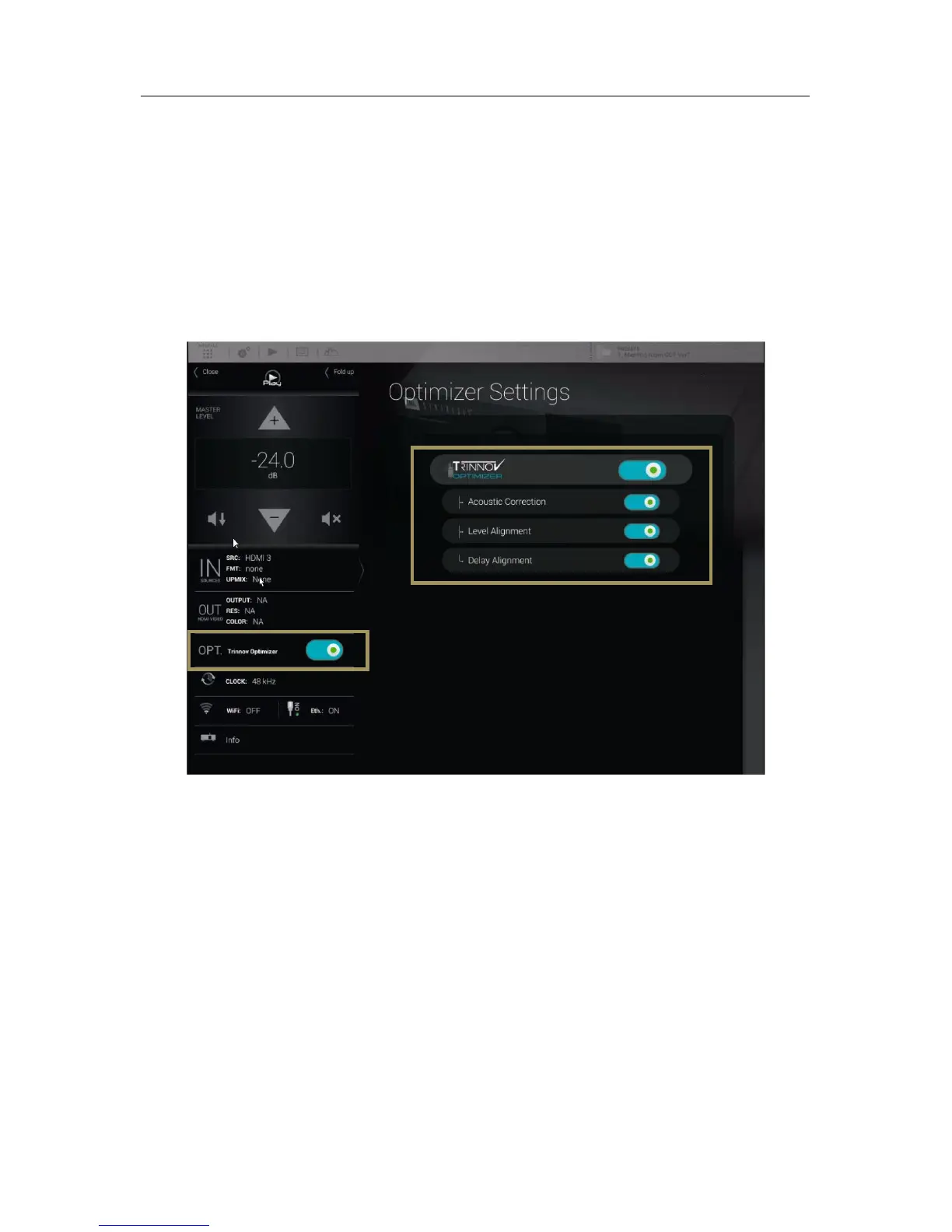
The SDP-75’s optimization of the system can be switched on/off via the Main interface.
To switch on/off the alignment options, click on the “OPT. Trinnov Optimizer" menu item of the lateral menu. The
following alignment options are available in this page:
• To activate/deactivate all of the Optimizer settings:
o The Trinnov Optimizer switch
• To activate/deactivate specific parts of the processing:
o The Acoustic correction switch
o The Level alignment switch
o The Delay alignment switch
Figure#43:#Optimizer#Settings#page#
• Trinnov Optimizer ON/OFF: switch on/off the automatic correction of the in-room response: The acoustic correction,
and the automatic delay and level alignment. When the Optimizer is off, only the manual settings related to the audio
processor are applied:
o Routing, as defined in Speaker Configuration Table in the 3D View page of the Main interface;
o The Active Xovers frequencies and filters;
o Levels, as defined in the Processor pages of the Advanced interface;
o Graphic EQs, as defined in the Processor pages of the Advanced interface;
o Bass Management, as defined in the Fine Tuning page of the Main interface.
• Acoustic Correction ON/OFF: when turned off, both the automatic equalization (defined by the target curve) and the
FIR EQs (defined in the Processor/Outputs page of the Advanced interface) are bypassed;
• Level Alignment ON/OFF: disable the automatic alignment of speaker levels, meaning that no automatic gain
changes will be applied to the outputs;
• Delay Alignment ON/OFF: disable the automatic alignment of speaker distances, meaning that no automatic delays
will be applied to the outputs.



 To Next Page