43
2.4 CHANGING THE WI-FI SETTINGS THROUGH
THE GUI
This subchapter explains how to change the Wi-Fi settings of the SDP-75 to meet the requirements
of your home theatre’s network environment.
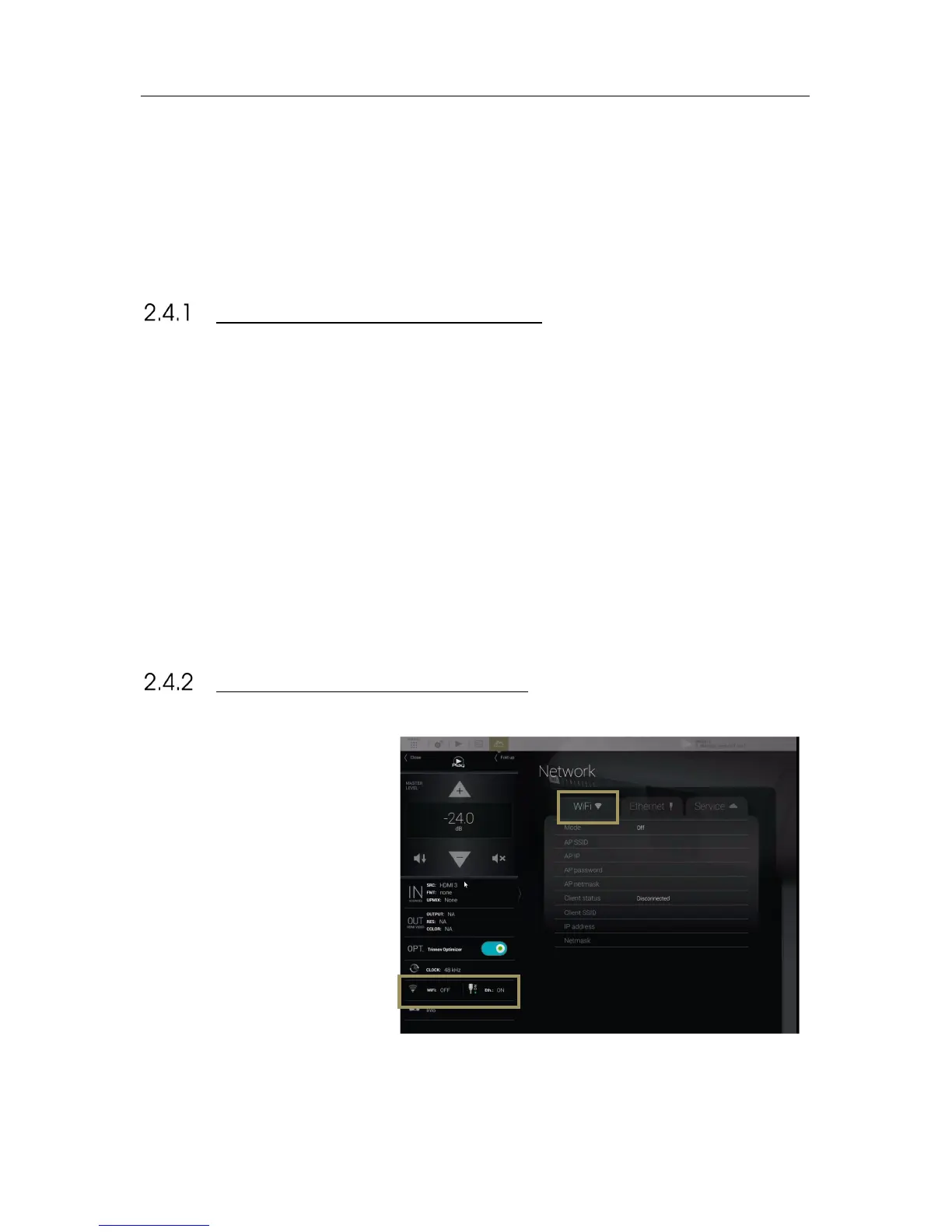
ABOUT THE WI-FI INFORMATION
The following Wi-Fi information is available in the SDP-75:
● Mode: indicates the current Wi-Fi mode of the SDP-75.
● AP SSID: indicates the name of the SDP-75’s Wi-Fi Access Point.
● AP IP: indicates the IP address of the Access Point to be used for VNC connection when using the SDP-75 as
Wi-Fi Access Point.
● AP password: indicates the password to be used when attempting to join the SDP-75’s Wi-Fi Access Point.
● AP netmask: indicates the netmask of the SDP-75’s Wi-Fi Access Point.
● Client status : indicates the status of the Wi-Fi client of the SDP-75.
● Client SSD: indicates the name of the Wi-Fi Network joined by the SDP-75 as a Wi-Fi client. None displayed if
no connection has been established.
● IP address: indicates the IP Address of the Wi-Fi client.
● Netmask: indicates the netmask of the Wi-Fi Network joined by the SDP-75 as a Wi-Fi client.
CHECKING THE WI-FI SETTINGS



 To Next Page