60
5 BASIC SETTINGS
5.1 NAMING YOUR SOURCES
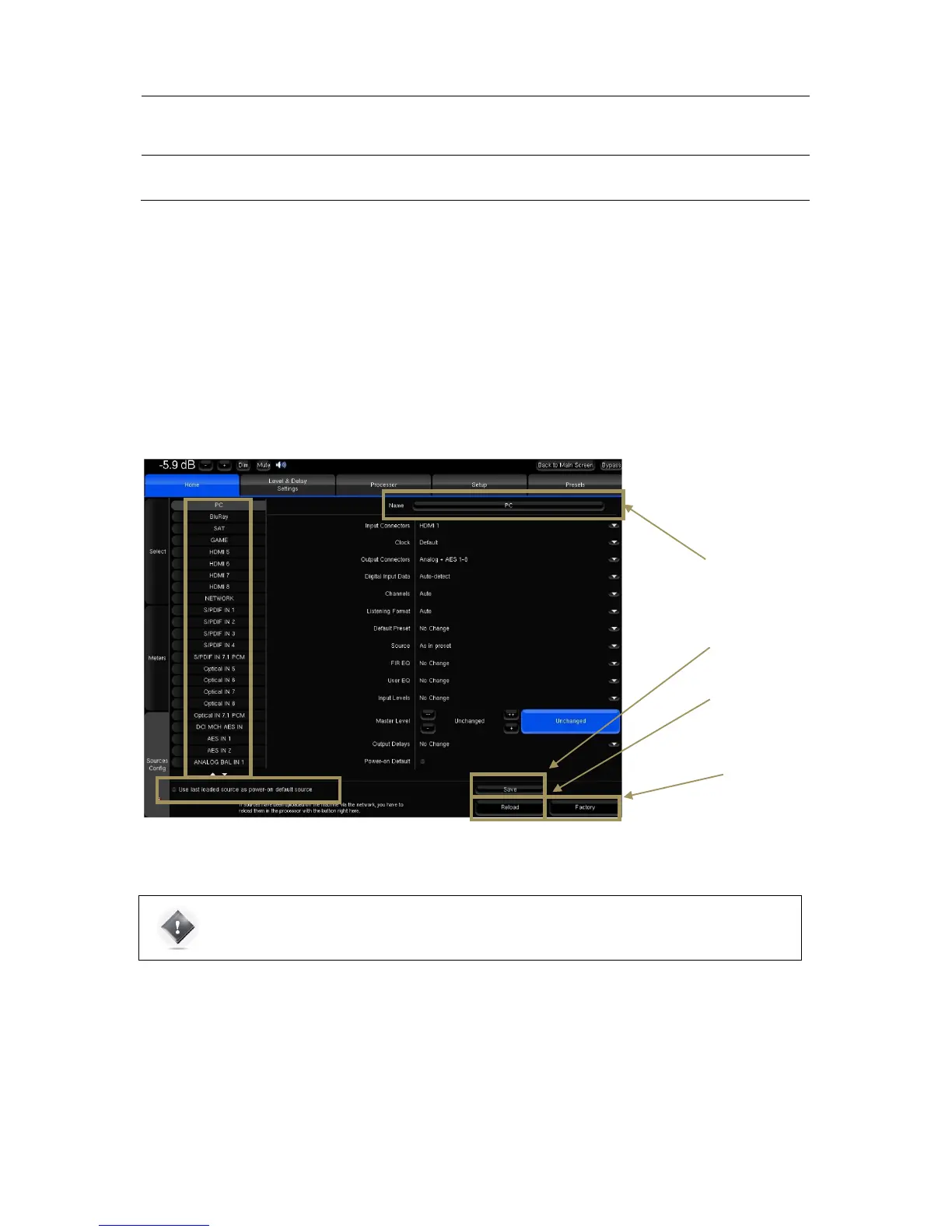
The SDP-75 provides very flexible Source Configurations. Each Source Configuration can be renamed to reflect the actual
source to which is corresponds. By default, the source names correspond to the names of the back panel connectors
but can be edited in the Home/Sources Config page of the Advanced Settings Interface.
A Source Configuration can also include specific output and processing parameters. Therefore, it can be used to switch
between outputs or between different processing settings. For example, it is possible to configure two Source
Configurations set on the same inputs but set with different names to recall different settings.
The Home/Source Config page consists of one vertical tab per source on the left and source-specific parameters on
the right.
Figure#41:#Source#Config u ra tio n #panel
IMPORTANT NOTE: It is particularly important to define user friendly names for the first four sources
because they are displayed on the front panel screen, and can be recalled from the front panel or from
the IR remote control source selection buttons.



 To Next Page