141
17.2 TARGET CURVE
Please see the Setup Target Curves chapter.
17.3 LIMITER CURVE
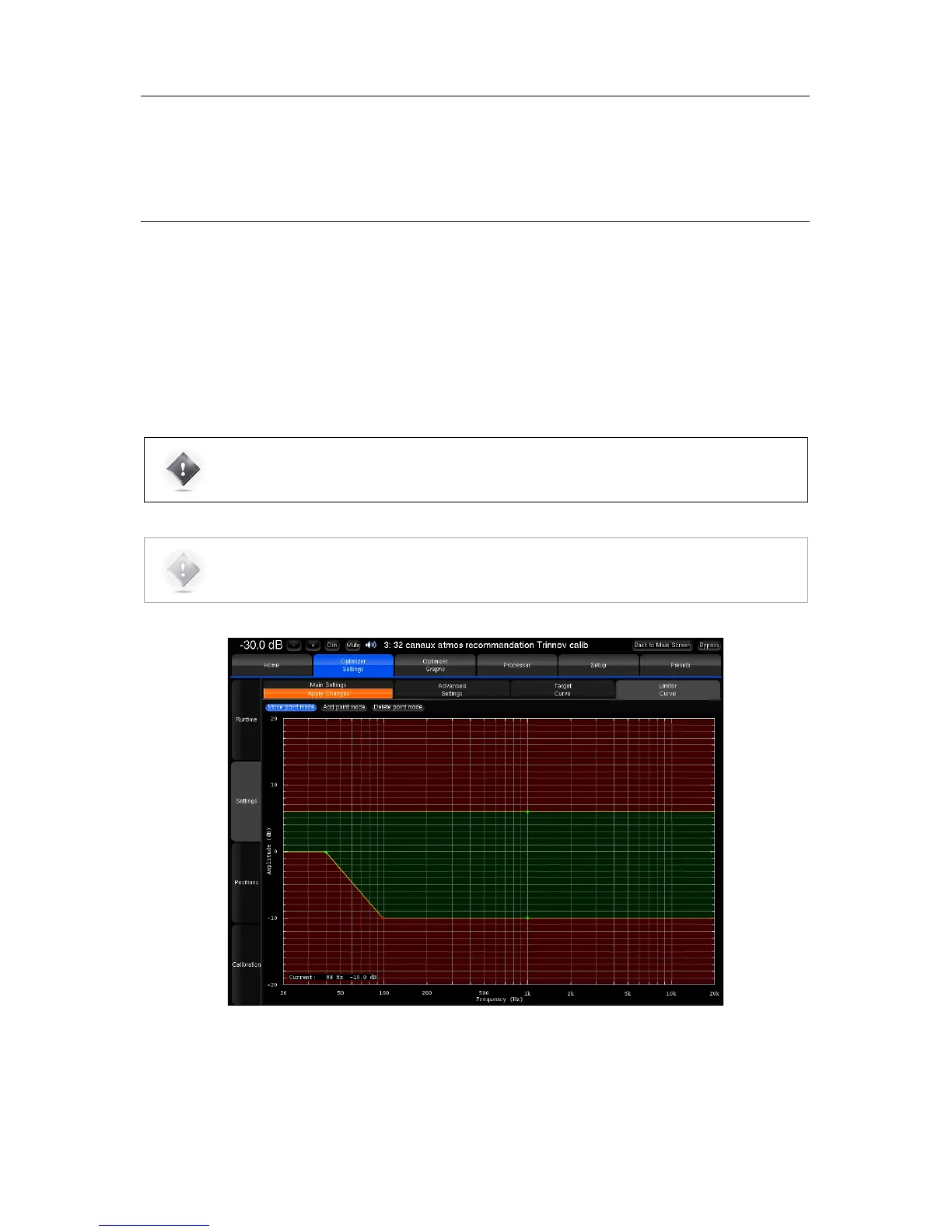
Unlike the Maximum Boost/Attenuation parameters, the limiter curve allows to setup frequency-dependent maximum
boosts and attenuations. This curve is not engaged by default.
To define a specific limiter curve, go to Optimizer Settings/Settings/Limiter Curve:
• Use the Add point mode and your mouse to create editing points around the required frequency range.
• Use the Move point mode and your mouse to edit the limiter curve for the required frequency range.
• Use the Delete point mode to delete editing points with your mouse.
•
NOTE: Editing the maximum boost and maximum attenuation limiter curve disables the global
Maximum Boost/Attenuation settings in the Optimizer Main Settings page.
In the example above, the limiter curve will avoid too much attenuation below 100 Hz.
Figure'103:'example'of'a'limiter'curve'for 'm a x imum'boo st/ a tte n u a tio n '



 To Next Page