EasyManua.ls Logo

JBL SDP-75 - Using the Ir Remote Control; Volume Control; Source Selection; Listening Format Selection

JBL SDP-75
157 pages
Print Icon
To Next Page IconTo Next Page
To Previous Page IconTo Previous Page
Loading...
56
4.3 USING THE IR REMOTE CONTROL
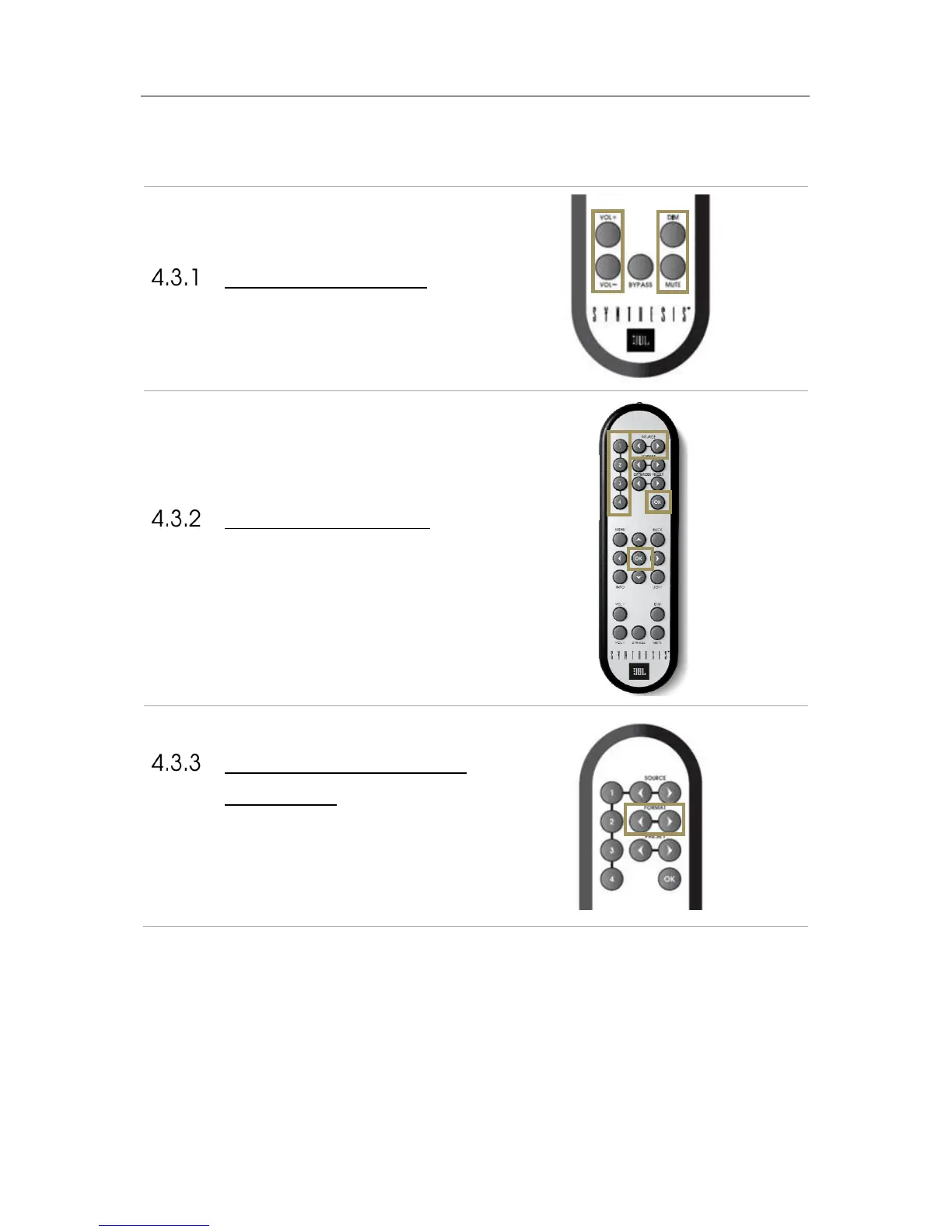
VOLUME CONTROL
The following volume control buttons are available on the
IR Remote control
SOURCE SELECTION
The IR remote control includes 4 buttons for direct
source selection, as well as 2 buttons to browse through
the sources
LISTENING FORMAT
SELECTION
These allows you to switch between the different
listening format, and so between the different Up-mixers.
This can be done on the fly, you do not need to press OK
to validate.
Dim and
Mute
buttons
Volume Up
and Down
buttons
Direct Sources
selection
(instantaneous)
Browse through
Sources…
…and confirm with
‘OK’ button
Switch among the
listening formats

Table of Contents

Related product manuals