112
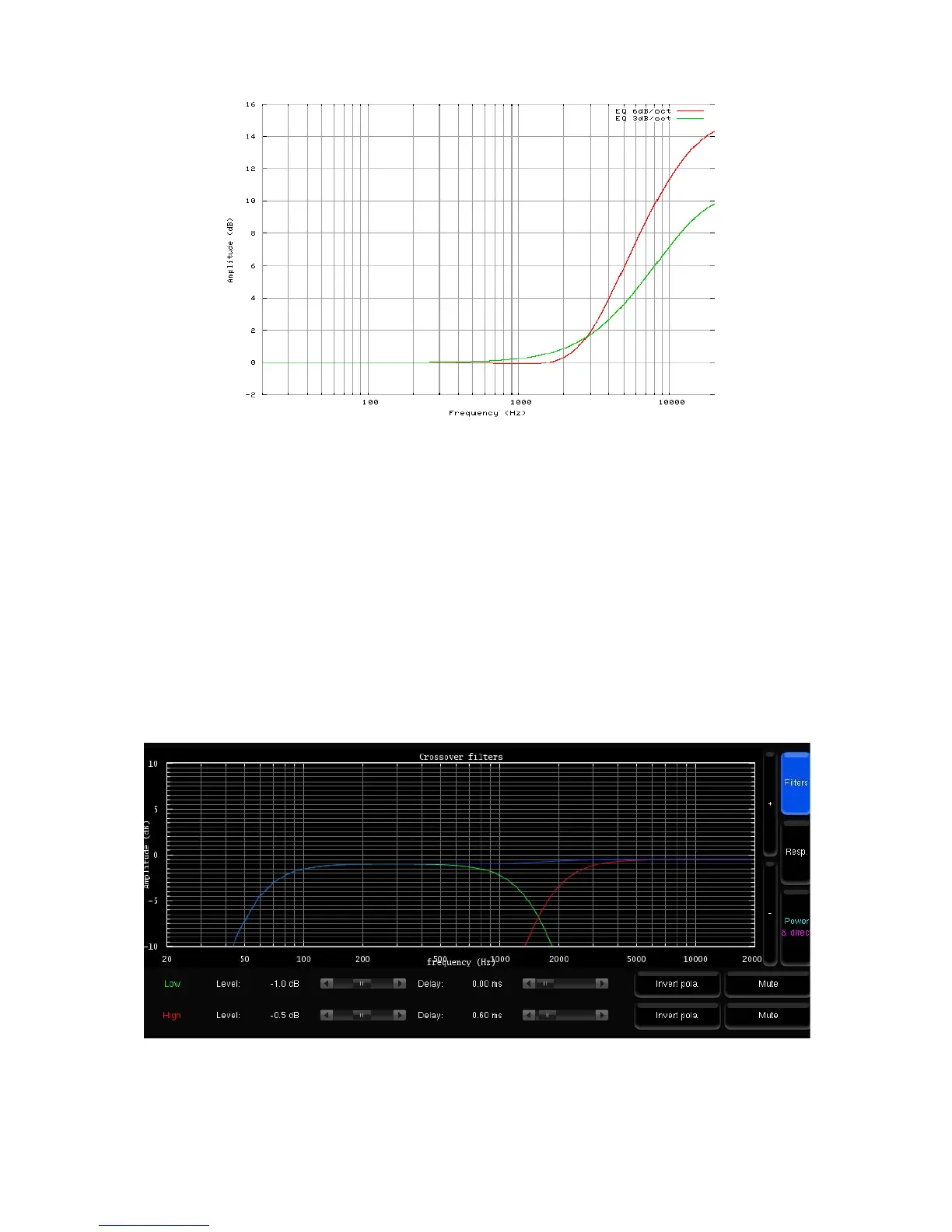
Figure'76:'“Constant-directivity'horn”'EQs'
• The Apply button is highlighted as soon as a parameter is modified and is used to compute and load the
new settings into the processor. Once compute is finished, the gears icon disappears from the notification
bar, and filters are applied to the outputs.
• If the changes are unwanted, press the Cancel Changes button to cancel your modifications.
• If change is accepted, press the Save button of the preset of your choice in the Presets page to save the
changes; otherwise, changes will be lost.
The theoretical model of the specified filters is represented as follows:
• The green curve represents the theoretical low-pass filter response
• The red curve represents the theoretical high-pass filter response
• The blue curve represents the theoretical resulting response of the speakers
Figure'77:'Theoretical'model'of'the'specified'filters'



 To Next Page