IMPORTANT NOTE: it is important to understand that, because the SDP-75’s automated process
measures all the speakers (including the subwoofers) during each measurement. You must create in
the SDP-75’s user interface a speaker configuration that includes all the speakers of your installation
(including the subwoofers).
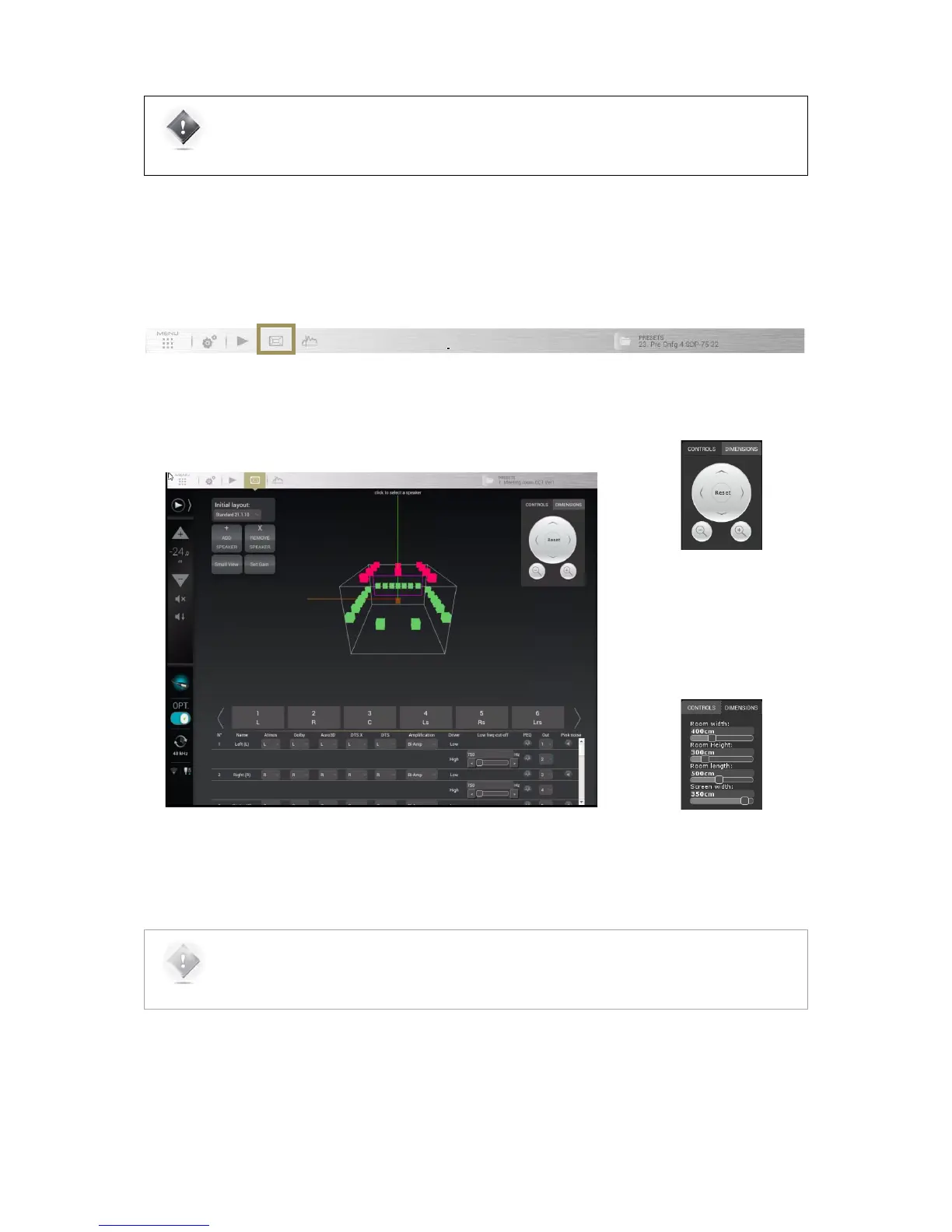
The Speaker Configuration page can be accessed through the Top Menu of the SDP-75’s graphic
user interface, highlighted below.
#
Figure#58:#The#Speaker/Room#setup#tool#
The Controls box located in the
top right corner of the window
allows you to navigate through
the 3D view. You can rotate the
view, zoom in and zoom out.
The Dimensions tab allows you
set your room dimensions and
screen size.
NOTE: The room visualization is simply a representation showing the theoretical speaker placement of
the selected layout. It is not taken into account for the acoustic optimization and does not affect the
sonic performance of the system. The position of a speaker is not critical but its label will determine
which decoded channel it will reproduce.



 To Next Page