DETAILED CONTROLS AND GAUGES OPERATION
3-46
Operations on Maintenance List Screen
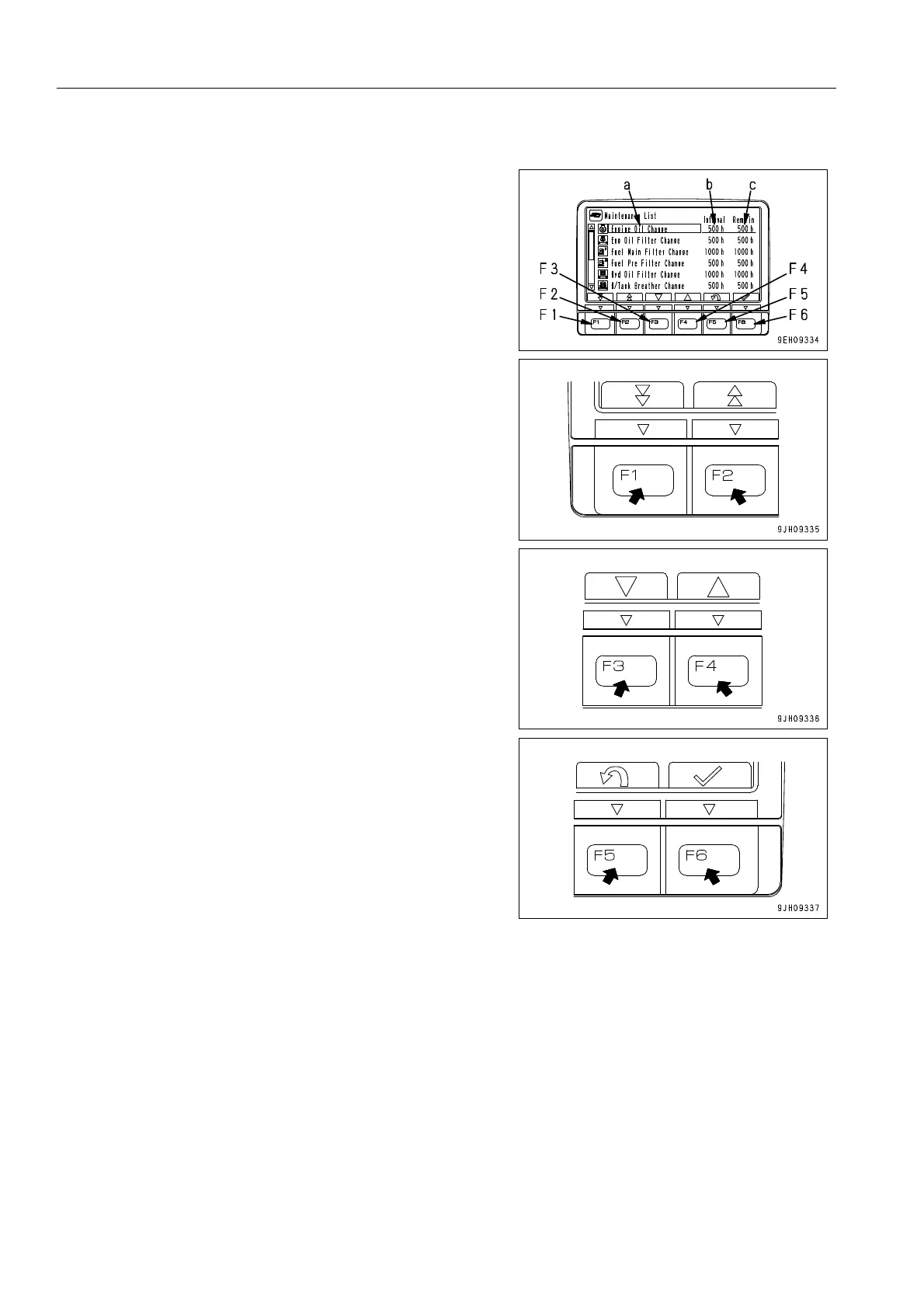
On the maintenance list screen, it is possible to carry out the
following operations with switches F1 to F6.
F1: Displays next page. When on the last page, it displays the
first page.
F2: Displays previous page. When on the first page, it displays
the last page.
F3: Moves to next item (1 line down). When on the last line, it
moves to the first line on the next page.
F4: Moves to previous item (1 line up). When on the first line, it
moves to the last line on the previous page.
F5: Returns to standard screen.
F6: If pressed for more than 1.5 seconds, change to the screen
to reset the remaining time of a selected item (highlighted in
yellow)
When resetting the remaining time, keep switch F6 pressed for
at least 1.5 seconds. If switch F6 is not kept pressed for at least
1.5 seconds, the switch operating sound can be heard, but the
screen does not switch to the screen for resetting the remain-
ing time.
q If no switch is operated for 30 seconds on the maintenance
list screen, the screen automatically returns to the standard
screen.
q On the maintenance list screen, if the time remaining until
maintenance for any item is less than 30 hours, the
remaining time display is highlighted in yellow. If the time
remaining until maintenance becomes 0 hours, the remain-
ing time display is highlighted in red.
q If you want to change the setting for the maintenance inter-
val, please consult your Komatsu distributor.











 To Next Page