OPERATION DETAILED CONTROLS AND GAUGES
3-83
Truck Counter Switch
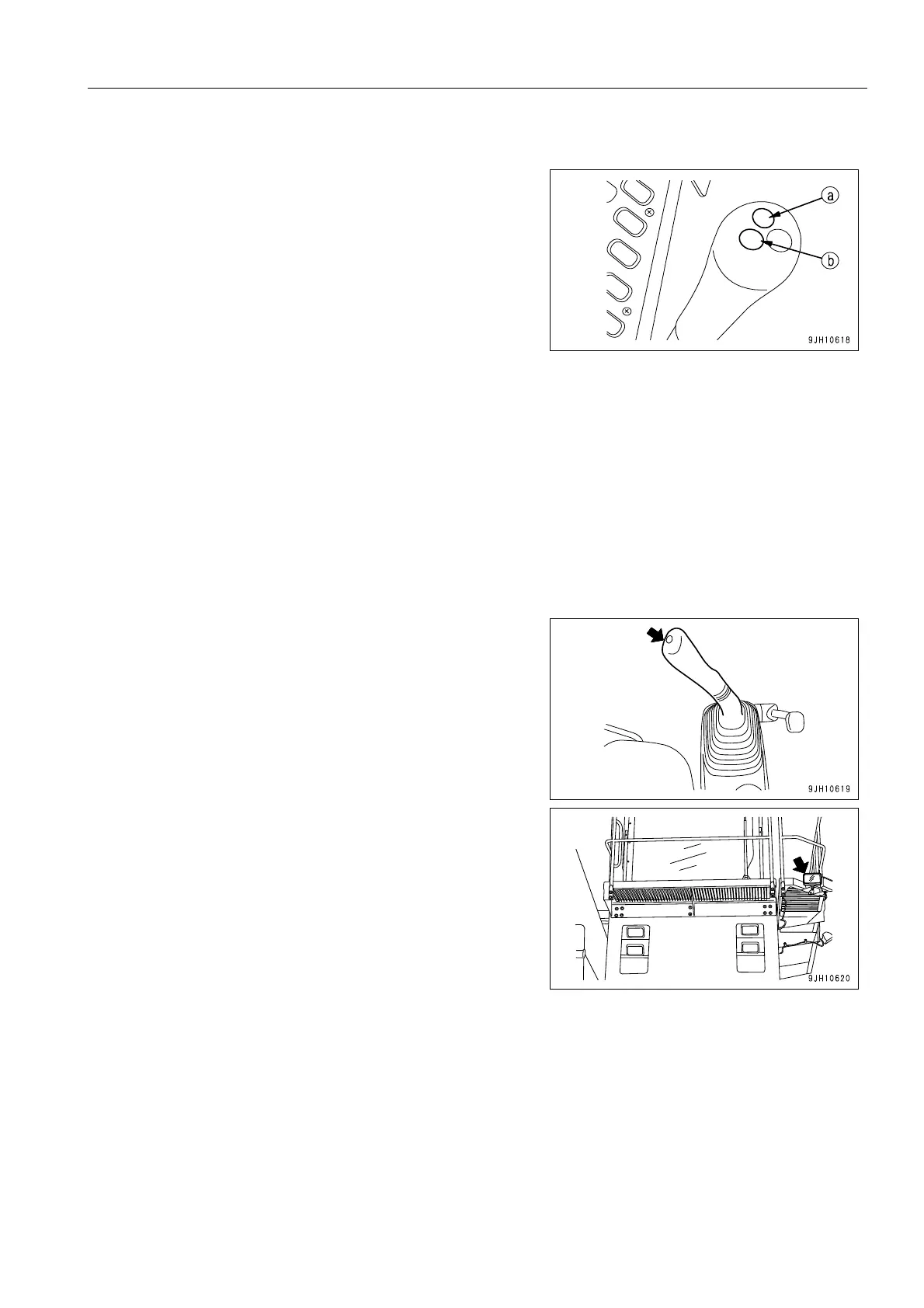
When the switch (16) on the left work equipment control lever
is pressed, the count advances on the truck counter portion on
the standard screen of the multi monitor. There are 2 switches
(16): (a) and (b). For details of the method of operating the
switch, see “Truck Counter Display 1 (3-30)“ and “Truck
Counter Display 2 (3-30)“ in the explanation of the truck
counter display portion.
(a): Truck counter switch 1
(b): Truck counter switch 2
q When switch (16) is pressed, the buzzer emits a peep at
the same time, so it is possible to check that the switch
(16) has been pressed.
q In addition, when switch (16) is kept pressed for approx. 3
seconds, the buzzer emits a sound (peep peep) and the
count on the truck counter on the standard screen of the
multimonitor is reduced by 1. Use this to correct the count
if the switch has been pressed too many times by mistake.
Horn Switch
Press switch (17) on the right work equipment control lever to
sound the horn. The same time, the flashing lights at the top
front of the cab flashes for approx. 5 seconds to give a signal to
the dump truck and others in the surrounding area.











 To Next Page