System Settings
3-47
3
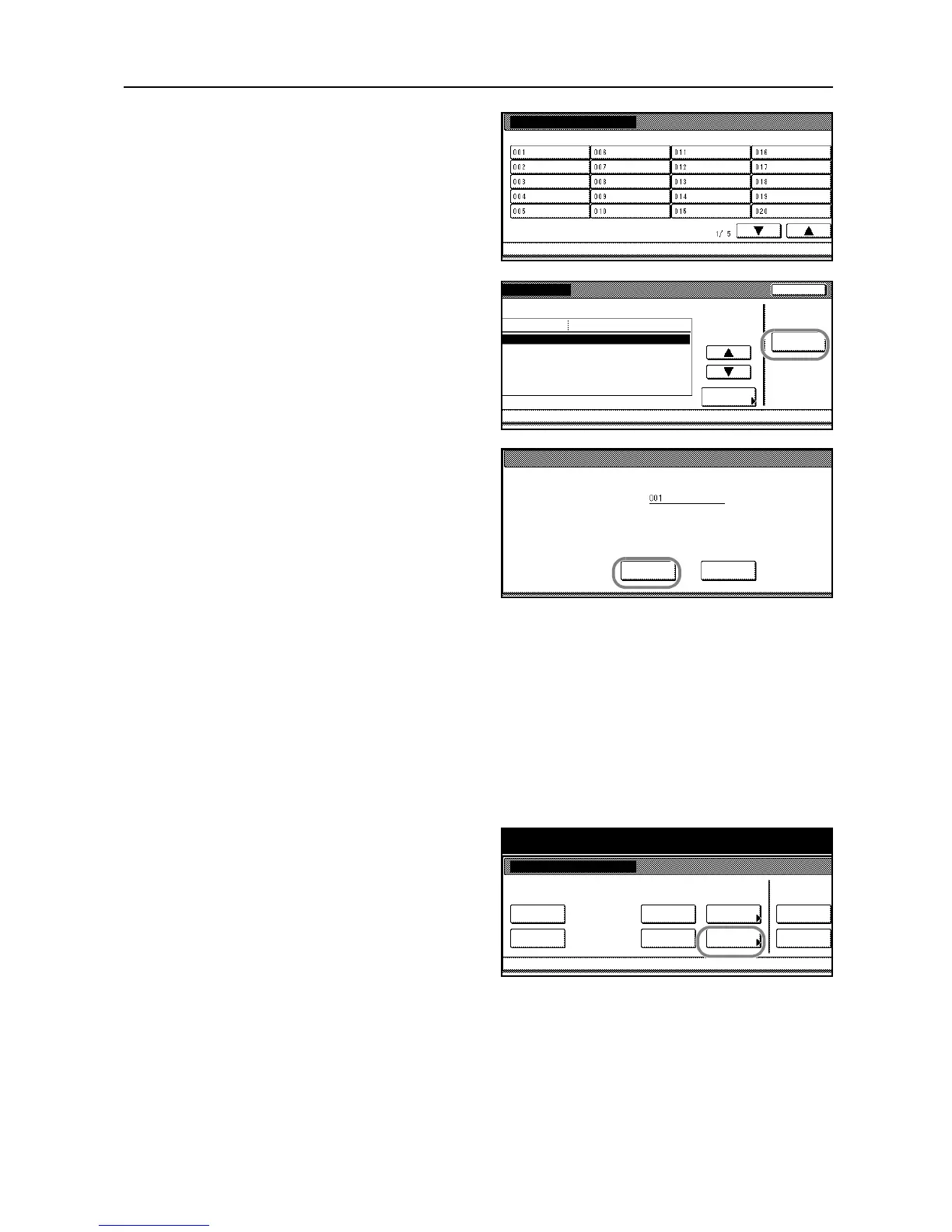
Select the box containing the documents
to be deleted. To select the box, directly
press the touch panel key, or enter the
number using the numeric keys followed
by [Enter].
4
Press [Reset Box].
5
Press [Yes].
All documents in the box will be deleted.
6
Press [Close].
7
Press [Cancel]. The touch panel will return to the Document Management screen.
Specifying the Period to Store Documents
By specifying the period to store the documents in the Synergy Print Box, the documents can be
automatically deleted after the period. You can choose the period of storing the documents from 1 to
7 days.
1
Access the Document Management screen. (For instructions, refer to Accessing the Document
Management Screen on page 3-42.)
2
Under Synergy Print Box, press
[Document save term] ([Document
saving]).










 To Next Page