Copying Functions
1-61
Deleting Register Keys
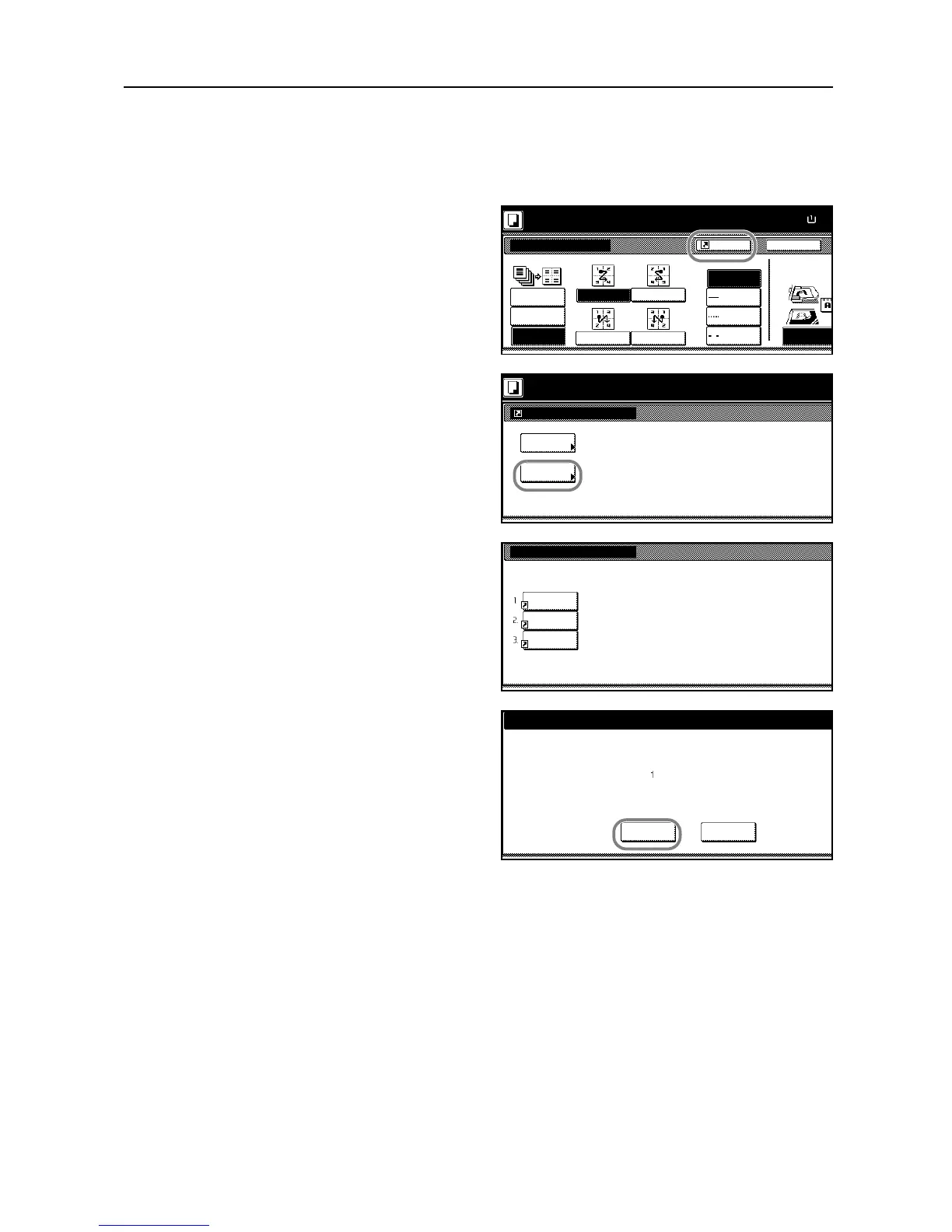
Follow the steps as below to delete register keys.
1
Press a registered register key to display the assigned function.
2
Press [Shortcut] ([Register]) to display
Create Shortcut (Register).
3
Press [Delete].
4
Press the number (1 to 3) of the function
to delete.
5
Press [Yes] to delete the register key.










 To Next Page