Copying Functions
1-24
6
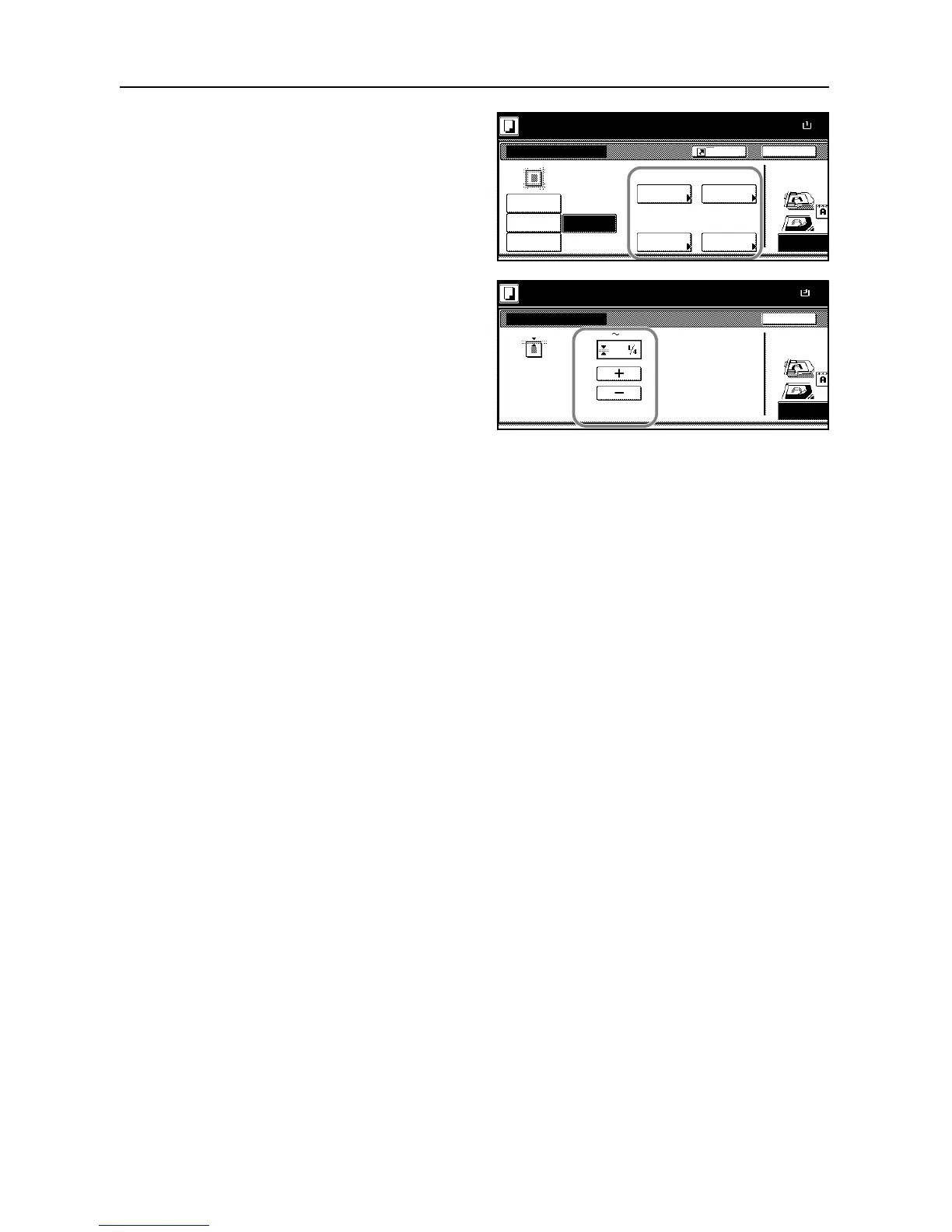
Select the border for which you will
specify the width to erase.
7
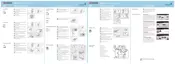
Press [+] or [-] to specify the border
width to erase.
With metric model, you can enter the
border width directly using the numeric
keys after pressing [#-Keys].
8
Press [Close]. To specify widths of other borders to erase, repeat steps 6 to 8.
9
Press the Start key to start copying.










 To Next Page