292 X75HD/X75SD Installation and Operation Manual
Appendix C: Servicing
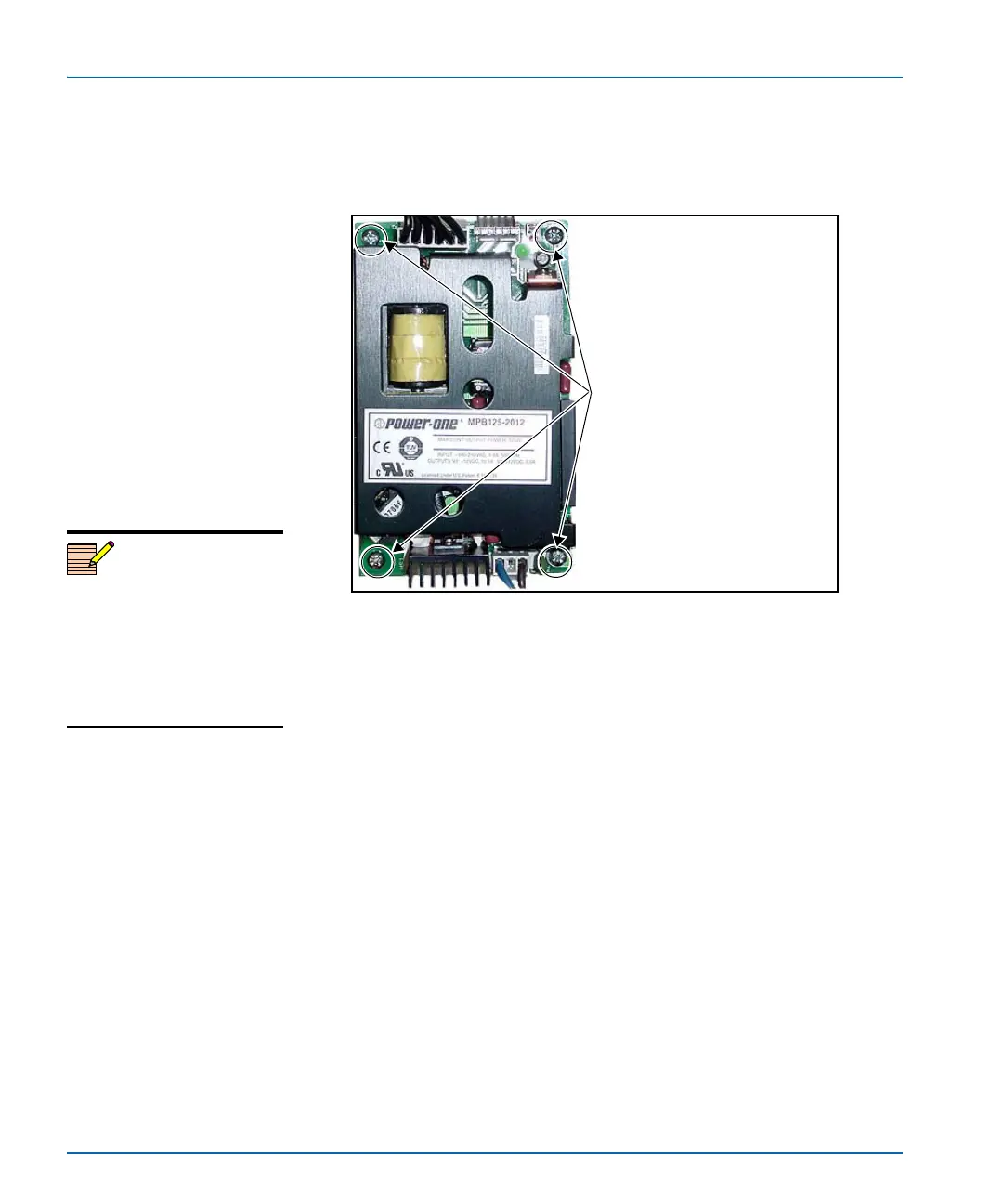
5. Unscrew the power supply from the chassis floor.
Figure C-28 shows the location of the four screws you need to
remove. Keep these screws for later reuse.
Figure C-28. Removing the Power Supply
6. Remove the power supply from the frame.
7. Replace the old power supply with a new one, following the
previous steps in reverse.
Screw locations
Remove these four screws to
unfasten the power supply from
the chassis floor.
Note
If you are removing a redundant
power supply, replace the power
supply prior to operation or
install a cover plate over the AC
inlet hole to maintain proper
ventilation and avoid
overheating.



 To Next Page