Colortran Encore Control Console
Software Version 3.05
46
The Tracksheet Display (a blind display)
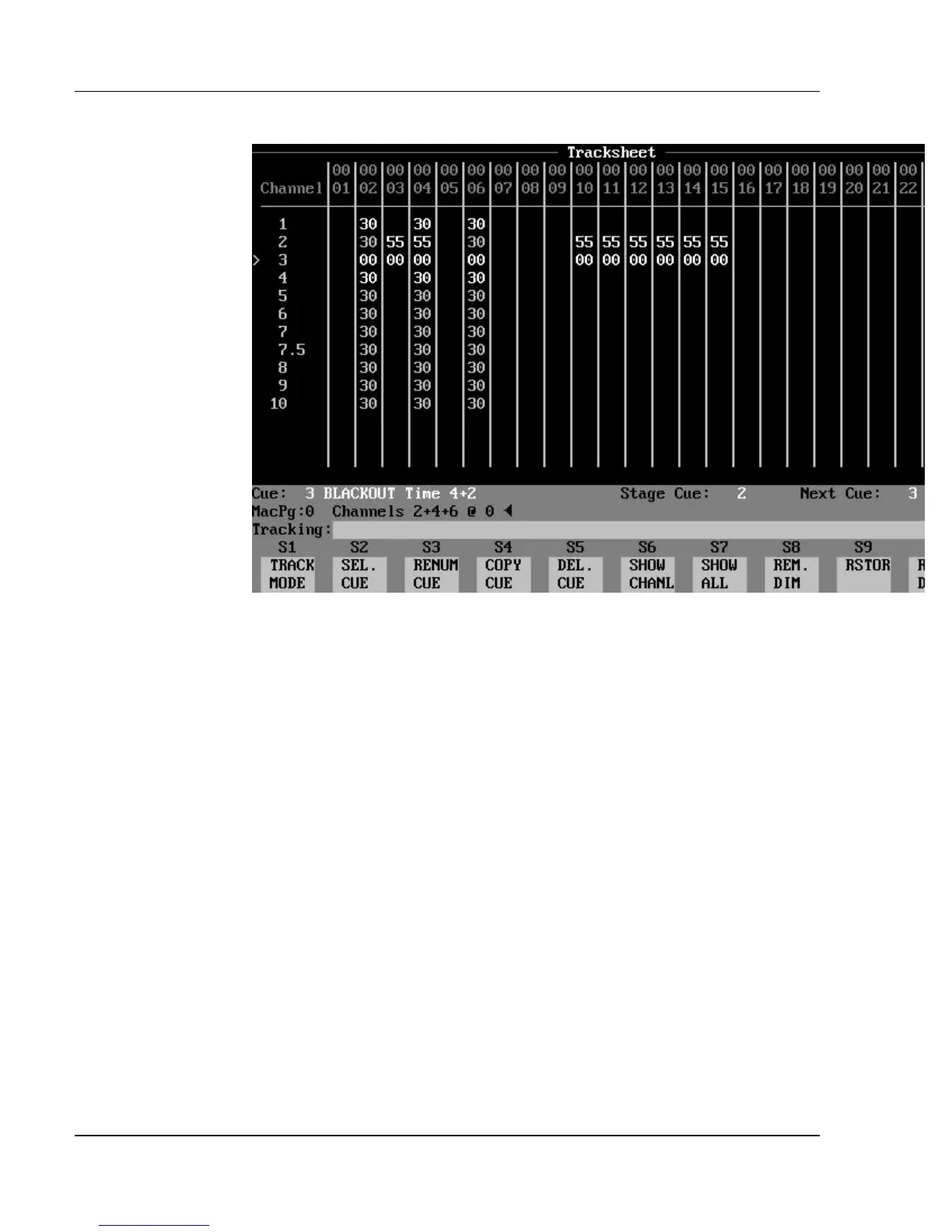
Figure 3.13, Tracksheet Display
Purpose of the Tracksheet Display: The Tracksheet display is
really a giant spreadsheet that shows all channel levels of all cues, side by side,
so that channel levels of cues may be compared. In the Tracksheet display, all
edits are recorded as you make them. Cues may be created or edited in this
display. Cue attributes may also be added or edited in the Tracksheet display,
although they are not shown.
Contents of the Tracksheet Display: The top row of the display
lists the channels currently selected for viewing. The cue and any part number
appear in the far left column of this display, with the channel levels in the cue
shown in the same row. When a cue is currently selected for editing, the ">"
symbol appears next to its cue number.
Below each channel number is a column of levels, representing the level of that
channel in each cue (if no level is visible, then the level is zero). Non-tracking
(hard) levels are shown in white. Tracking (soft) levels are shown in gray. If
the track mode is Clean Up, then all hard zeros disappear, and all levels appear
white. If the track mode is Cue Only or Tracking then the channels levels are
shown in the following two colors:
?? white = Hard (non tracking) levels
?? gray = Soft (tracking) levels



 To Next Page