EasyManua.ls Logo

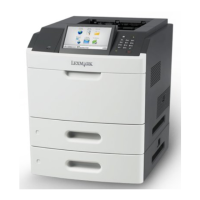
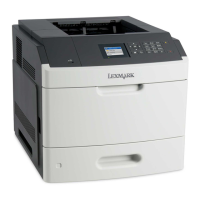
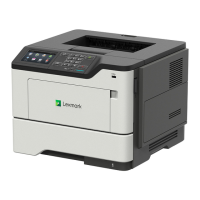
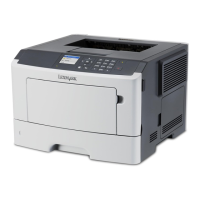
Lexmark MS711 - User Manual

Lexmark MS711
949 pages
Print Icon
To Next Page IconTo Next Page
Loading...
MS71x, MS81x, & M51xx
Machine Type 4063-2xx, -4xx, -63x, -83x
Service Manual
Start diagnostics
Maintenance
Safety and notices
Trademarks
Index
August 23, 2013 www.lexmark.com
P/N 12G3023

Table of Contents

Other manuals for Lexmark MS711

Questions and Answers

  • R
    rachelthomasAug 30, 2025
    What does 'Cartridge, imaging unit mismatch' mean on my Lexmark MS711 and how to fix it?
    • J
      Joshua MartinezAug 30, 2025
      If your Lexmark printer displays a 'Cartridge, imaging unit mismatch' error, check if both the toner cartridge and imaging unit are MICR (Magnetic Ink Character Recognition) or non-MICR supplies. Change either the toner cartridge or the imaging unit, so that both are either MICR or non-MICR.
  • J
    Joshua DavisAug 25, 2025
    How to fix 'Close Door or Insert Cartridge' error on Lexmark MS711?
    • C
      cwatsonAug 25, 2025
      If your Lexmark Printer displays a 'Close Door' or 'Insert Cartridge' message, make sure that the front access door is completely closed and the print cartridge is properly inserted.
  • W
    Whitney SmithAug 31, 2025
    How to fix 'Disk must be formatted for use in this device' error on Lexmark MS711?
    • J
      Joann DurhamSep 1, 2025
      If your Lexmark printer displays the message 'Disk must be formatted for use in this device,' select 'Format disk' from the printer control panel to format the printer hard disk and clear the message.
  • M
    mconleySep 1, 2025
    What to do if Lexmark Printer displays 'Disk near full. Securely clearing disk space'?
    • P
      Phillip EwingSep 1, 2025
      If your Lexmark printer displays 'Disk near full. Securely clearing disk space', you can press on the printer control panel to clear the message. You can also delete fonts, macros, and other data stored on the printer hard disk, or install a printer hard disk with a higher capacity.
  • K
    katelyn66Sep 2, 2025
    What to do if Lexmark MS711 displays 'Empty the hole punch box'?
    • W
      William SmithSep 2, 2025
      If your Lexmark printer displays an 'Empty the hole punch box' message, you should empty the hole punch box. Then, reinsert the hole punch box into the finisher and press on the printer control panel to clear the message.
  • T
    tony80Sep 3, 2025
    What to do if my Lexmark Printer says 'Error reading USB drive. Remove USB'?
    • B
      Barbara TranSep 3, 2025
      If your Lexmark printer displays an 'Error reading USB drive' message, it means an unsupported USB device is inserted. Remove the USB device and insert a supported one.
  • A
    Angela ReillySep 3, 2025
    What to do if my Lexmark MS711 says 'Error reading USB hub. Remove hub'?
    • Z
      zescobarSep 3, 2025
      If your Lexmark printer displays an 'Error reading USB hub' message, it means an unsupported USB hub has been inserted. Remove the USB hub and install a supported one.
  • D
    debra10Sep 4, 2025
    What to do if my Lexmark MS711 Printer says 'Imaging unit low'?
    • M
      Mr. Jose Eaton IIISep 4, 2025
      If your Lexmark printer indicates that the imaging unit is low, you may need to order a new one. Press on the printer control panel to clear the message and continue printing if necessary.
  • J
    Joshua MillerSep 5, 2025
    What to do if Lexmark Printer displays 'Incompatible output bin [x]'?
    • M
      Mark TaylorSep 5, 2025
      If your Lexmark printer displays an 'Incompatible output bin' message, remove the specified bin. Alternatively, you can press on the printer control panel to clear the message and continue printing without using the specified bin.
  • C
    Christina HunterSep 6, 2025
    What to do if Lexmark MS711 Printer displays 'Incompatible tray [x]'?
    • A
      Anthony Parsons Jr.Sep 6, 2025
      If your Lexmark printer displays an 'Incompatible tray' message, remove the specified tray. Alternatively, you can press on the printer control panel to clear the message and continue printing without using the specified tray.

Lexmark MS711 Specifications

General IconGeneral
Print Resolution1200 x 1200 dpi
Operating Systems SupportedWindows, macOS, Linux
Print TechnologyLaser
Processor Speed800 MHz
Standard Memory512 MB
Maximum Memory1.5 GB
Output Capacity250 sheets
Hard DriveOptional
Energy Star CertifiedYes
Printer TypeMonochrome Laser
ConnectivityUSB, Ethernet
Duplex PrintingAutomatic
Print LanguagesPostScript 3
Dimensions (W x D x H)15.7 x 17.5 x 15.7 inches

Related product manuals