Mini-Crawler Crane M A E D A Section 4 – MOMENT LIMITER (OVERLOAD DETECTOR)
1/2019 MC405C-3 4-85
Pick & Carry Posture
DANGER!
• Take the "Pick & Carry posture" described
below when performing Pick & Carry with
this machine.
• Fully retract the boom
• Raise the boom to "about 65 degrees"
• Slew the boom to the centre front
• Stow the outriggers
• Do not perform any operation that will
change the posture described above during
Pick & Carry operation.
The machine may topple over, leading to
serious injury accidents.
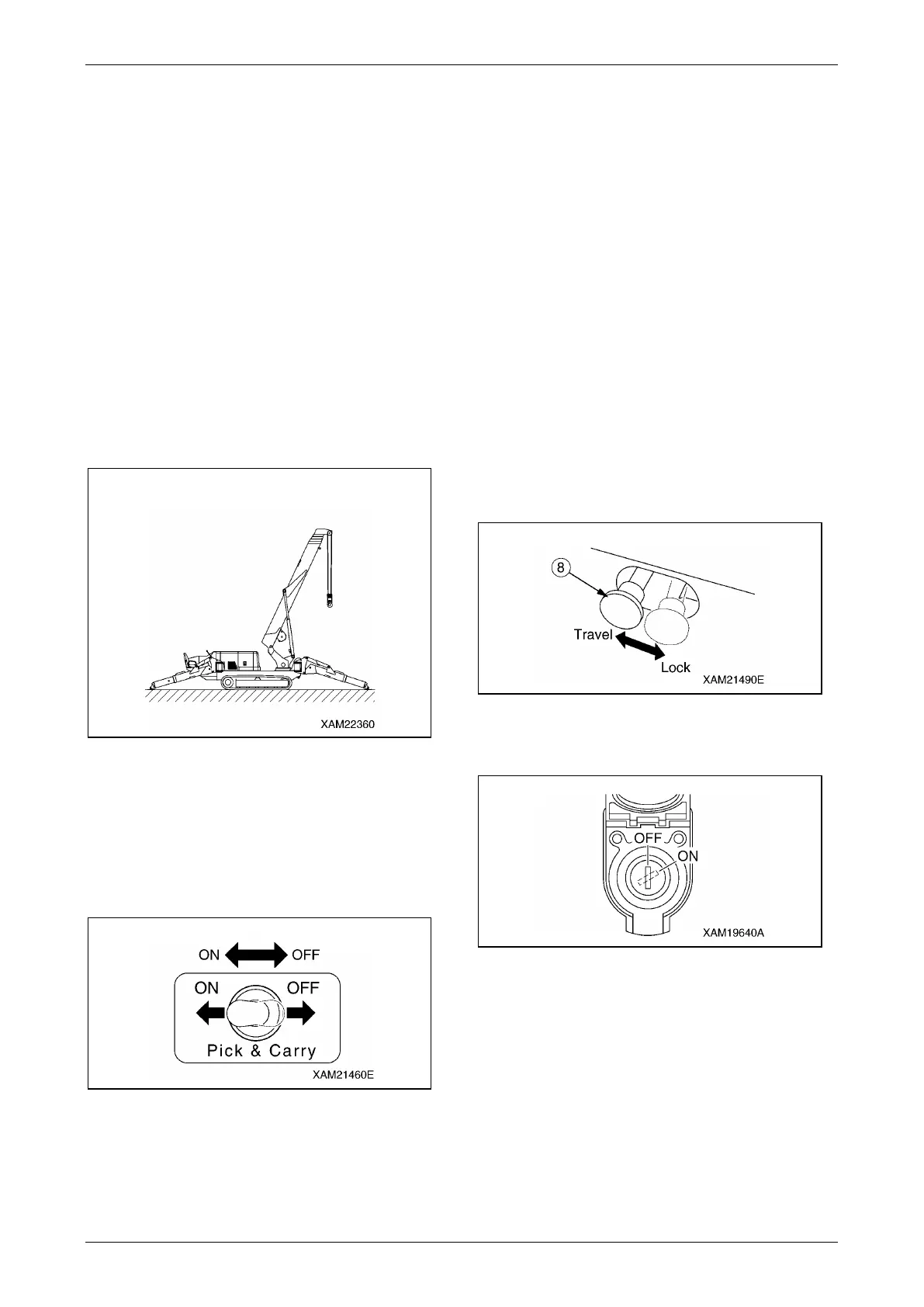
Take the Pick & Carry posture shown in the
figure when performing Pick & Carry operation.
Fig. 4-216
1. See "OUTRIGGER SETTING" on page 4-42
to set the outriggers.
2. See "Boom Derricking Operation" on page 4-
64 to raise the boom to "about 65 degrees".
3. See "Slewing Operation" on page 4-65 to
slew the boom to the centre position in front.
Fig. 4-217
4. Operate the Pick & Carry switch to the "ON"
position.
NOTICE: If the machine is not taking the proper
Pick & Carry posture when the switch is operated
to the "ON" position, the following alarms and
display will be given.
• The alarm buzzer sounds continuously
• The red of the working status lamp turns on
• An error code "E-P" is given on the moment
limiter display.
Operate the Pick & Carry switch to the "OFF"
position and perform the boom derricking
operation or slewing operation to correct the Pick
& Carry posture, and then operate the switch to
the "ON" position again.
5. See "OUTRIGGER STOWING" on page 4-
49 to stow the outriggers.
6. Operate the travelling lock lever (8) to the
"TRAVEL" position.
Fig. 4-218
7. Verify that the moment limiter override
switch is at the "OFF" position.
Fig. 4-219



 To Next Page