Section 4 – ELECTRIC MOTOR OPERATION Mini-Crawler Crane M A E D A
4-138 1/2019 MC405C-3
Machine Stop and Checks After
Stopping Machine
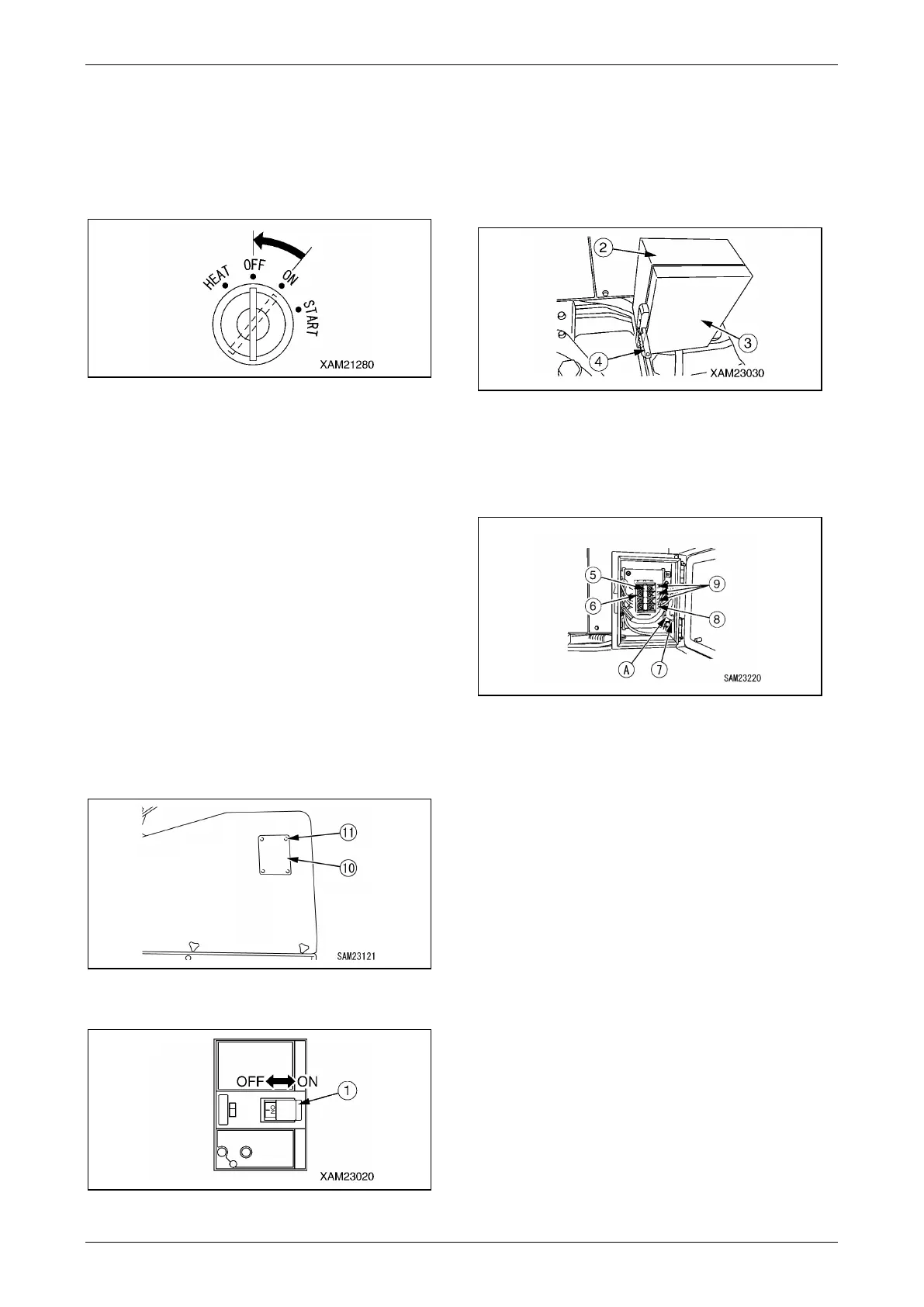
1. Turn the starter switch key to the "OFF"
position.
The electric motor comes to a stop.
Fig. 4-399
2. Remove the starter switch key.
3. Visibly check for oil leakage, and check
around the crawlers, crane, and exterior of
the machine. If you find any leakage or
abnormality, fix the problem.
4. Clean off the crawlers and outriggers,
removing mud.
5. Keep the periphery of the inverter unit free of
dead leaves and paper waste. Potential fire
may occur if disregarded.
Disconnecting Power Supply
Cable
1. Turn OFF the power supply equipment
breaker.
2. Remove the four mounting screws (11) and
remove the protective cover (10).
Fig. 4-400
3. Turn OFF the main breaker (1).
Fig. 4-401
4. Replace the protective cover (10) to the
original position and securely tighten four
mounting screws (11).
5. Unlock the door (3) of the power supply box
(2) by pulling the handle (4) toward you to
open it.
Fig. 4-402
6. Remove the cover (6) of the terminal block
(5) in the power supply box, holding the top
and bottom of the cover (6) with fingers and
pulling it toward you.
Fig. 4-403
7. Disconnect the cable (8) and three cables
(9) of the cabtyre cable (A) from the terminal
block (5).
CAUTION:
• Clean off the cabtyre cable and check it for
damage or bend.
If check finds damage, replace the cable
with a new one.
• Always return the cabtyre cable to a
designated place after performing
inspection and cleaning.
8. Replace the cover (6) of the terminal block
(5) to the original position and close the door
(3) of the power supply box (2).



 To Next Page