Section 4 – SEARCHER HOOK OPERATION Mini-Crawler Crane M A E D A
4-144 1/2019 MC405C-3
SEARCHER HOOK
OPERATION
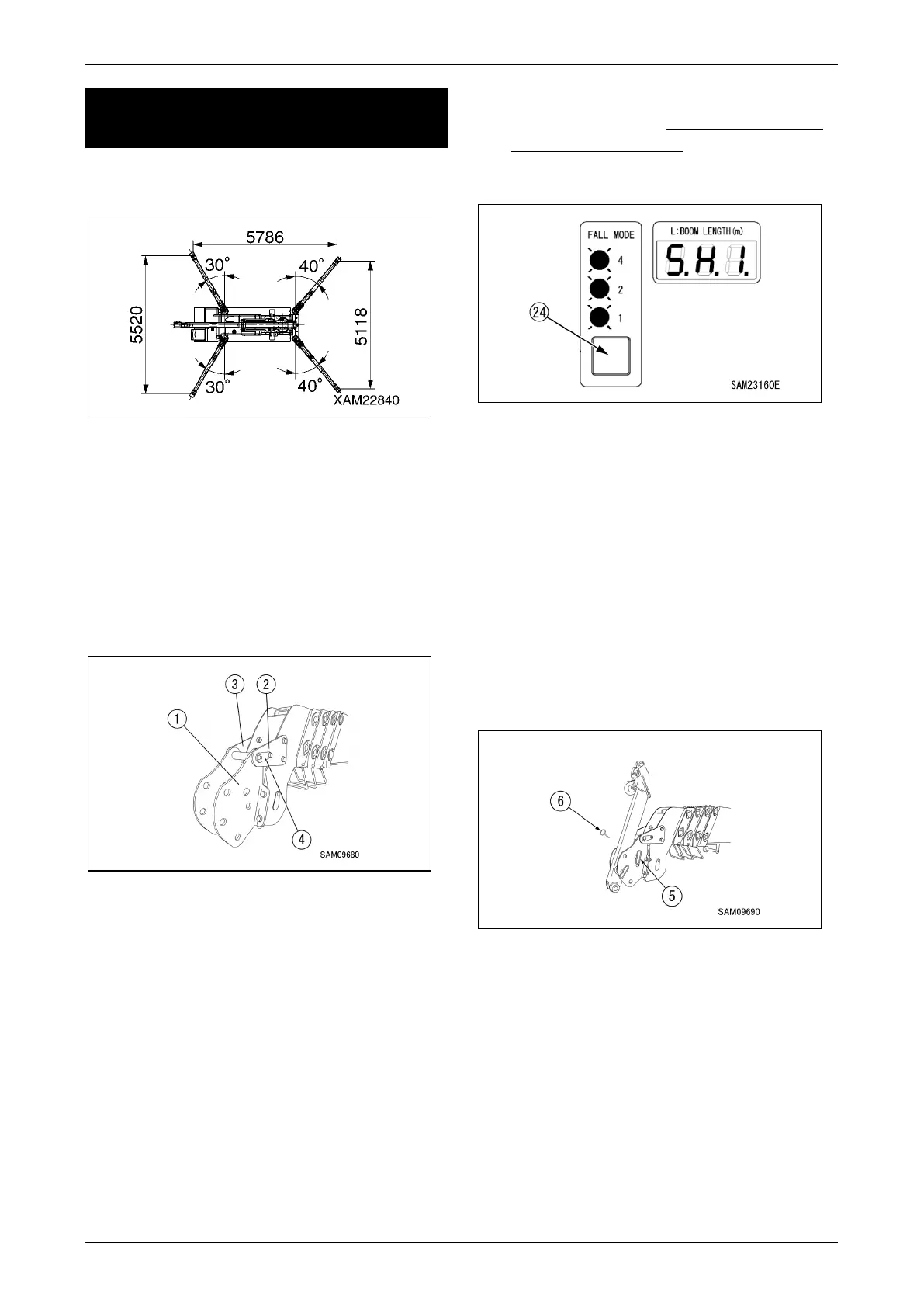
1. See "OUTRIGGER SETTING" on page 4-42
and set the outrigger.
Fig. 4-410
2. Install bracket (1), (2), and (3) using M12
bolts with washers (strength 10.9), nuts, and
washers to main boom.
Using torque wrench, tighten bolts at 93N・m
(±14Nm).
Then insert pin (4) into holes of bracket (1),
(2), and (3) as shown in the drawing, and
tighten M8 bolts with washers (strength 10.9)
at torque 27N・m (±8Nm).
Fig. 4-411
DANGER! Crash Hazard. Make sure to torque
searcher hook mounting plate bolts to the
designated tightening torque.
To install searcher hook, always use new
genuine Maeda bolts, nuts, and washers.
3. Using fall mode/option selector switch (24),
set moment limiter to 850 kg searcher hook
mode (all LED flashes).
Also make sure the boom length display
changes to either SH1, SH2, or SH3.
Fig. 4-412
DANGER! Do not operate 850 kg searcher
hook without setting moment limiter at
"850 kg searcher hook mode". Without
setting in correct mode, moment limiter will
not work properly, and thus may result in
crane damage or a serious accident.
CAUTION: The last status of fall mode/option
mode is memorised even after starter switch
is turned to the OFF position
4. Remove the lynch-pin (6) from the end of
position pin (5), and remove the position pin
(5).
Fig. 4-413



 To Next Page