Mini-Crawler Crane M A E D A Section 5 – INSPECTION
1/2019 MC405C-3 5-35
4. Operate the work selector switch on the
outrigger operation panel to the "Outrigger"
position.
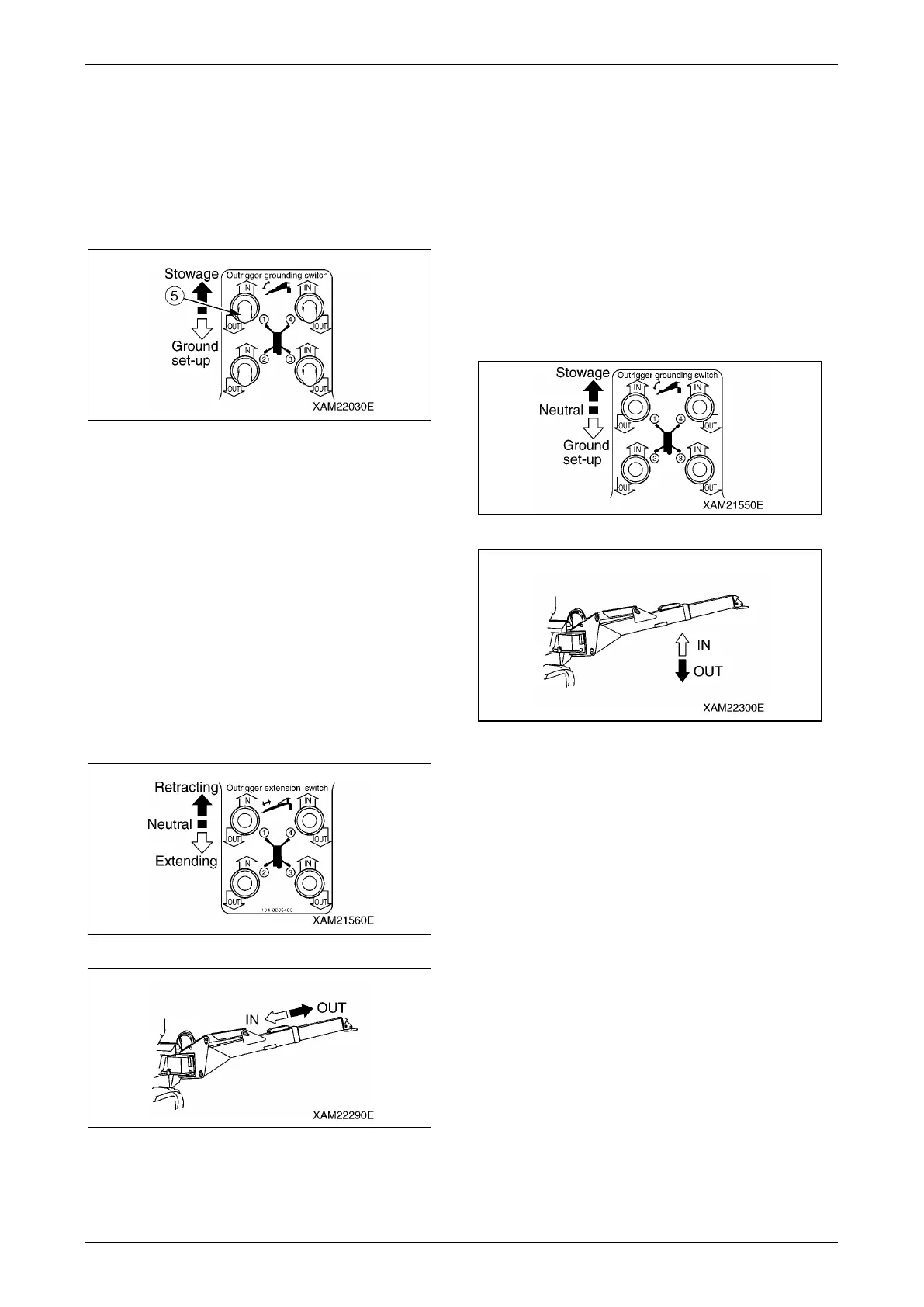
5. Operate the outrigger grounding switch (5)
on the outrigger operation panel to the "ON"
position and verify that the outriggers do not
operate.
Fig. 5-70
Check Outrigger Operation
WARNING! Be sure to see "OUTRIGGER
SETTING" on page 4-42 and "Crane Stowing
Operation" on page 4-66, and strictly observe
the methods described and cautions given
when checking operations of the outriggers.
1. Verify that the outrigger inner box extends
smoothly when the outrigger extension
switch is pushed down to the "OUT" position.
Also, verify that the inner box retracts
smoothly when the outrigger extension
switch is pushed down to the "IN" position.
Fig. 5-71
Fig. 5-72
When doing the above, check for any
abnormal noise generated by part of the
outrigger.
Operate the other switches likewise and
check the operations.
If there is any abnormality, repair.
2. Verify that the outrigger lowers smoothly
when the outrigger grounding switch is
pushed down to the "OUT" position. Also,
verify that the inner box rises smoothly when
the outrigger grounding switch is pushed
down to the "IN" position.
Fig.5-73
Fig. 5-74
When doing the above, check for any
abnormal noise generated by part of the
outrigger.
Operate the other switches likewise and
check the operations.
If there is any abnormality, repair.



 To Next Page