Mini-Crawler Crane M A E D A Section 4 – REMOTE CONTROL OPERATION
1/2019 MC405C-3 4-121
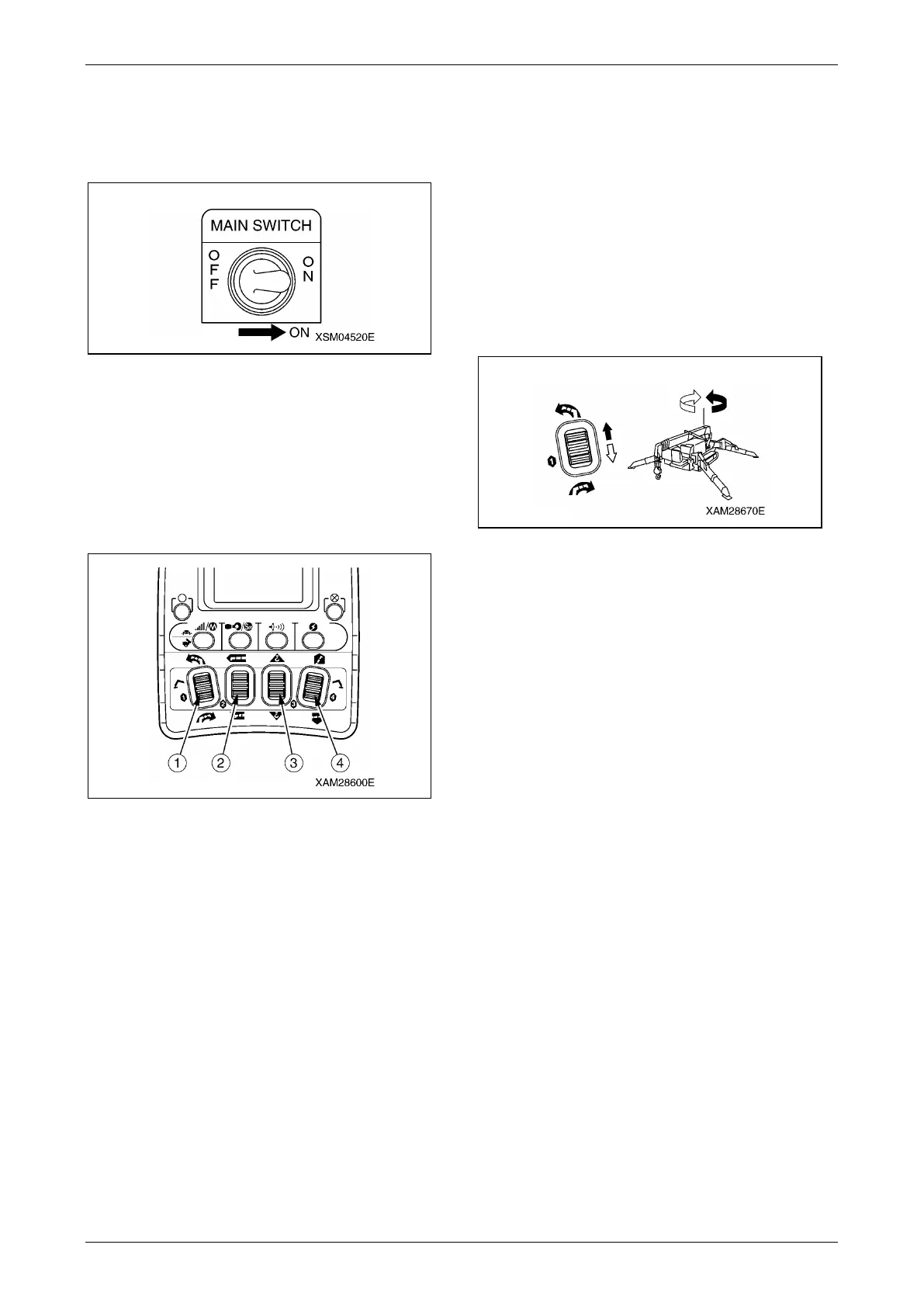
4. Then turn ON the Main switch of the
Receiver.
The voice message will call you as "Remote
control is ready".
Fig. 4-357
NOTICE: When the main switch of the Receiver
is turned ON, the abnormal signal detector circuit
works for 3 to 4 seconds. During this moment,
the Crane is not ready for operations.
NOTICE: Four of the Crane operation levers are
provided. Each controls the following operation,
respectively.
Fig. 4-358
(1): Slewing (upper: counterclockwise (left),
lower: clockwise (right))
(2): Boom telescoping (upper: extend, lower:
retract)
(3): Hook raising and lowering (upper: raising,
lower: lowering)
(4): Boom derricking (upper: raising, lower:
lowering)
Slewing Operation
WARNING! At the slewing operation, actuate
the Accelerator lever carefully and always
keep in low speed.
Also, actuate the Accelerator lever slowly and
delicately to avoide abrupt slewing.
Such abrupt acceleration or deceleration
especially while a load is hung will make a
large impact to the Crane and may result a
serious hazard such as Crane tipping or
damage.
Fig. 4-359
Slew Clockwise (right)
Push the Slewing/No.1 outrigger operation lever
to "Clockwise (right) (lower)", then pull the
Accelerator lever slowly.
The boom slews clockwise (right), provided that
you look down the Crane from the sky.
Slew Counterclockwise (left)
Push the Slewing/No.1 outrigger operation lever
to "Counterclockwise (left) (upper)", then pull the
Accelerator lever slowly.
The boom slews counterclockwise (left), provided
that you look down the Crane from the sky.
Stop Slewing
Release the Accelerator lever slowly, then
release the Slewing/No.1 outrigger operation
lever to return it to its neutral position.
The boom stops slewing.



 To Next Page