Section 4 – REMOTE CONTROL SYSTEM VERIFICATIONS Mini-Crawler Crane M A E D A
4-110 1/2019 MC405C-3
Checking Receiver
Perform the following inspections:
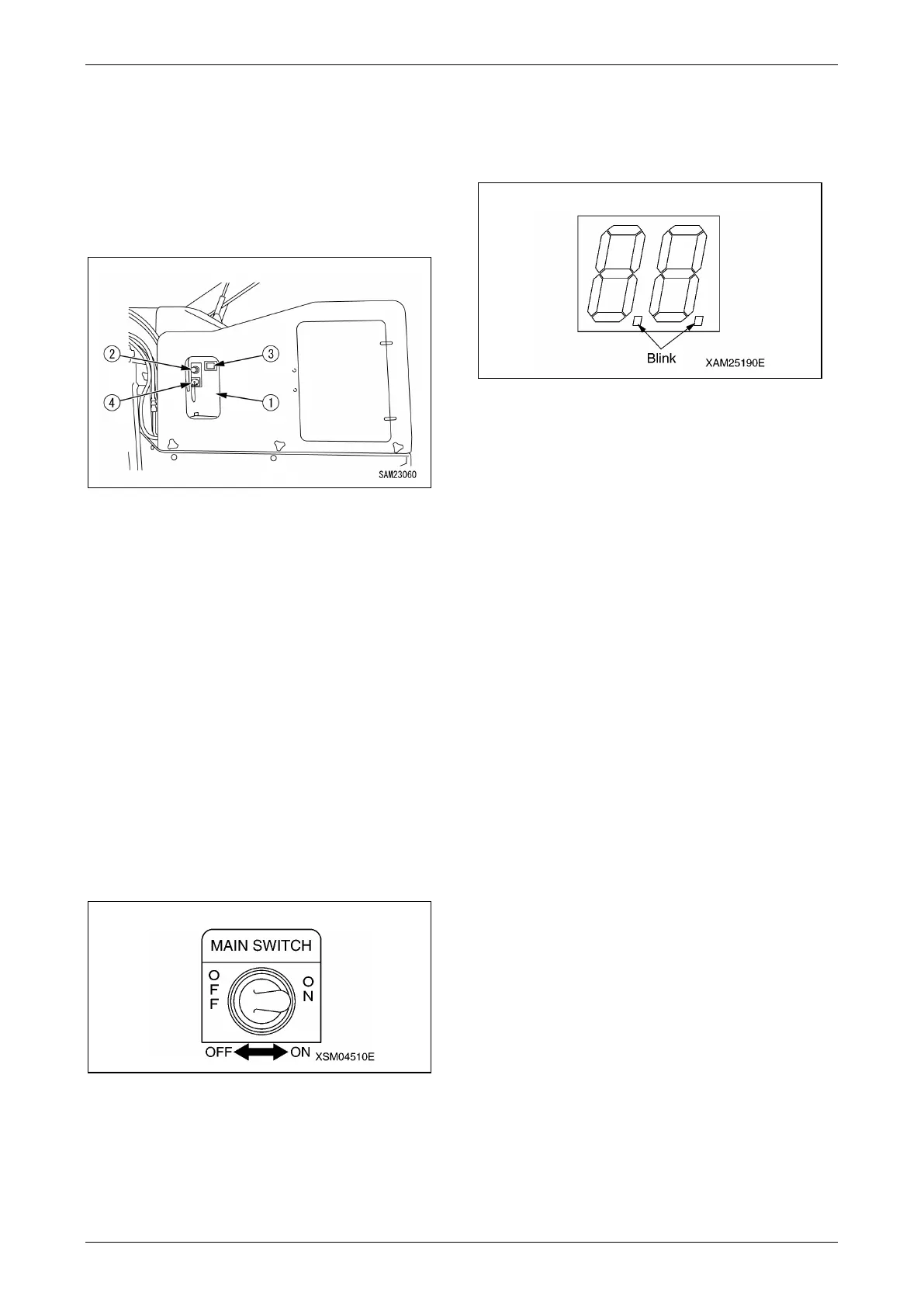
• Check the Control Box (1), Main Switch (2),
Monitor display (3), and Receptacle (4) for oily
dirt or other soil.
Scrub away the dirt with a clean cloth or such,
when any.
Fig. 4-306
• Check for any cracks and/or damages to the
Control Box (1) or Monitor display (3).
Repair such cracks or damage immediately,
when any.
Such cracks or damages may allow water to
enter inside and brings troubles or failures to
the Receiver, then cause a serious hazard.
• Check the Main switch (2) and Receptacle (4)
for the loose conditions or damages.
Repair immediately when such loose conditions
or damages are found.
Such loose conditions or damages may cause
errors or faults of the Receiver, which results a
serious hazard.
• Toggle the Main switch (2) to ON and OFF
alternately to verify that power is correctly
turned ON or OFF.
Fig. 4-307
• Turn ON the Transmitter, then toggle the Main
switch (2) to ON, in addition, and confirm next
that the two dots in the Monitor display as
shown in the figure in the light blink.
Fig. 4-308
NOTICE: In the condition that the Transmitter is
not powered ON , or reception has an error, the
Monitor display shows the error code, "E2", when
the Receiver is turned ON.



 To Next Page