Mini-Crawler Crane M A E D A Section 4 – REMOTE CONTROL SYSTEM VERIFICATIONS
1/2019 MC405C-3 4-109
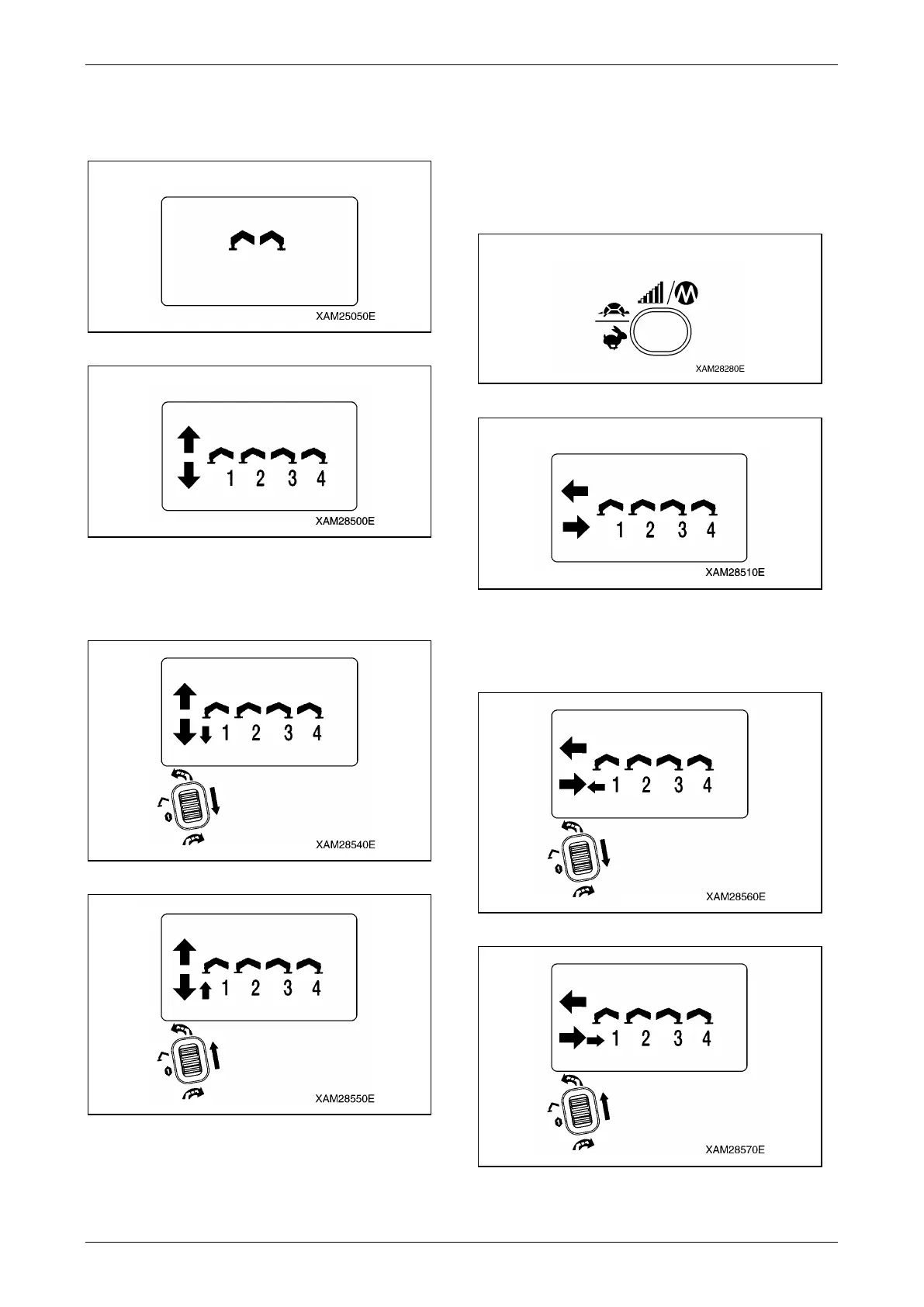
Here, confirm that the "Outrigger mark" is
exhibited, then it enters into the "Ground
setting mode", soon after.
Fig. 4-298
Fig. 4-299
5. Manipulate each operation lever and verify
that each indication in the LCD screen is
correct.
Fig. 4-300
Fig. 4-301
6. To shift to "Extension mode", push the
Speed/Mode button, while the LCD screen
shows the "Ground setting mode".
Here, confirm that the "Outrigger Extension
mode" is exhibited.
NOTICE: Switching between "Outrigger
Extension mode" and "Outrigger Ground setting
mode" is alternately by each push of the
Speed/Mode button.
Fig. 4-302
Fig. 4-303
7. Manipulate each operation lever and verify
that each indication in the LCD screen is
correct.
Fig. 4-304
Fig. 4-305



 To Next Page