156
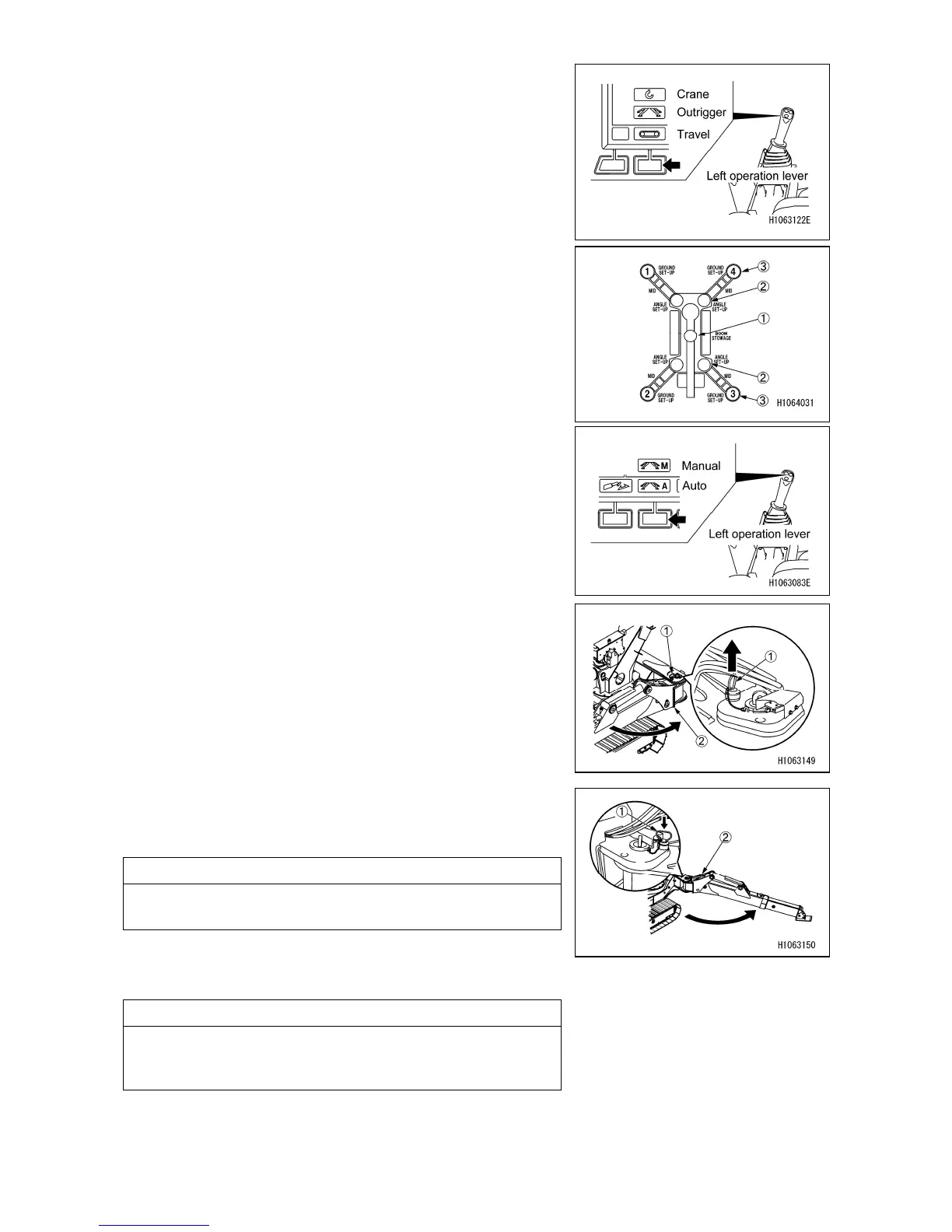
3. Change the mode to Outrigger mode with the mode
selector switch (1) (Travel/Outrigger/Crane) on the
monitor or the left control lever.
4. Make sure that the crane stowage (1) lamp on the
monitor is lit in yellow.
5. Select the Manual mode with the mode selector switch
(3) (Manual/Auto) on the monitor or the left control
lever.
6. Pull the position pin (1) out of the outrigger rotary (2)
and rotate the outrigger rotary outward.
7. Rotate the outrigger rotary (2) outwards so that it can
align with the pin hole, and insert the positioning pin (1)
into the hole as far as it will go.
NOTES
The positioning pin (1) is equipped with a wire to prevent
it from being lost.
8. Perform similar preparation work for the other 3
outriggers.
NOTES
When you are finished with the above preparation steps
for other outriggers, check if the positioning pins (1) are
securely inserted in place.



 To Next Page