178
2.26.3 PICK & CARRY OPERATIONS
• Read the items described in “OPERATION 2.26.1 CAUTIONS DURING PICK & CARRY
OPERATION” when performing pick & carry duties for safe operation.
• Read “OPERATION 2.26.2 PICK & CARRY POSTURE” when to prepare pick & carry
posture. Make sure to follow the process.
• Do not perform crane operations during pick & carry. The machine may topple over.
• Always remain seated in the operator’s seat and carefully perform the pick & carry
operation.
• Verify that it is safe around the machine and honk the horn before starting to move the
machine.
• Verify that it is safe around the machine and honk the horn before switching moving
forward/backward or steering.
• Keep the engine speed at low speed during travelling and travel slowly and carefully.
Keep a safe distance so that the hoisted load or machine does not hit other machines
or structures.
• When the machine tilts forward/backward/left/right during the crane operation and
travelling, the overturning alarm buzzer sounds.
When the overturning alarm buzzer sounds, stop the work immediately. The machine
may topple over.
Strictly observe the values in the “Hoisted load rated total load” during the crane
operation. Avoid slopes and obstacles while travelling.
• If the machine is inclined more than 2 degrees, travelling cannot be operated.
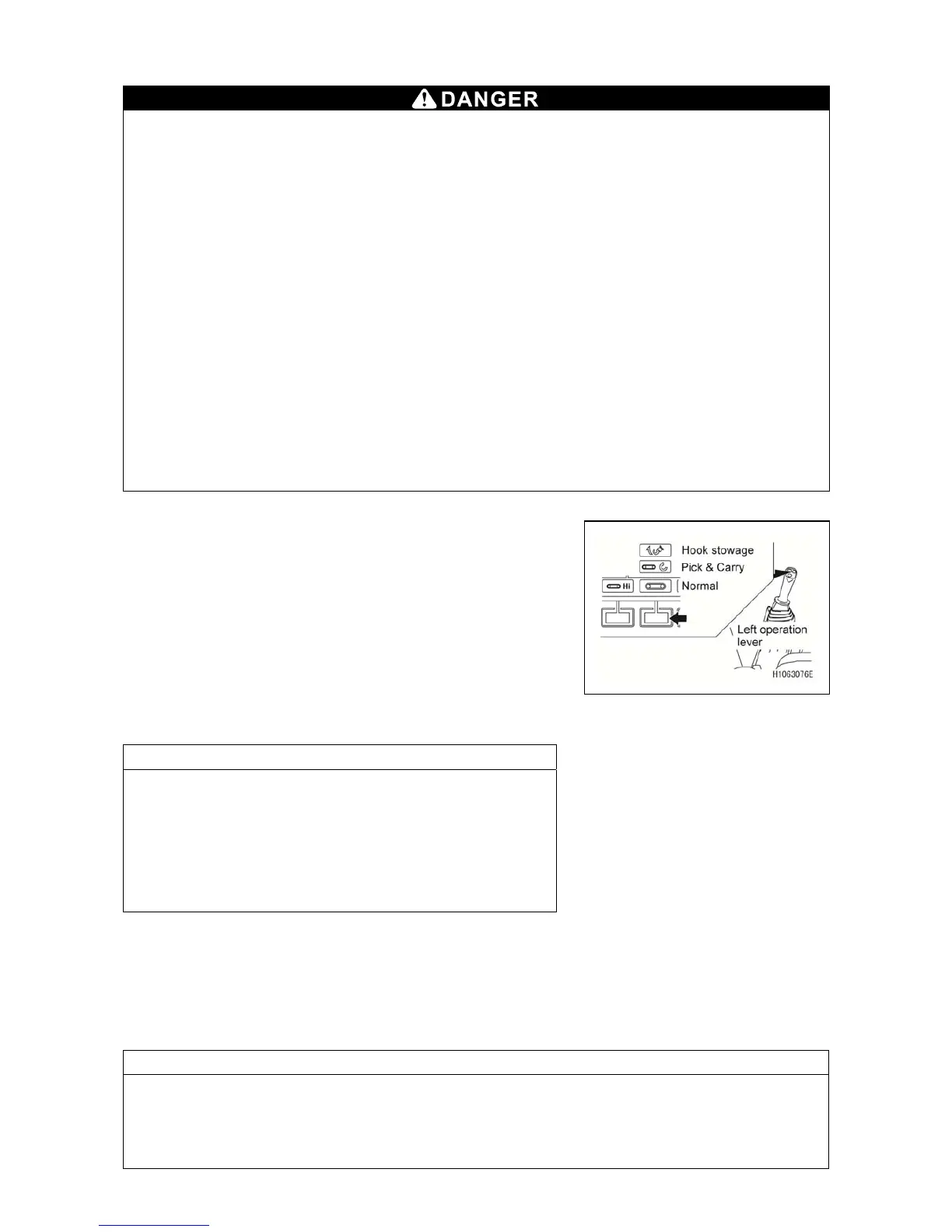
1. To perform crane operation, confirm if the mode is set to
Pick & Carry mode now with the mode selector switch
(3) (Pick & Carry) on the monitor or with the left control
lever.
Perform crane operation with this state.
For crane operation, see “OPERATION 2.18 WINDING
AND UNWINDING” and “OPERATION 2.19 BOOM
DERRICKING OPERATION”.
Keep the hoisted load near the ground so that the load
will not swing.
NOTES
• When the moment limiter is activated, the alarm buzzer
sounds and hazardous boom and winch operations stop
automatically.
• If the moment limiter was activated, see the items in
“OPERATION 1.5.3 [2] RECOVERY OPERATION
FROM AUTOMATIC STOP”.
• In Pick & Carry mode, travel speed cannot be set to
“Hi”.
2. To travel this machine, shift to the normal Travel mode with the mode selector switch (3) (Pick
& Carry) on the monitor or with the left control lever.
For travel operation, see “OPERATION 2.6 STARTING MOVING MACHINE”, “OPERATION
2.8 CHANGING DIRECTION OF THE MACHINE”, and “OPERATION 2.9
STOPPING/PARKING THE MACHINE”.
NOTES
• In Travel mode, the Pick & Carry position lamp may lights on and off depending on a load
weight, but this is not a faulty condition.
• If travel cannot be operated, check if the machine is in Pick & Carry posture or in overload
condition.



 To Next Page