184
3.3 INDICATIONS OF DISPLAY
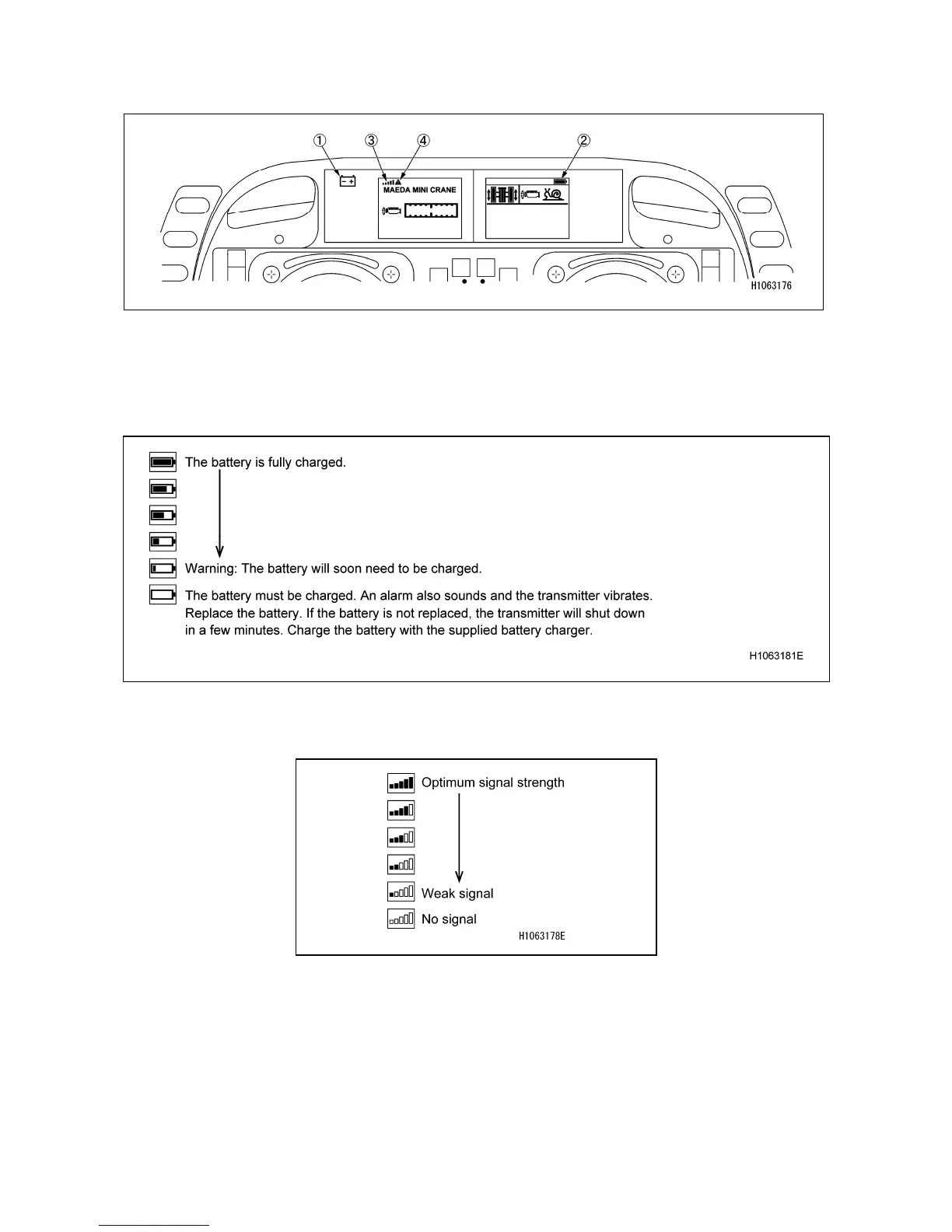
(1) Battery icon
Blinks in green when the power supply is in normal condition.
(2) Battery status bar
Indicates the remaining battery levels as follows:
(3) Radio wave status bar
The intensity of radio waves are as follows:
(4) Error icon
An icon appears when an error is detected.
Detailed information about the error icons can be checked from the remote control menu in the
configuration menu.



 To Next Page