180
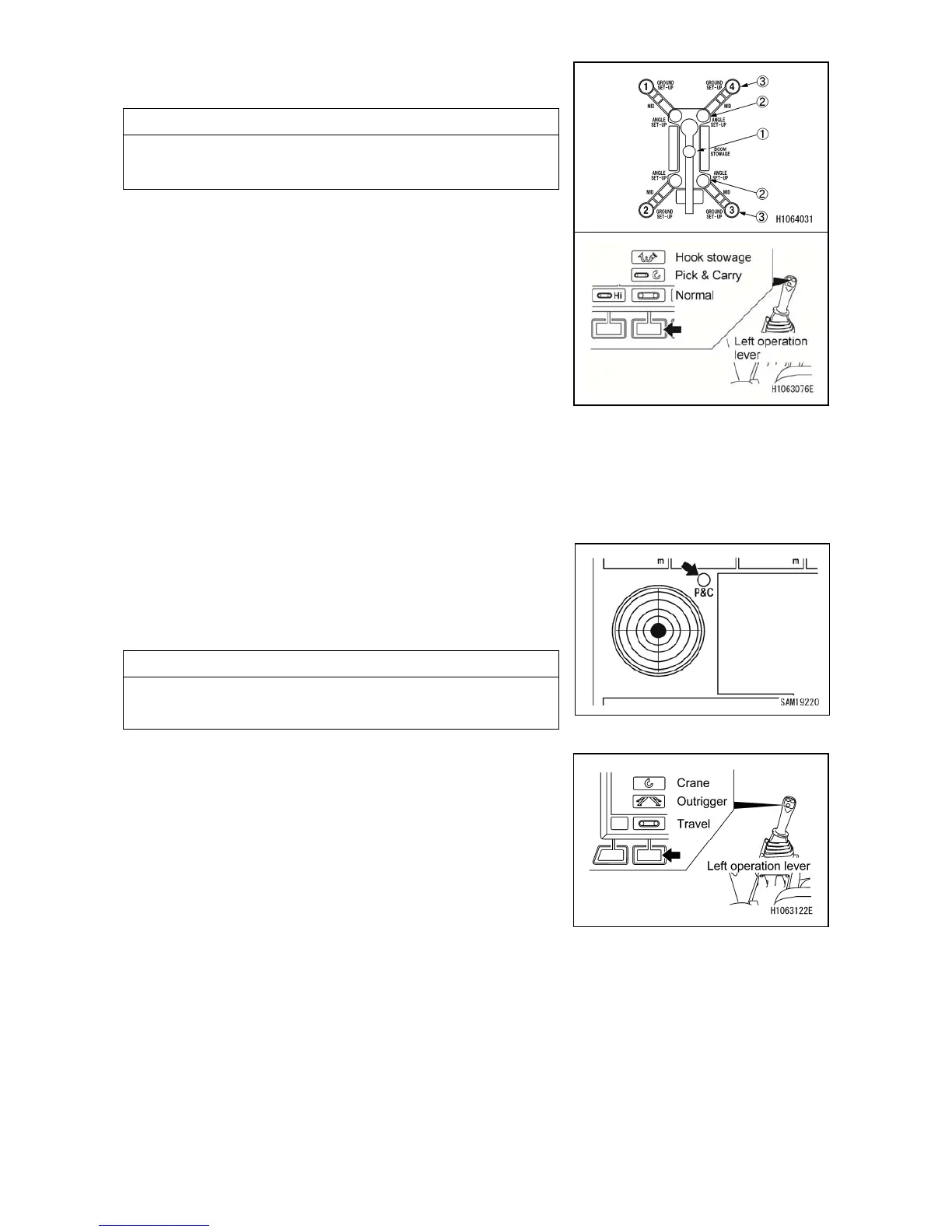
7. Make sure the crane stowage lamp (1) (yellow) lights
on the monitor.
NOTES
If the crane stowage lamp (1) (yellow) is not lit, fully
retract or fully lower the boom, or operate slewing again.
8. Shift to the normal Travel mode with the mode selector
switch (3) (Pick & Carry) on the monitor or with the left
control lever.
2.26.4.2 HOW TO RETURN TO CRANE POSTURE
1. If a load is suspended, unload the load, and make the crane into no-load condition.
2. Set the crane into below conditions.
・Boom is fully retracted.
・Boom angle is more than 60 degrees.
・Slewing angle is within 180±5 degrees
・No load
NOTES
If above conditions are met, the Pick & Carry position
lamp lights and outriggers can be operated.
3. Change the mode to Outrigger with the mode selector
switch (1) (Travel/Outrigger/Crane) on the monitor, or
with the left control lever.
4. Refer to the section “OPERATION 2.14.2 OUTRIGGER
SETUP OPERATION” and set the outriggers.
5. Change the mode to Crane with the mode selector
switch (1) (travel/outrigger/crane) or with the left control
lever.



 To Next Page