103
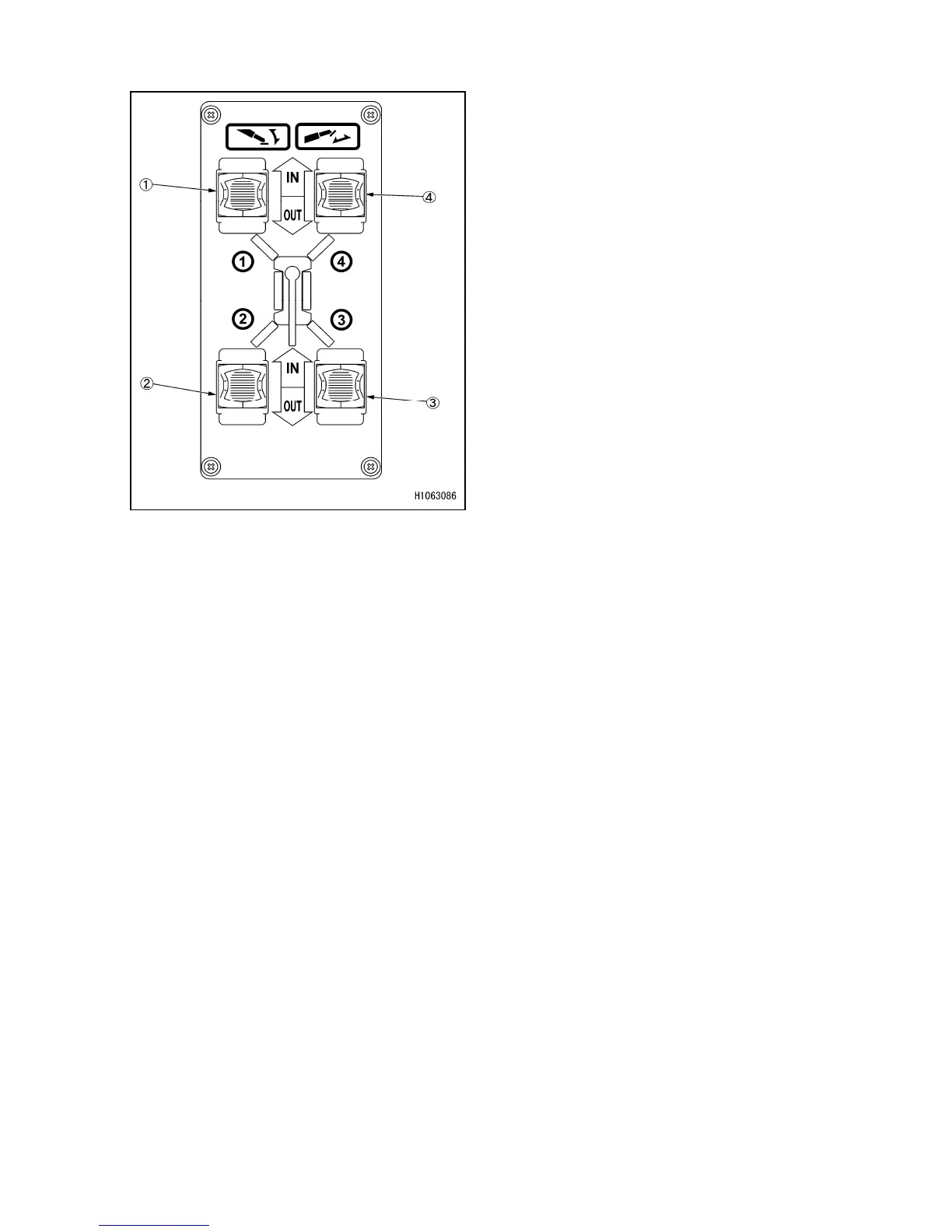
1.2.3 NAMES AND DESCRIPTION OF OUTRIGGER OPERATION PANEL
(1) Outrigger (1) switch
(2) Outrigger (2) switch
(3) Outrigger (3) switch
(4) Outrigger (4) switch
[1] Outrigger switch
These switches can be used to deploy, ground, or stow outriggers.
The machine is equipped with four outriggers, (1) to (4), which can be operated independently
or simultaneously.
To allow outriggers to extend or to settle on the ground, change the machine mode to Outrigger
with the mode selector switch (1) on the monitor, and then select Extension or Ground with the
mode selector switch (2).
[In Extension mode]
• IN: Push the switch up. The outrigger extending cylinder contracts, so as to stow the outrigger
inner box.
• NEUTRAL: Release your finger from the switch. The switch returns to the “NEUTRAL” position
and the outrigger extending cylinder stops.
• OUT: Push the switch down. The outrigger extending cylinder extends to allow the outrigger to
extend.
[In Ground mode]
• IN: Push the switch up. The outrigger grounding cylinder contracts to allow the outrigger to be
stowed.
• NEUTRAL: Release your finger from the switch. The switch returns to the “NEUTRAL” position
and the outrigger grounding cylinder stops.
• OUT: Push the switch down. The outrigger extending cylinder extends to allow the outrigger to
settle on the ground.



 To Next Page