287
[4] INSPECTION OF CRANE MODE OPERATION
• Ensure that all the outriggers are securely settled, before starting crane operations.
Any crane operations where outriggers are improperly used may cause the crane to tip
over or other serious accidents.
If there is any abnormality, be sure to fix it or contact us or our sales service agency.
1. Use the main starter switch on the machine side to start
the engine.
2. See “OPERATION 2.16 OPERATION BEFORE CRANE
WORK” to “OPERATION 2.17 CRANE OPERATION
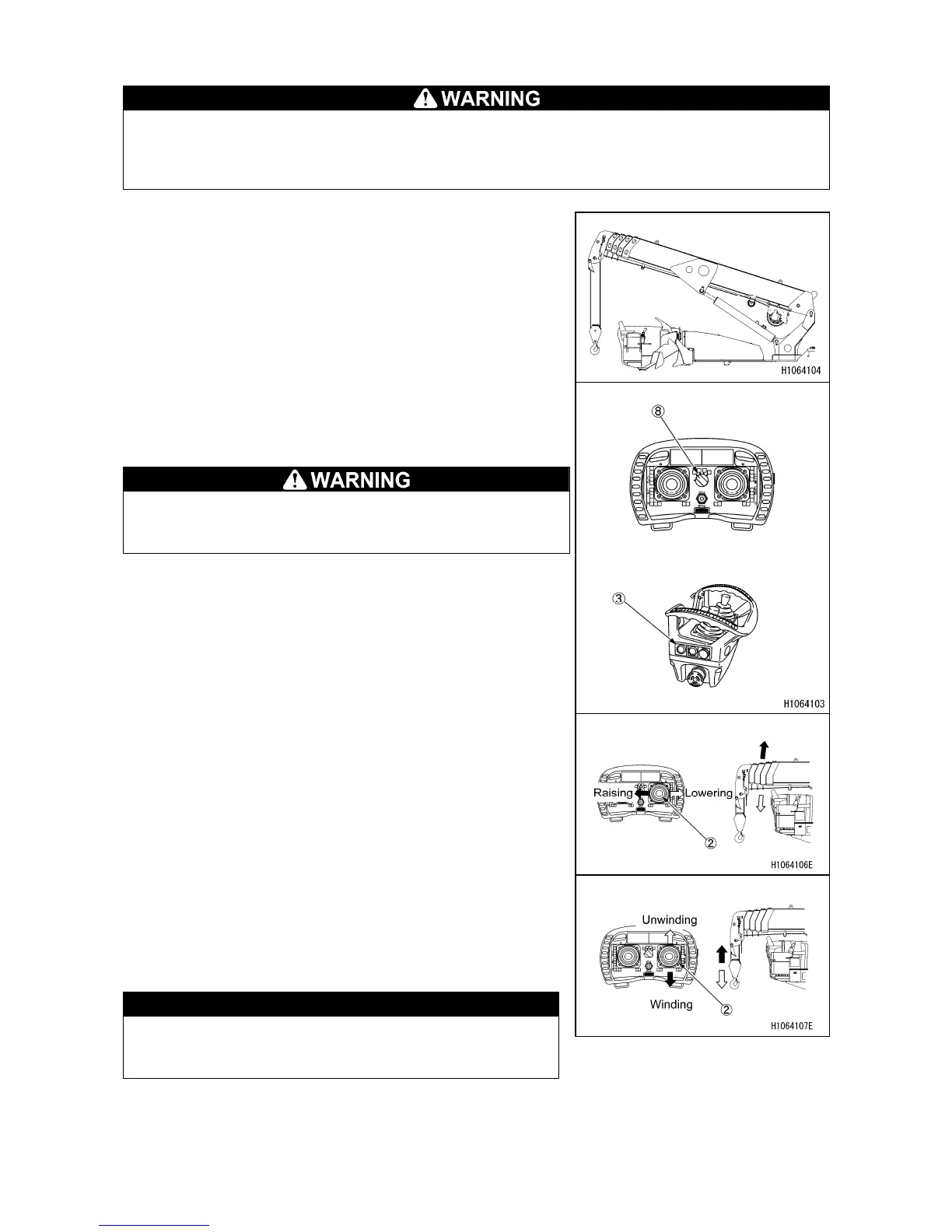
POSTURE” to position the crane as the figure on the
right using the levers in the crane operation control.
3. Press the “start/stop radio control button” (3) of the
transmitter twice to turn the power “ON”.
4. Using the mode selector switch (8) of the transmitter,
set the operation mode to the “Crane mode”.
When operating the crane, perform the steps from 1 to
4 above and be sure to check that the crane mode is
set.
5. Move the operation lever (2) to “LOWER” and “RAISE”
side and check that the boom follows the lever
operation.
6. Move the operation lever (2) to “UNWINDING” (push it
up) and “WINDING” (push it down)” side, and check that
the hook follows the lever operation.
7. Move the operation lever (2) to “WINDING” (push it up)
side and check that the hook stops by over hoist
detector.
CAUTION
Be careful not to allow the winch wire to slack during
hook operation. If it is wound irregularly, the wire
may be damaged and the roller may be broken.



 To Next Page