288
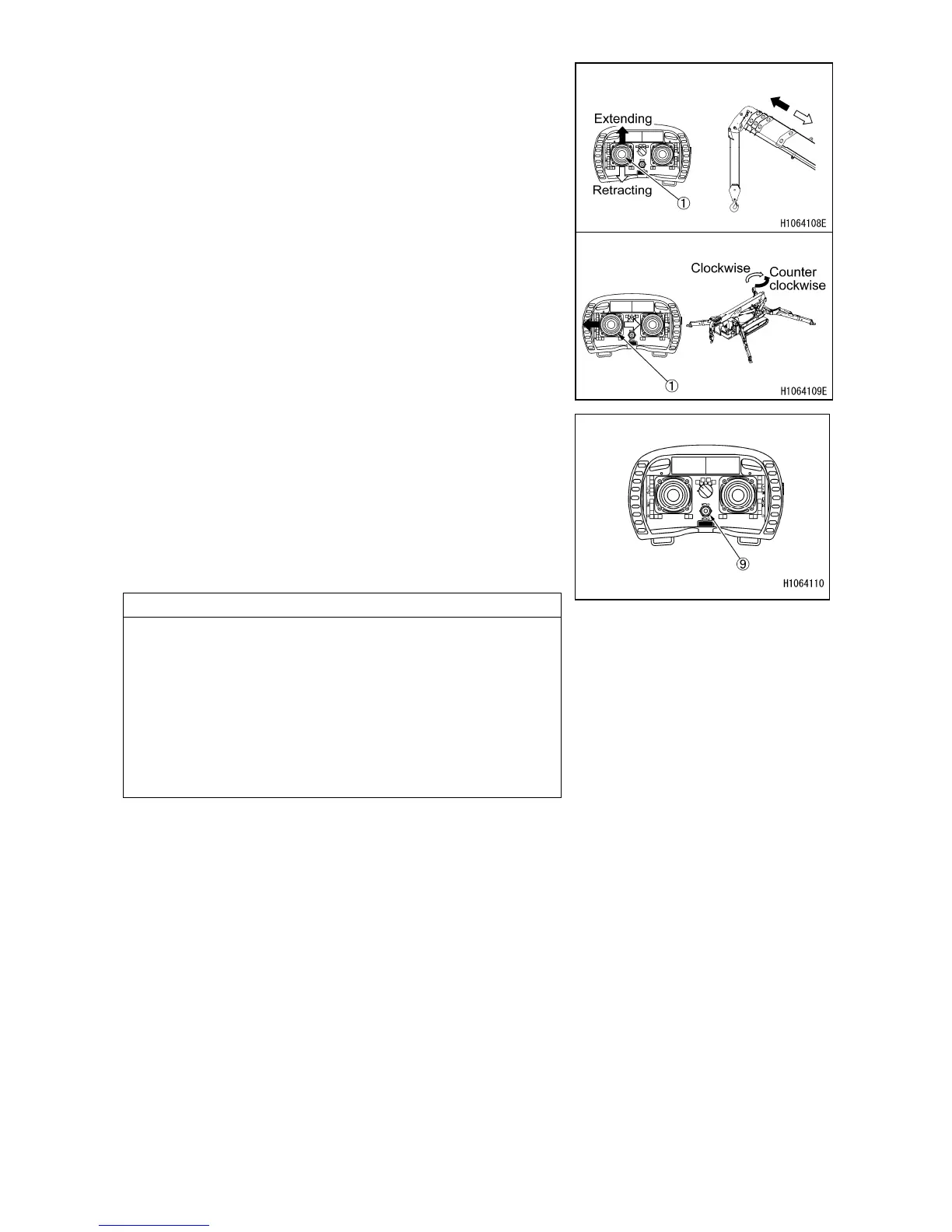
8. Move the operation lever (1) to “EXTENDING” and
“RETRACTING” side and check that the main boom
follows the lever operation.
9. Move the operation lever (1) to “LEFT” and “RIGHT”
side and check that the crane follows the lever
operation.
In addition, practice a slew around “360 degrees” or
more to check for any abnormal conditions.
10. Set the “Acceleration adjustment switch” (9) (maximum
engine speed) to any position. (The maximum engine
speed can be set to increase on the + side).
Check that when each operation lever is pushed down,
the crane speed increases according to the
operation amount and the engine speed increases
also.
NOTES
• When the Acceleration adjustment switch (9) is set to
the maximum and each operation lever is pushed down
to the maximum, the crane speed becomes the
maximum (engine speed becomes the maximum).
• When the Acceleration adjustment switch (9) is set to
the minimum, then even if each operation lever is
pushed down to the maximum, the engine speed stays
the same.



 To Next Page