225
9.2 REMOVING/INSTALLING BATTERY
CAUTION
Verify that the battery does not move after securing the battery. If it moves, secure it
again.
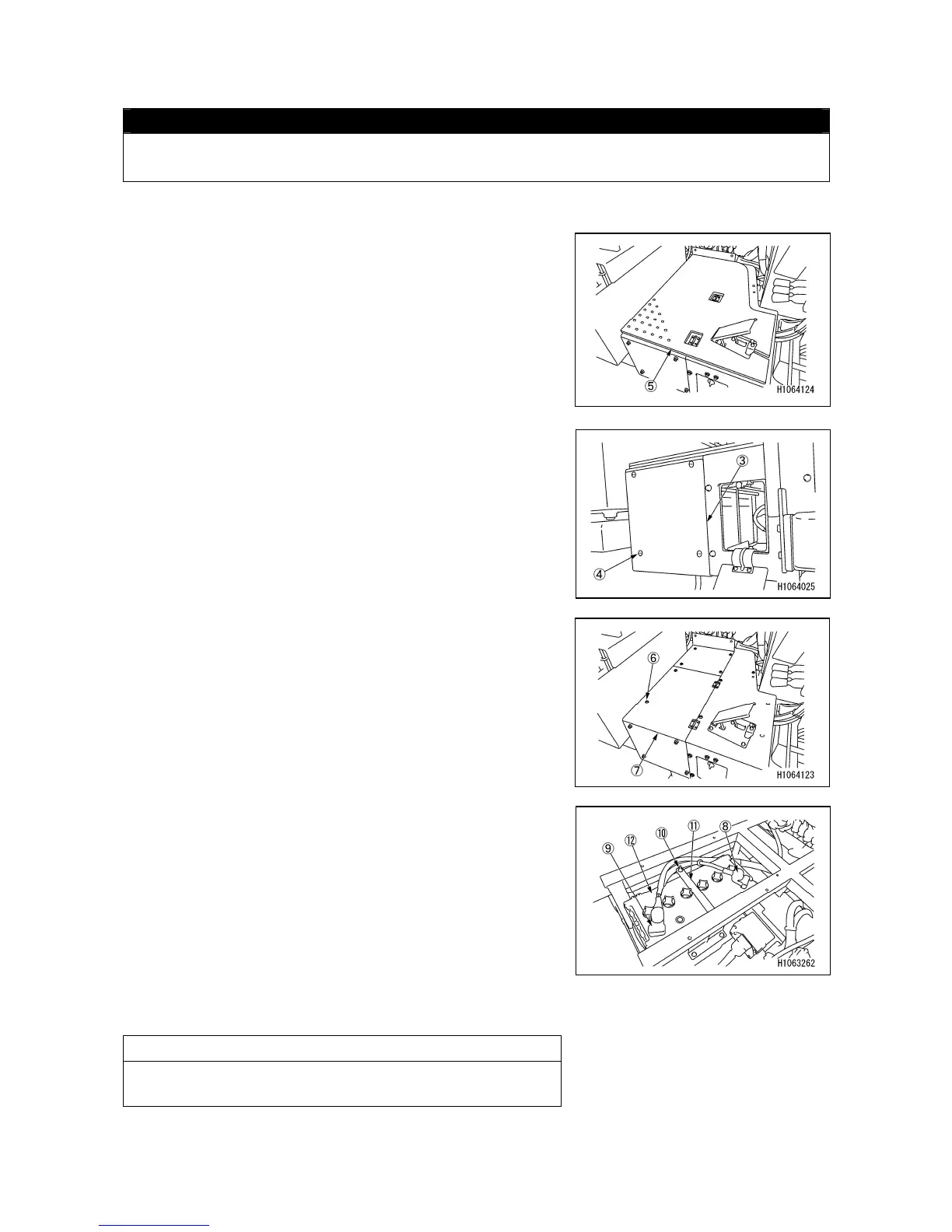
[1] REMOVAL
1. Remove the floor mat (5) for the driver’s seat.
2. Remove the four mounting bolts (4) and then remove
the battery cover (3).
3. Remove the 2 bolts (6) and open the driver’s seat floor
cover (7).
4. To remove the battery cable, disconnect it from the (-)
terminal (8) first, and then disconnect it from the (+)
terminal (9).
5. Remove the wing nuts (10) (2 pieces) and battery fixing
brackets (11), and then remove the battery (12).
[2] INSTALLATION
• Install the battery in the reverse order of removal.
NOTES
Connect the (-) terminal (8) on the ground side last when
connecting the battery.



 To Next Page