179
2.26.4 CANCELING PICK & CARRY OPERATION POSTURE
NOTES
This process is for after the Pick & Carry operation. If the mode is not in Pick & Carry, shift the
mode to Pick & Carry first.
2.26.4.1 HOW TO RETURN TO TRAVELLING POSTURE
1. If a load is suspended, unload the load, and make the crane into no-load condition.
2. Set the crane into below conditions.
・Boom is fully retracted.
・Boom angle is more than 70 degrees.
・No load
NOTES
If above conditions are not met, slewing operation is not
possible other than the 180±5 degrees area.
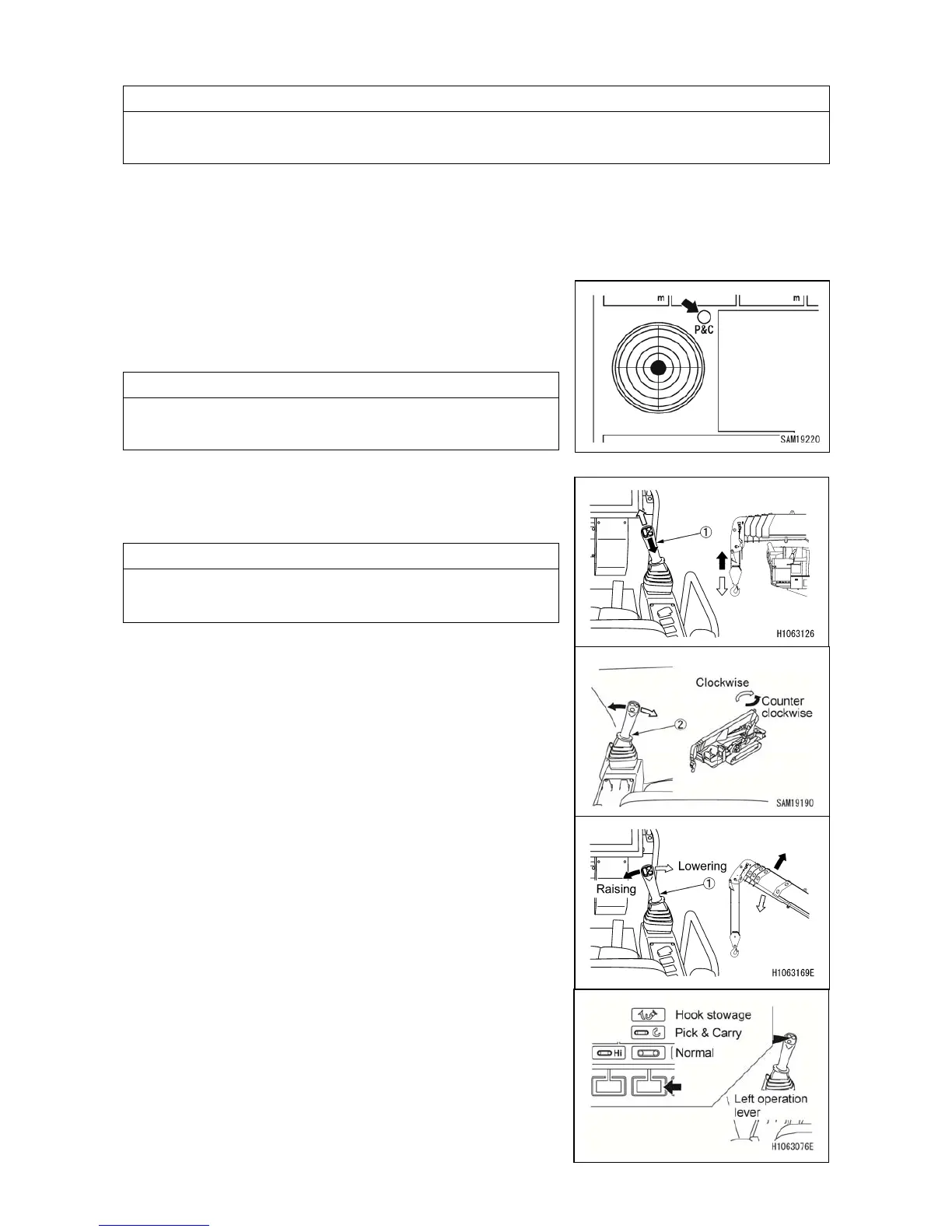
3. Raise the hook block with right lever (1) by manipulating
to your side until hook block automatically stops.
(overwind condition)
NOTES
If hook block is raised too much, overwind is detected and
warning buzzer sounds and raising hook automatically
stops.
4. Slew the boom to 1~2 degree position using left
control lever (2) by manipulating to the right or left.
5. Lower the boom with right lever (1) by manipulating to
the right until boom automatically stops.
6. By changing the mode to Hook Stowage by mode
selector switch (3) on the monitor, let the hook
automatically be stowed.



 To Next Page